
Prescription Renewal Notification
Prescription Renewal Notification
What: A follow-up task, automatically pre-filled with the medicine and patient, that reminds you when a repeat prescription needs renewing.
Why: Chronic and repeat medicines run out on a schedule, this turns that into a task you'll actually see again, instead of relying on memory.
When: Any time you prescribe a medicine with a repeat interval, during a consultation.
1. Set a Repeat interval when prescribing
Location: Diagnose & prescribe › Medicine › Medicine Options
Search for and select a medicine as normal. In the 'Select Dosage' column of the Medicine Options dialog, find 'Repeat' and choose an interval (x1 through x6 months) instead of the default 'No repeats'. This is what triggers the renewal reminder, a medicine added with 'No repeats' won't get one.
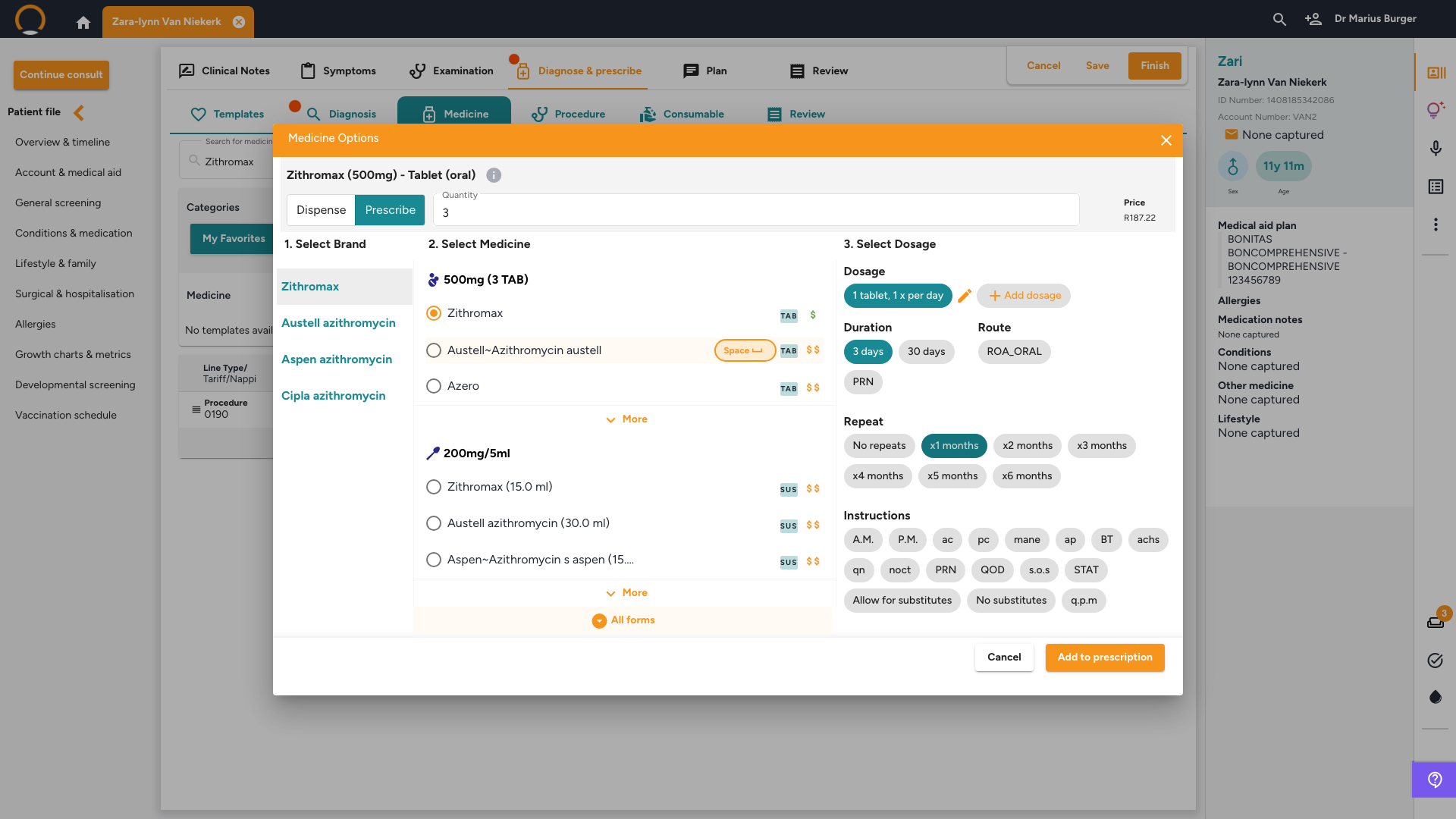
2. Click 'Add to prescription'
Location: Prescription line
The medicine appears on the prescription with a small task icon just before its dosage text, this only appears on lines where a repeat interval was set.
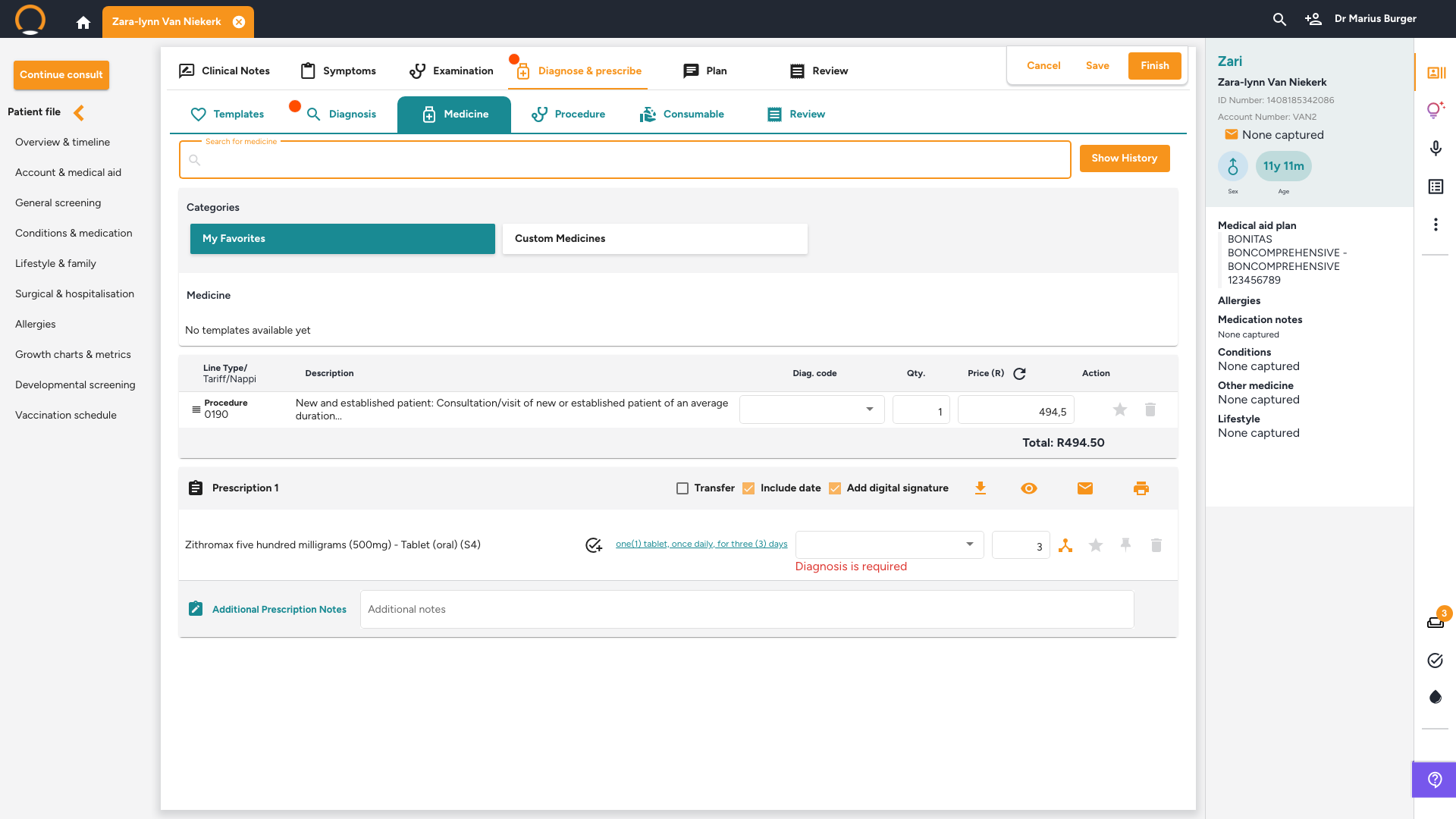
3. Click the icon to create the renewal task
Location: Prescription line › task icon
The 'Create task' dialog opens already filled in: Task type set to 'Prescription renewal', a Title naming the exact medicine, the patient already linked, and a Description stating which prescription is due for renewal. Adjust the Due date and Assign to if needed, then click 'Save'.
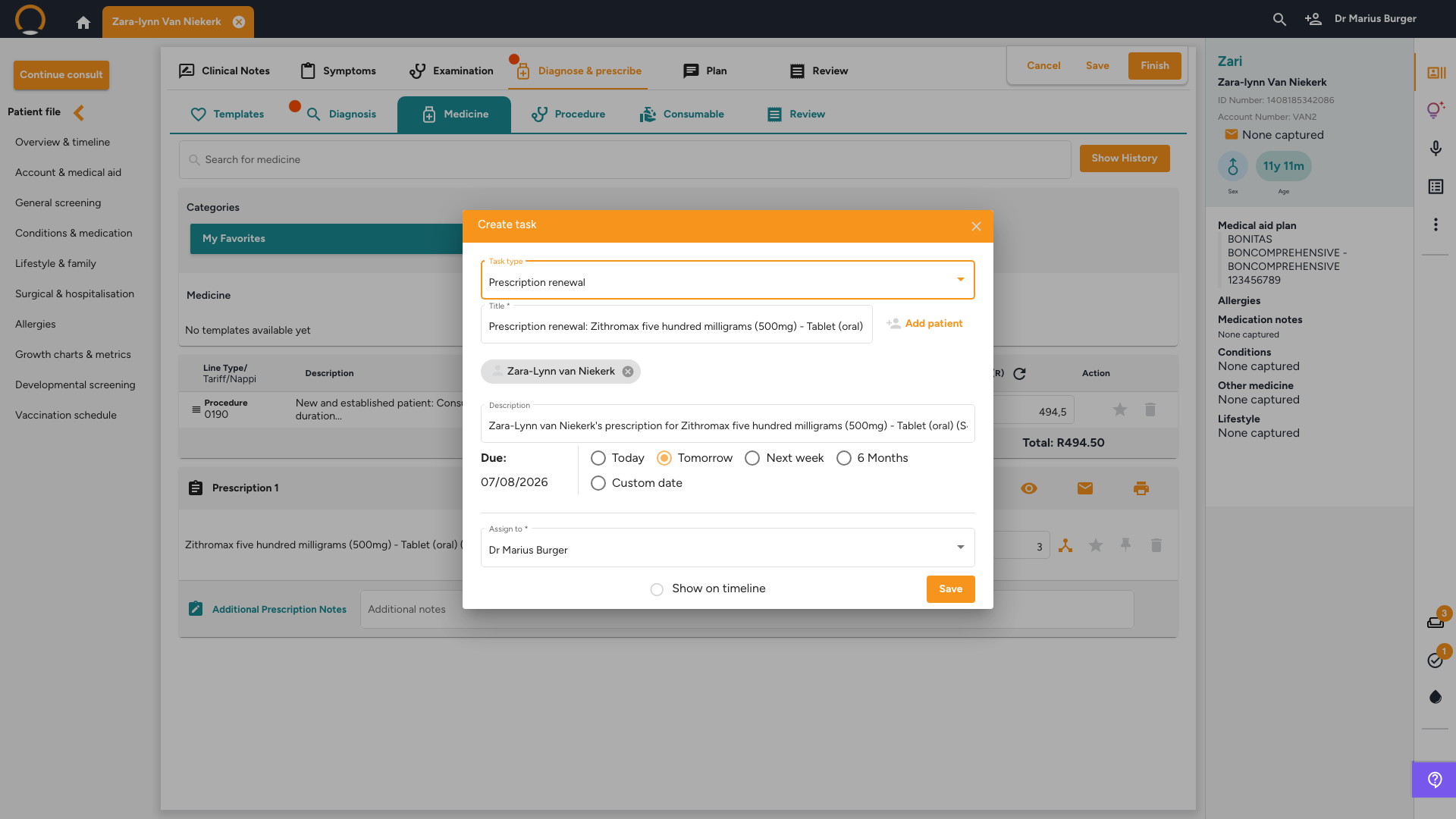
Go deeper: See How to Create and Follow Up on Tasks in Healthbridge Clinical for how the saved task behaves afterwards, where it appears in the To do panel, and how to mark it complete.
Frequently asked
Q: What if I forget to set a Repeat interval?
No task icon appears on that line, and no automatic reminder is created. You can still create a 'Prescription renewal' task manually from the To do panel, it just won't be pre-filled with the medicine details.
Q: Can I still edit the task before saving it?
Yes, the Title, Description, Due date, and Assign to fields are all editable before you click Save, the pre-fill is just a starting point.