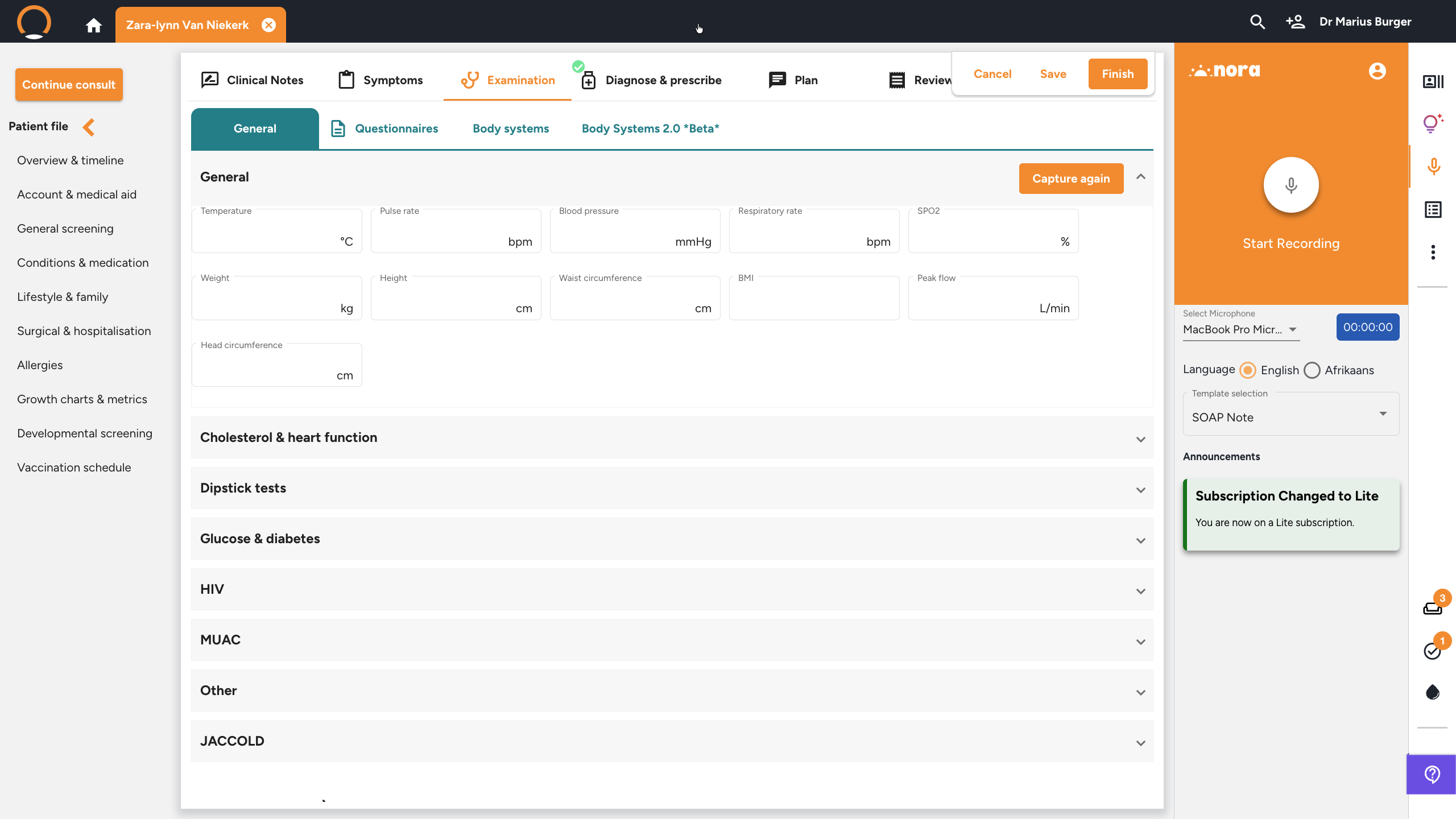
Completing the Examination Tab
Completing the Examination Tab
What: The consultation tab where you record vitals, run questionnaires, document body systems, and draw on body charts.
Why: Capturing examination findings alongside the symptoms and diagnosis keeps the whole encounter in one structured record instead of separate paper notes.
When: After the Symptoms tab, before moving on to Diagnose & prescribe.
Steps
1. Record vitals and examination findings
Location: Consultation › Examination tab › General
Click the 'Examination' tab. On the 'General' sub-tab, enter the patient's vitals: Temperature, Pulse rate, Blood pressure, Respiratory rate, SPO2, Weight, Height, Waist circumference, BMI, Peak flow, and Head circumference. Additional measurement categories (Cholesterol & heart function, Dipstick tests, Glucose & diabetes, and more) are available as expandable sections below.
- Click 'Questionnaires' to administer structured clinical screenings (e.g. PHQ-9, GAD-7).
- Click 'Body systems' to document system-by-system examination findings using tick-box templates.
- Body Charts (🖊️), click the Stylus icon in the sub-tab toolbar, then select 'Add Templates' to open a body diagram. On touchscreens, draw directly on the diagram. On desktop, click the Textbox icon to insert typed annotations next to specific areas.