
Document Management (Practice Staff)
The Document Management feature in Healthbridge Clinical provides a centralized, electronic filing ecosystem for your practice. It allows administrative staff to easily upload, search, and organize files on both a practice-wide operational level and an individual patient level.
Uploading Patient Documents
Step 1: Open Document Management
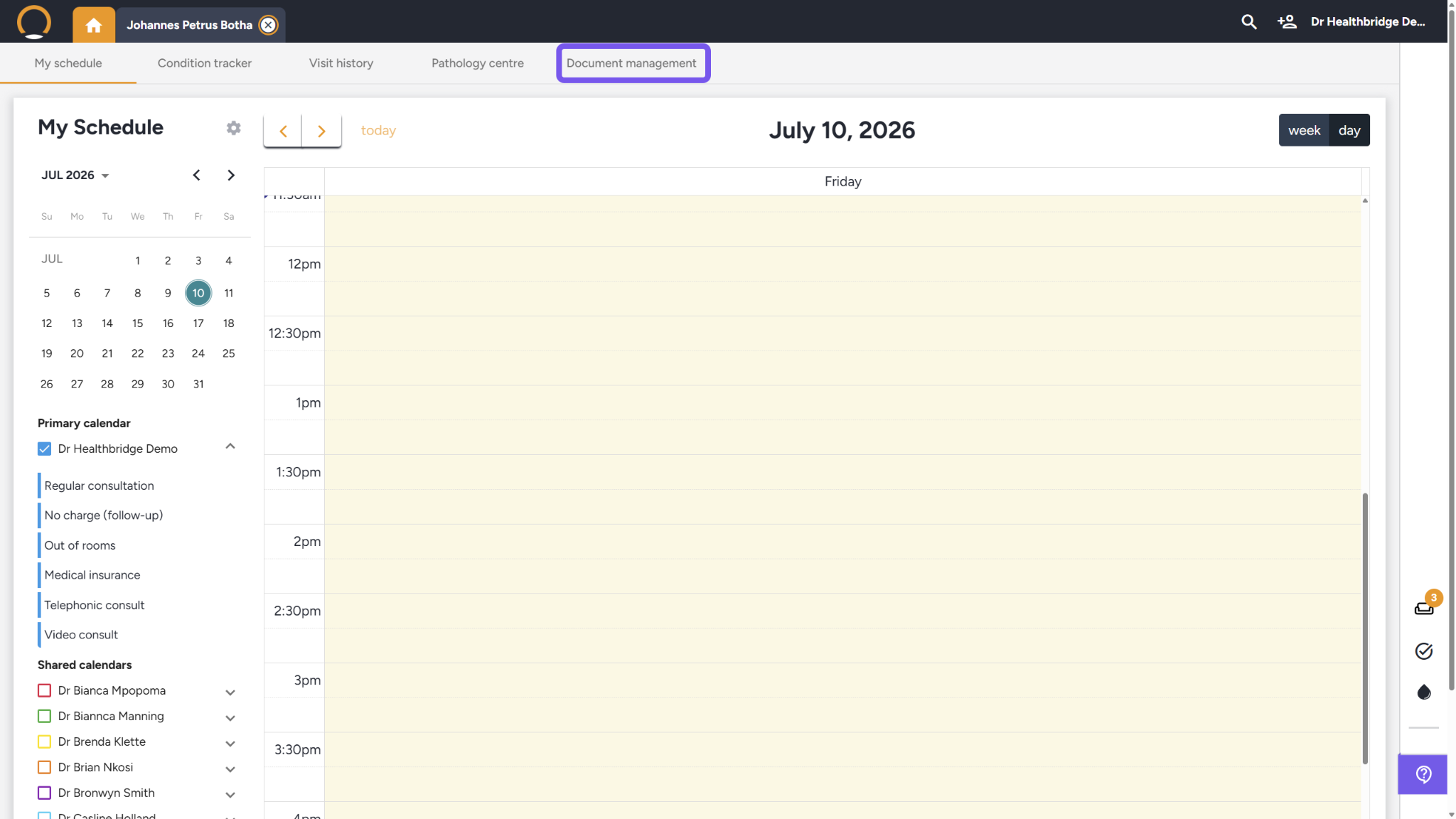
- Log in to Healthbridge Clinical and locate the main top navigation menu bar.
- Click on the Document management tab to launch your central document dashboard grid.
Step 2: Upload New Patient-Level Documents
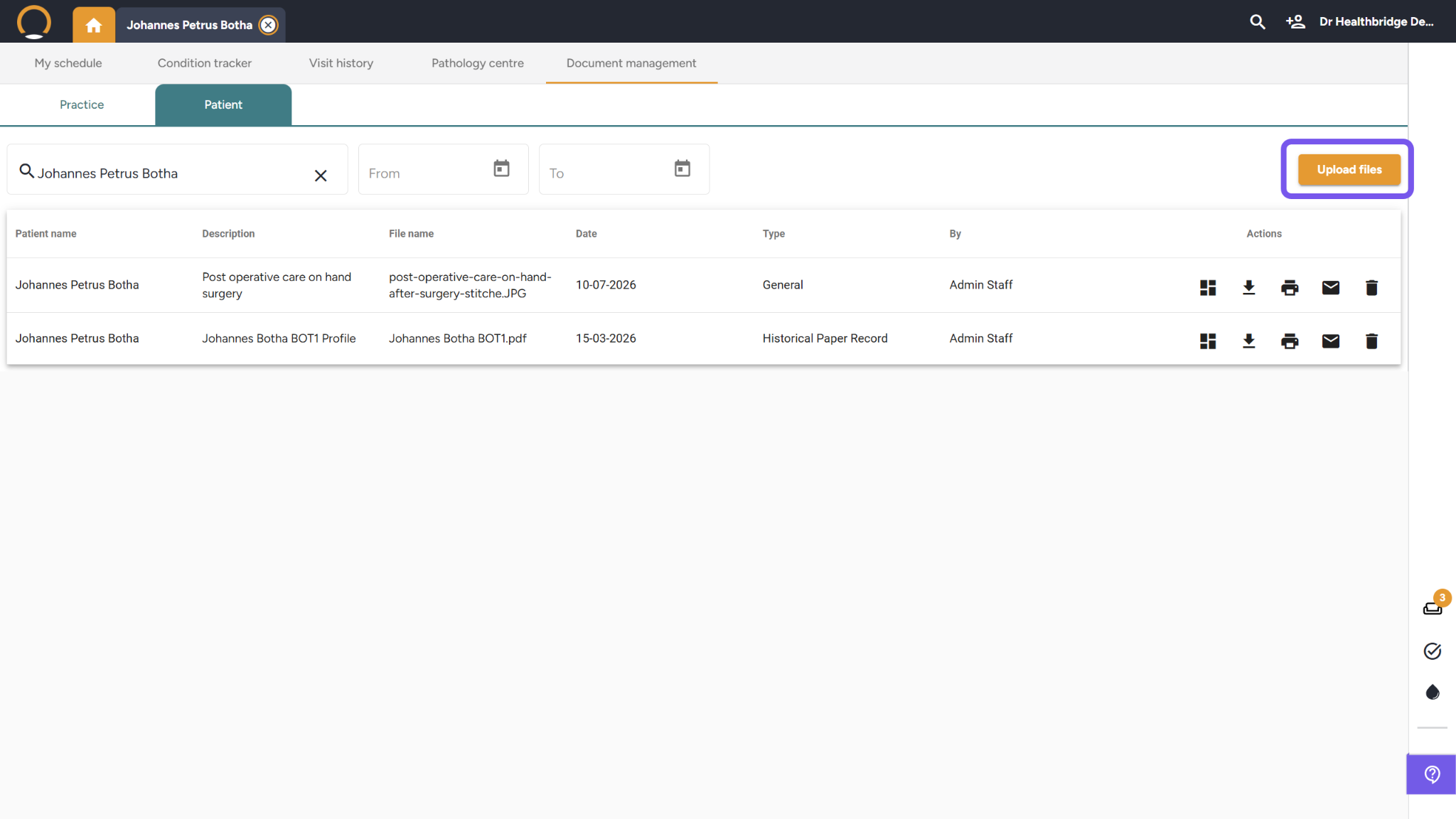
- While viewing the Patient sub-tab panel, click the orange Upload files button.
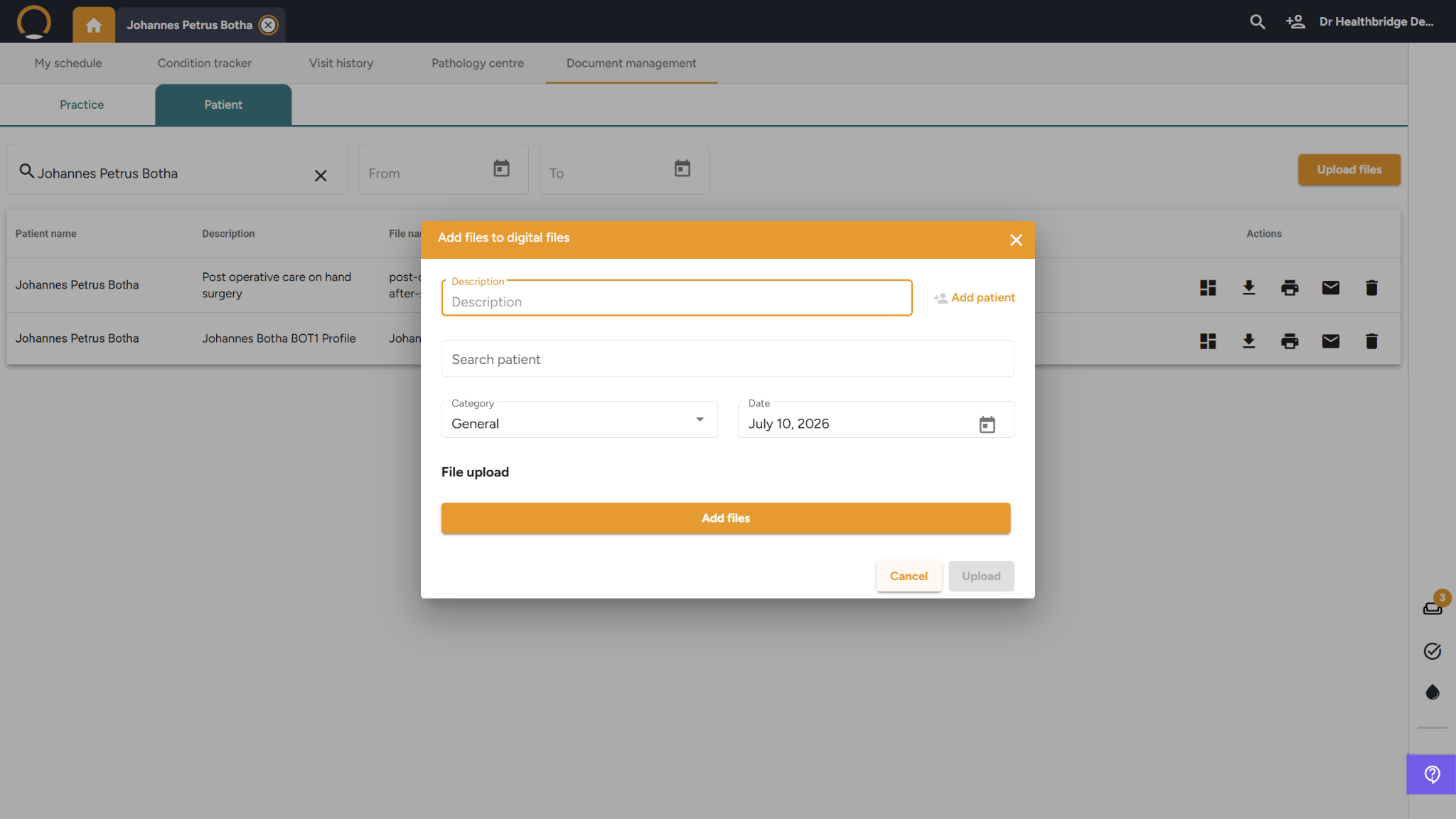
- In the pop-up modal window, type a clear clinical Description, pick a file Category, and click the orange Add files button to attach your file.
- Click Upload to save the document to the secure patient database repository.
Viewing Patient Documents
Option 1: Search Patient Documents
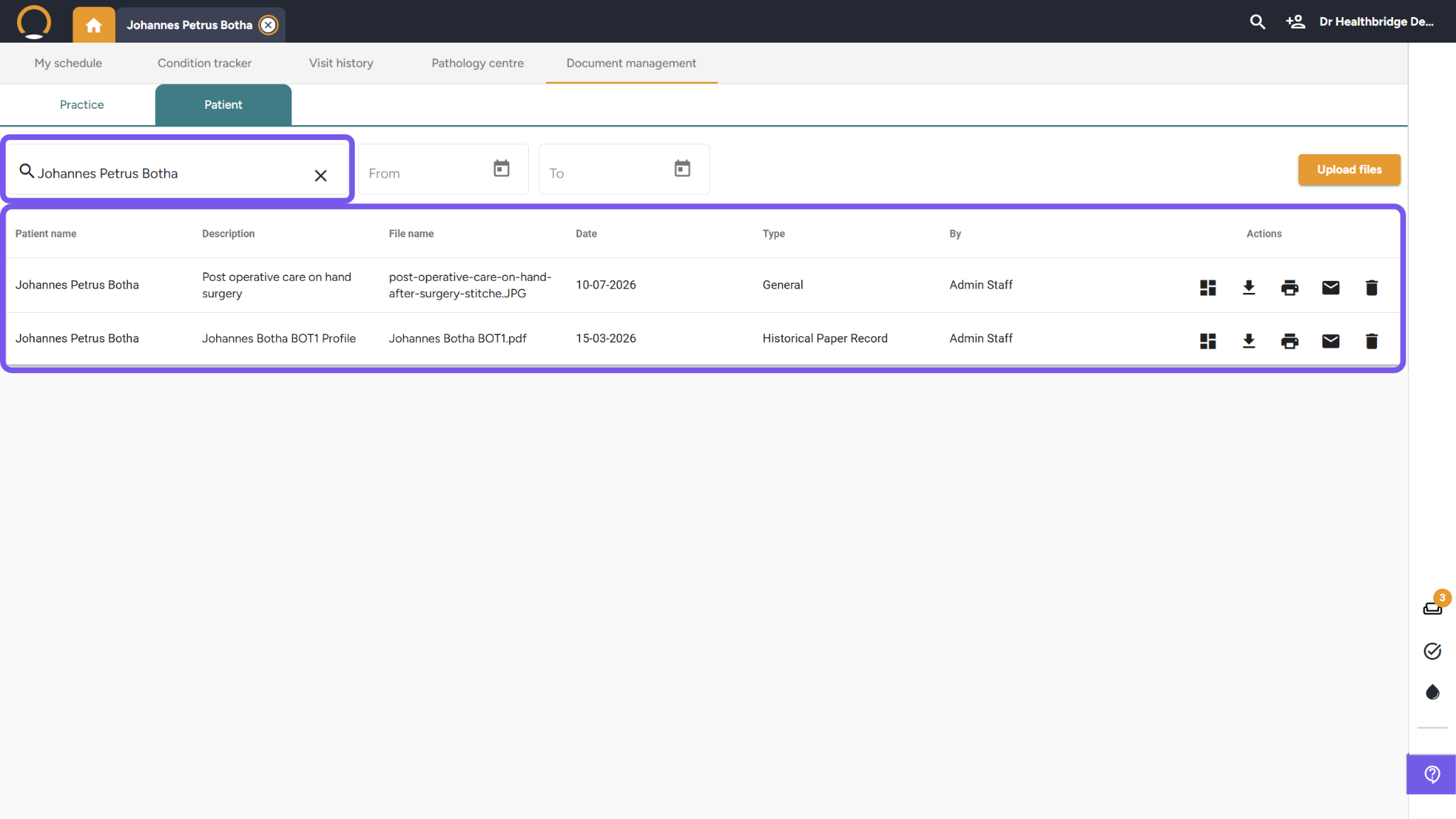
- Click on the Patient sub-tab located next to the Practice sub-tab.
- Type the patient's name into the Search field bar to instantly filter out and locate previously uploaded records.
- Narrow your results further if needed by selecting custom parameters inside the From and To date calendar picker blocks.
Option 2: View on the Patient Timeline
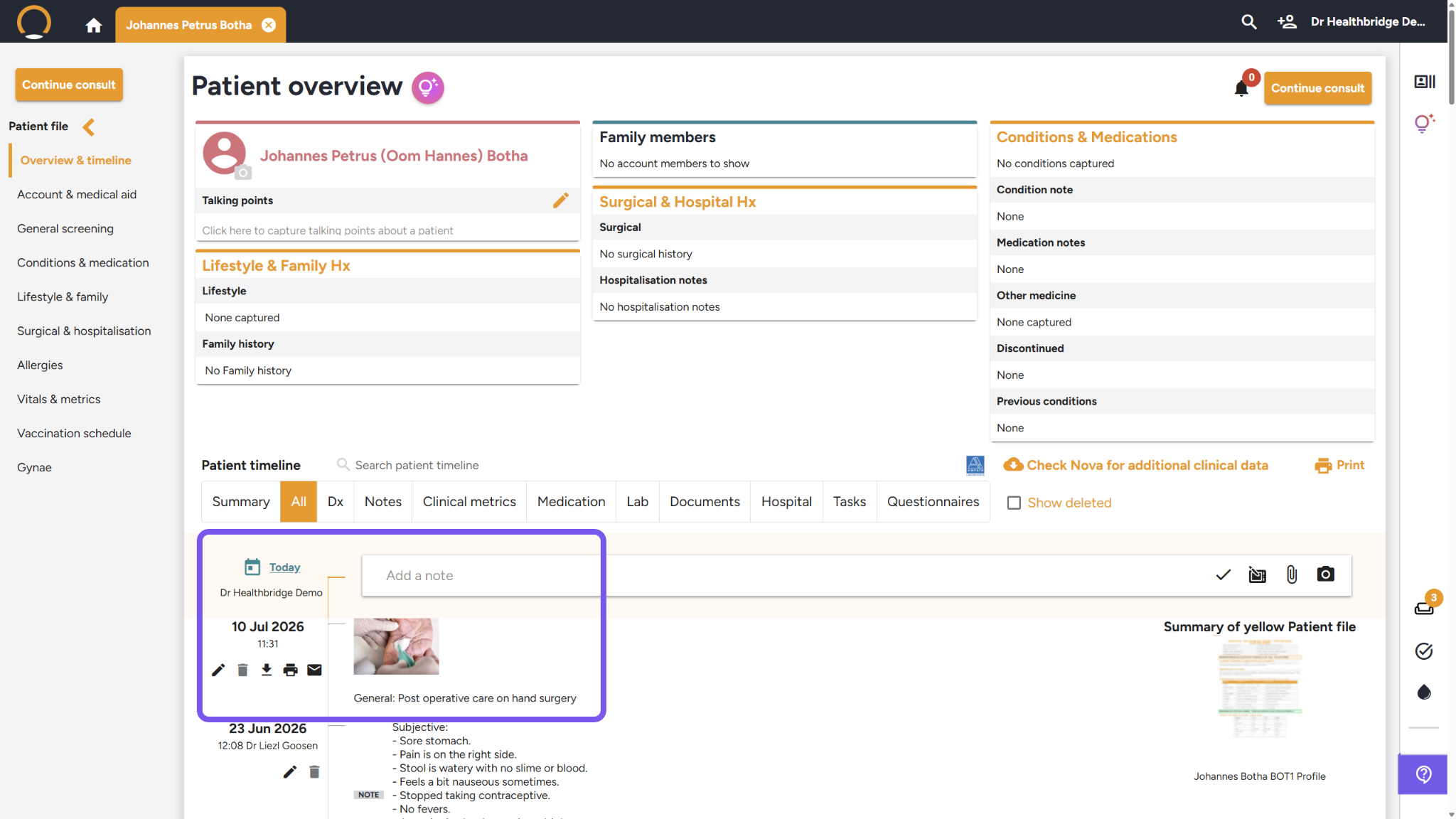
- The moment a file is successfully uploaded and assigned under the Patient sub-tab, it attaches to that patient's timeline.
- The file will instantly display as a chronological preview card tile on the active Patient timeline, where a doctor can review, print, or email it during a live consultation.
Upload Practice-Level Documents
Step 1: Open Document Management
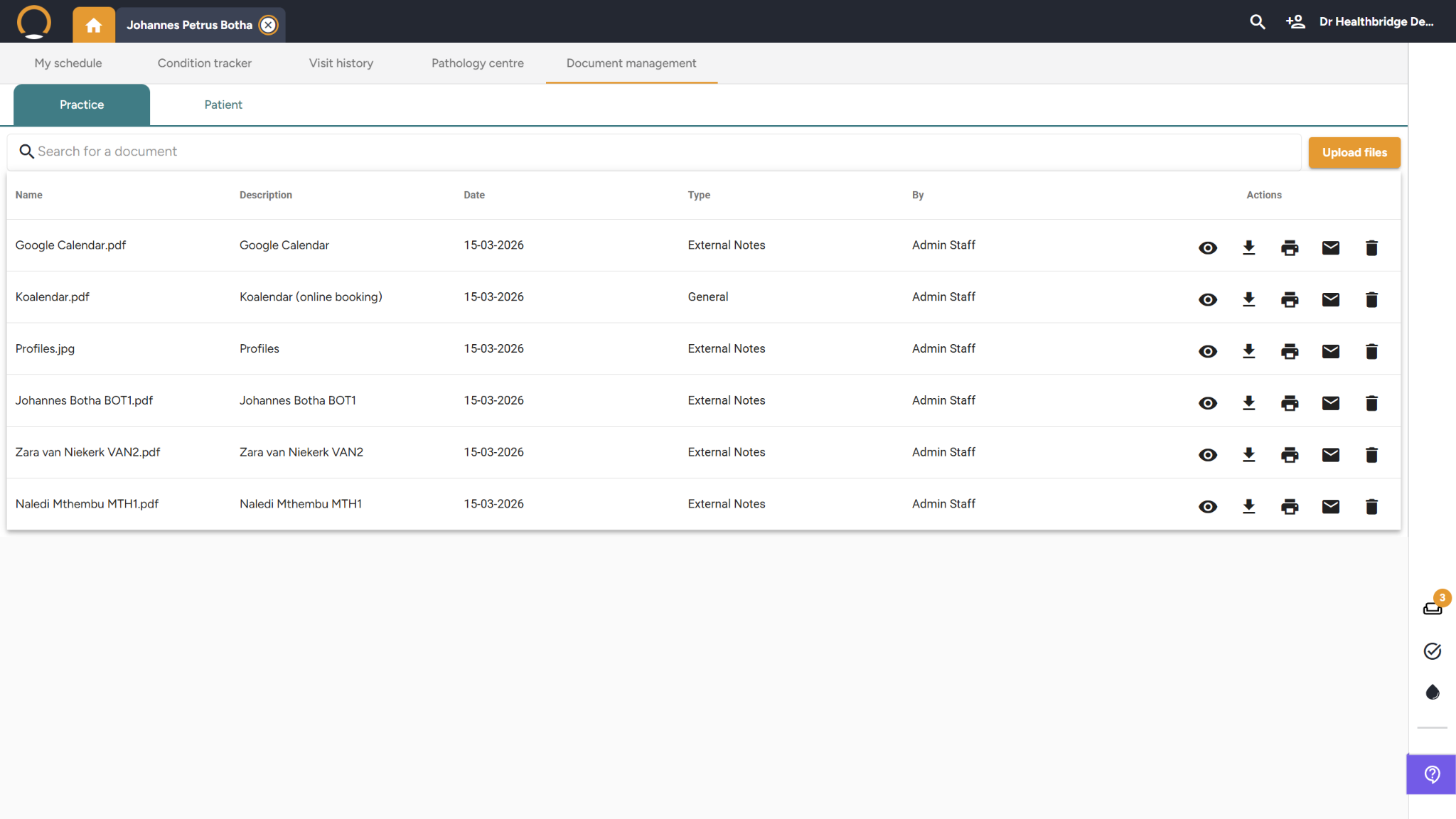
- Click on the Practice sub-tab in the upper-left corner of the dashboard.
- Click the orange Upload files button located on the right side of the screen.
Step 2: Upload Documents
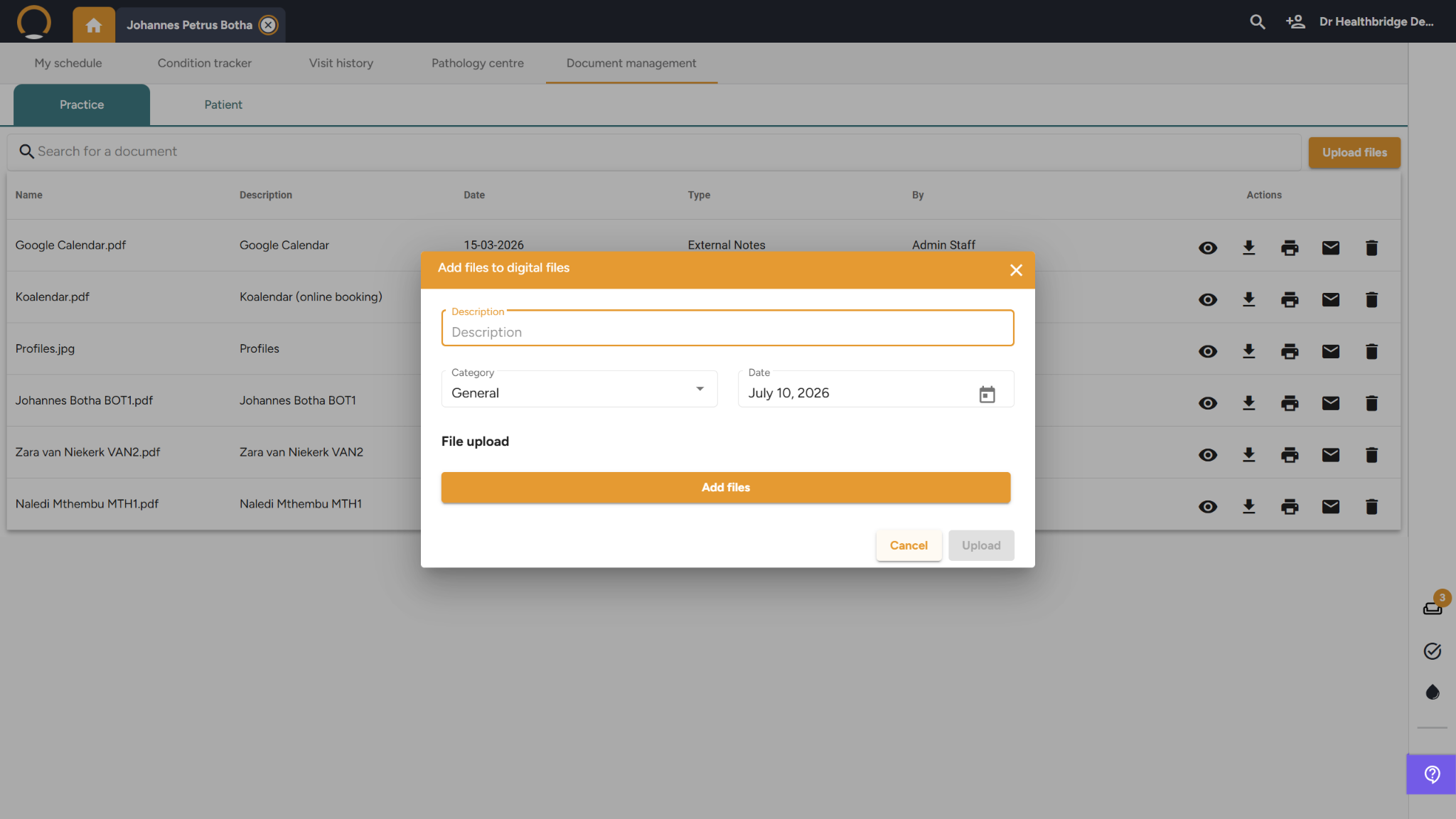
- In the Add files to digital files modal popup, click the text field to enter a Description, select an operational Category from the dropdown menu, and set the document Date.
- Click the orange Add files button to choose the file from your local workstation drive, then click the final Upload button to save it globally.
Key Benefits for Your Practice
- Streamlined File Ingestion: Effortlessly separates macro business templates and blank medical aid forms from individual, highly confidential medical charts.
- Rapid Retrieval: Completely eliminates the need to dig through physical filing cabinets by offering rapid search bars and custom date filters.
- Automatic Timeline Integration: Feeds records straight into the patient's interactive health narrative line, preventing care gaps or lost external charts.
- One-Click Grid Control: Maximizes office efficiency by letting your administrative staff preview, download, or email files on the spot with a single click.