News
Enhancements -17/03/2026


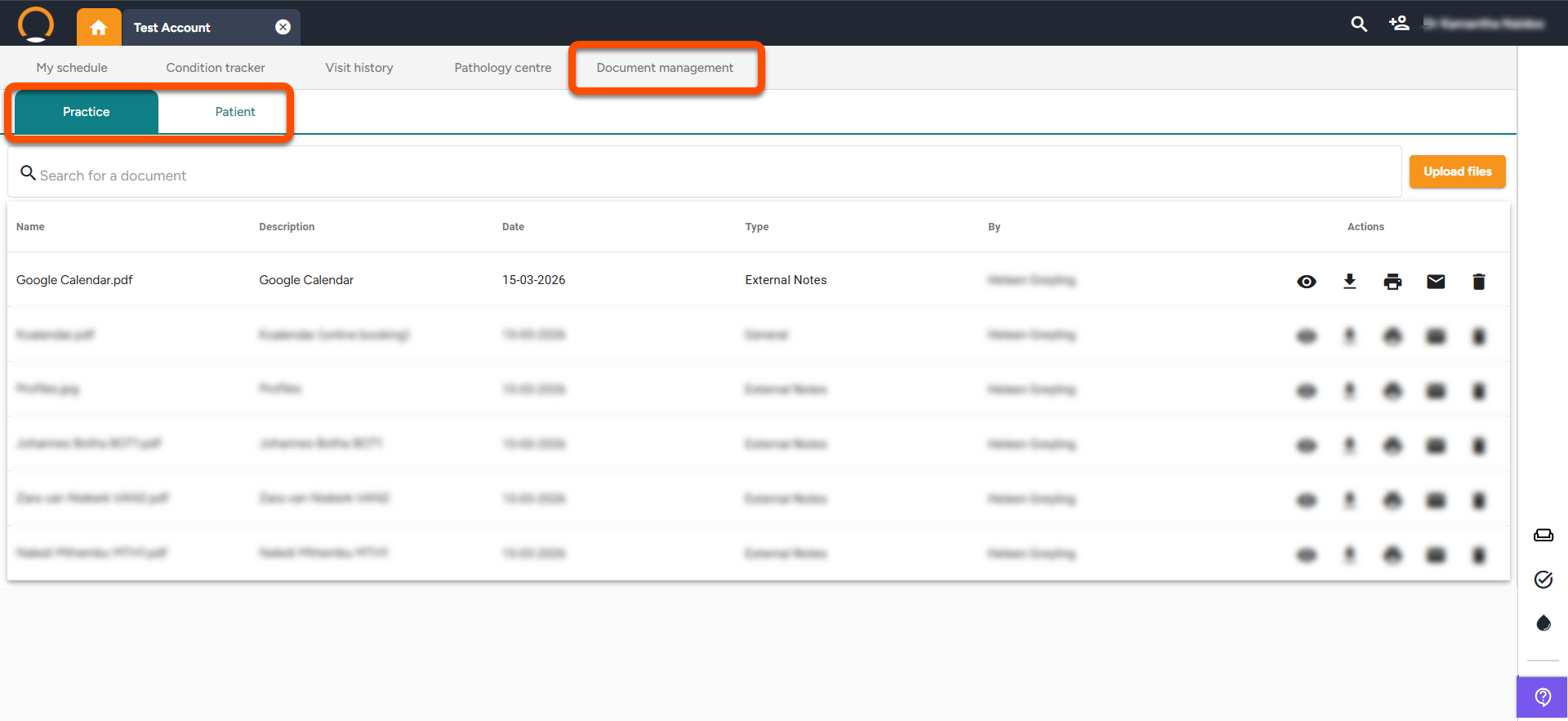
Patient File Upload - The management of patient documents has been enhanced to incorporate both patient-specific and practice-wide files. The previous "Practice documents" system has been upgraded to "Document Management" now offering two distinct tabs: Practice, for documents applicable to the entire practice, and Patient, for files unique to individual patients. Please note, file uploads are capped at 25MB.

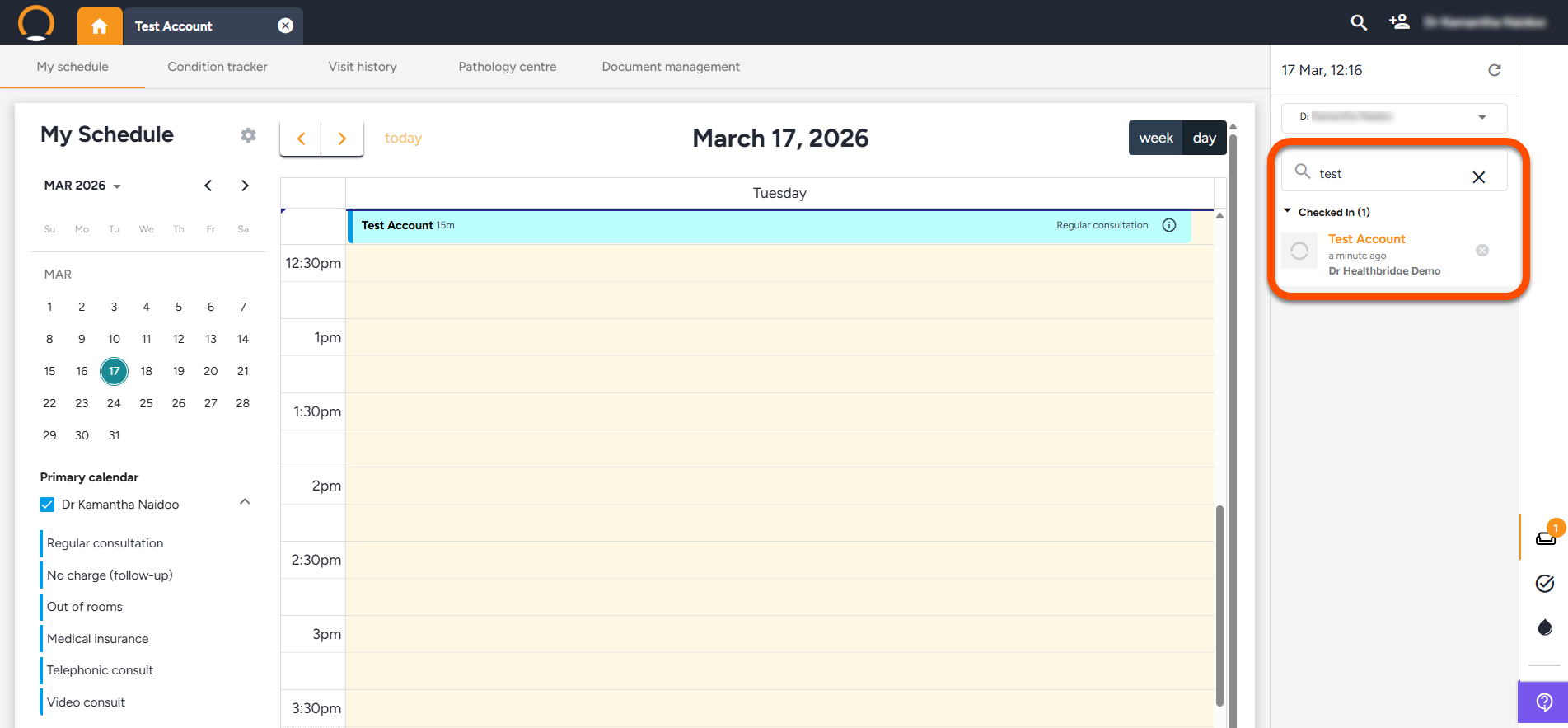
  • Waiting room search option - A search feature has been integrated into the right-hand pane of the Waiting Room to assist in swiftly identifying the correct patient amidst a busy list.
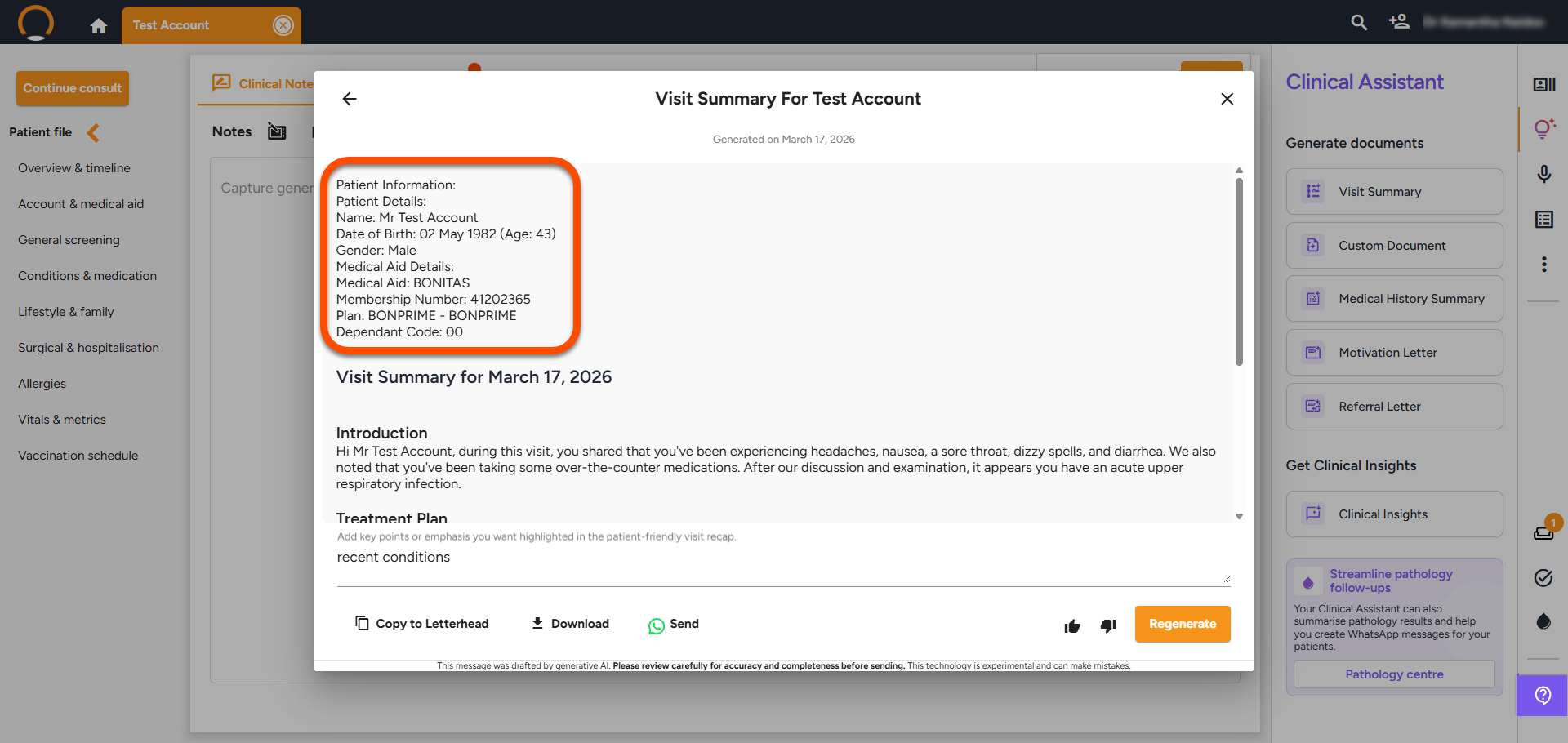
  • Clinical Assistant Documents -Clinical Assistant's AI-generated documents now incorporate a standardized "Patient Details" section. This includes patient demographics and, where relevant, a Medical Aid Details section. This update is applicable across all document types, such as Visit Summaries and Referral Letters.
  • NORA Model Upgrade - Nora has been enhanced to elevate response quality and consistency across AI-assisted workflows, such as generated notes, letters, and summaries. Providers can expect noticeable improvements in clarity and output quality.


  • Vital only user - The role was updated to include the waiting room view.


Should you require any further information on these enhancements please do not hestitate to contact our call centre on 0860 200 222 or engage our chat as well.

3 days ago
Discover the Pathology Bundle

Part 4: Mastering Diagnostic Excellence

Stop the "paper chase" and the diagnostic backlog. This week, we focus on the Pathology bundle, designed to give you total control from the moment a result arrives until the patient is notified.

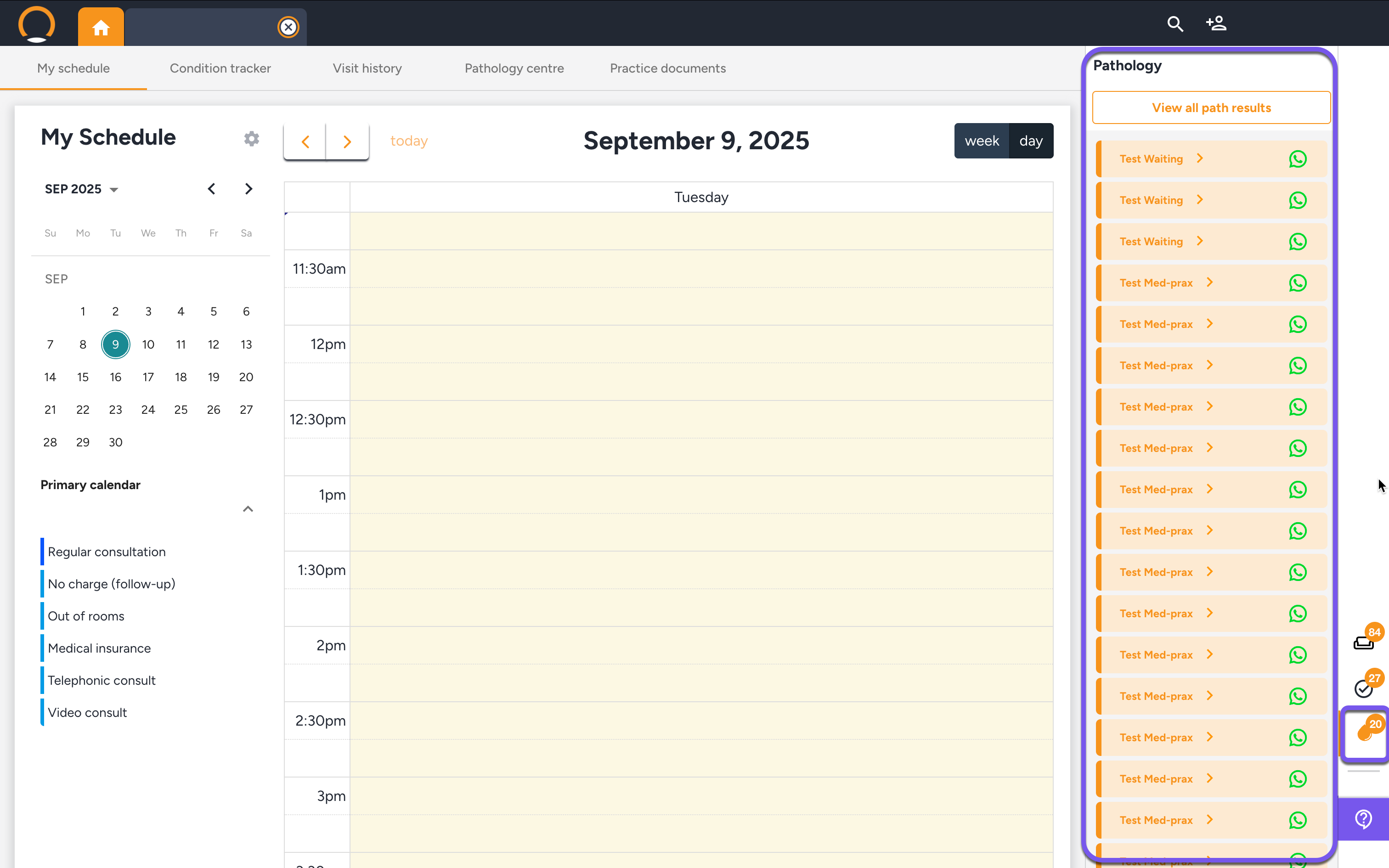
  • The Consolidated Inbox: Stop the manual portal-hopping. Every result from every major lab lands in one inbox and is automatically filed to the patient timeline.
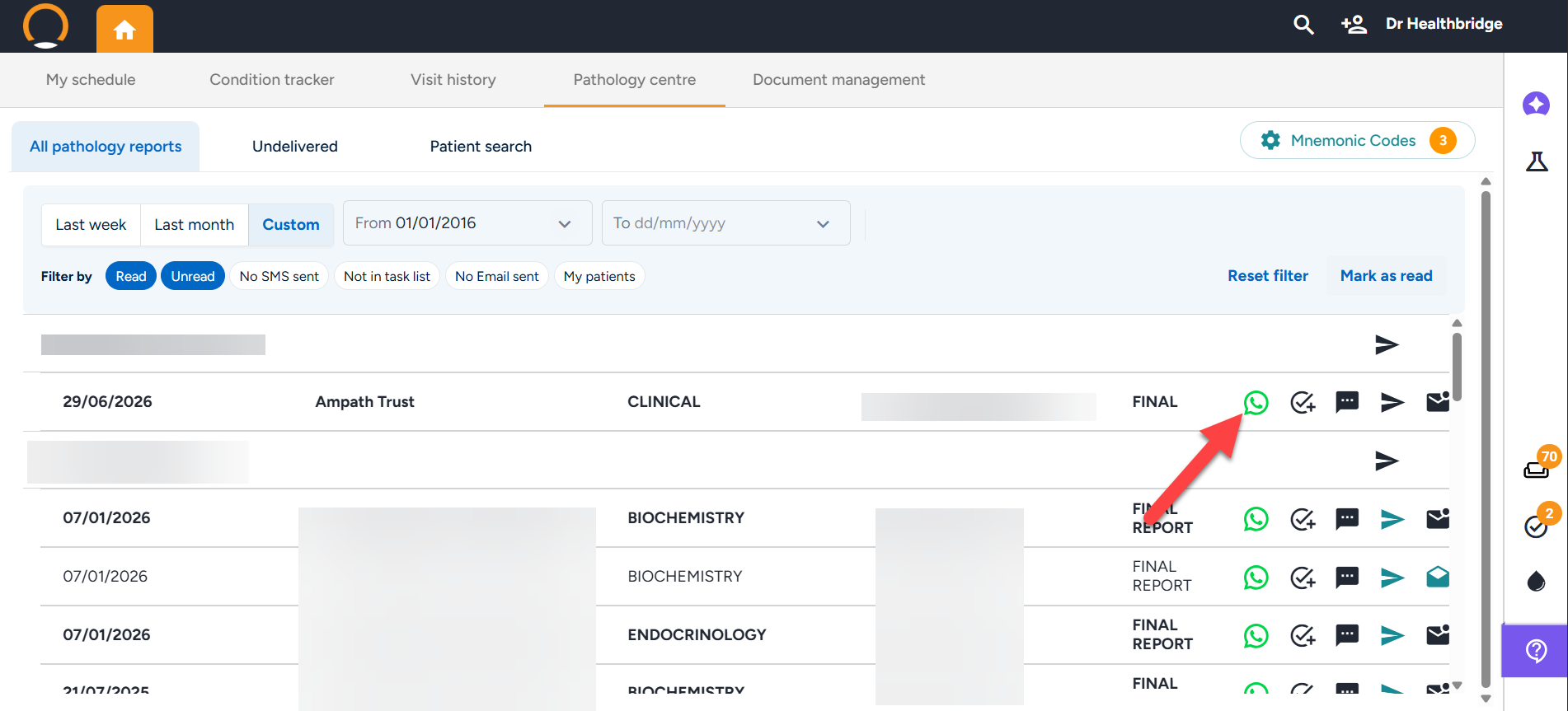
  • The AI Pathology Messenger: For Advanced AI Tier users, the AI analyses cumulative history to draft a meaningful, contextualised summary for patients. Review, refine, and send via WhatsApp in seconds.

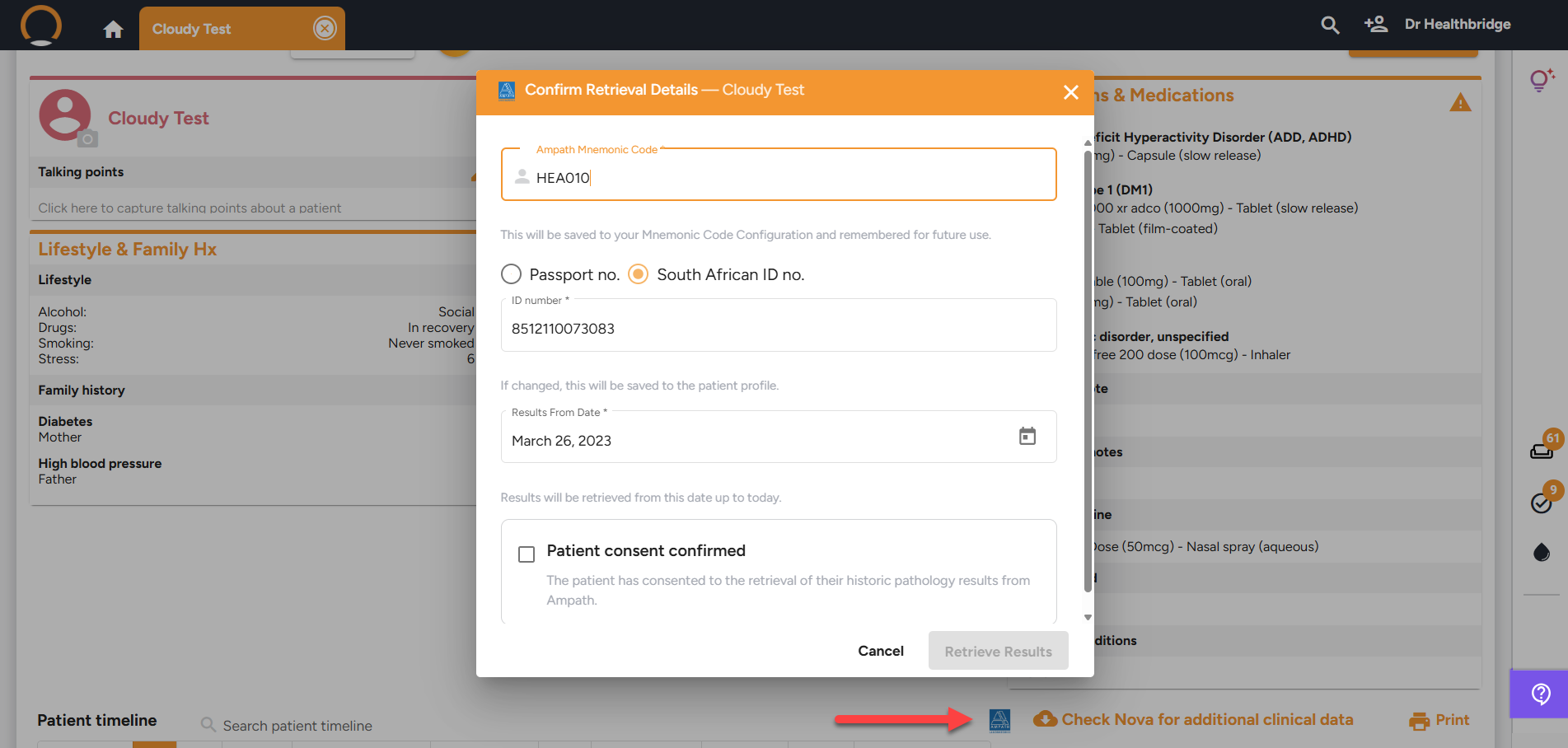
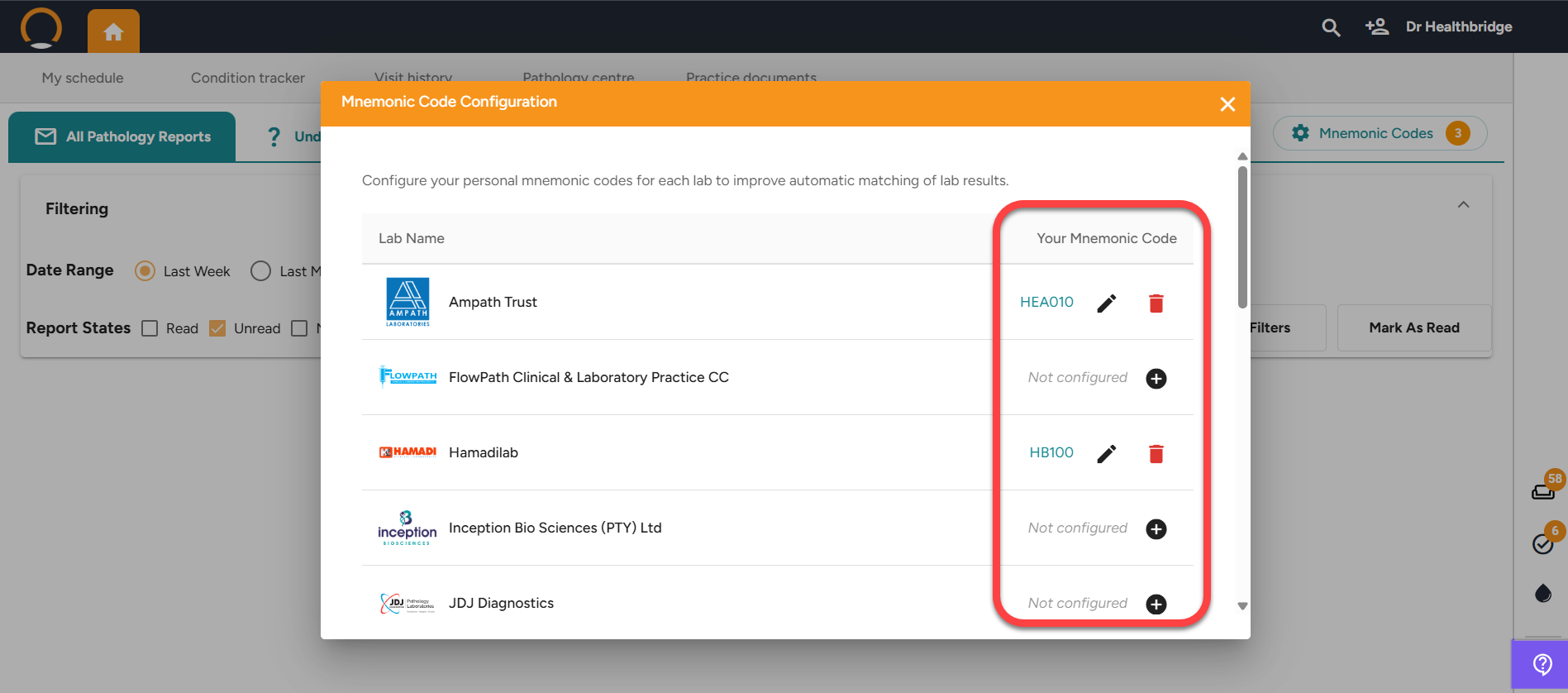
🛠️ Activation Tip: If your inbox is empty or missing a regular lab, you can now add your Lab Mnemonics directly in the system to enable electronic results.


Master the workflow: Open your Pathology Centre from the dashboard to view your pending results.

last week
Enhancements -06/03/2026
  • Pathology Lab Mnemonic Codes -The Pathology section now assists practices to record lab-specific mnemonic codes, improving electronic pathology matching accuracy.
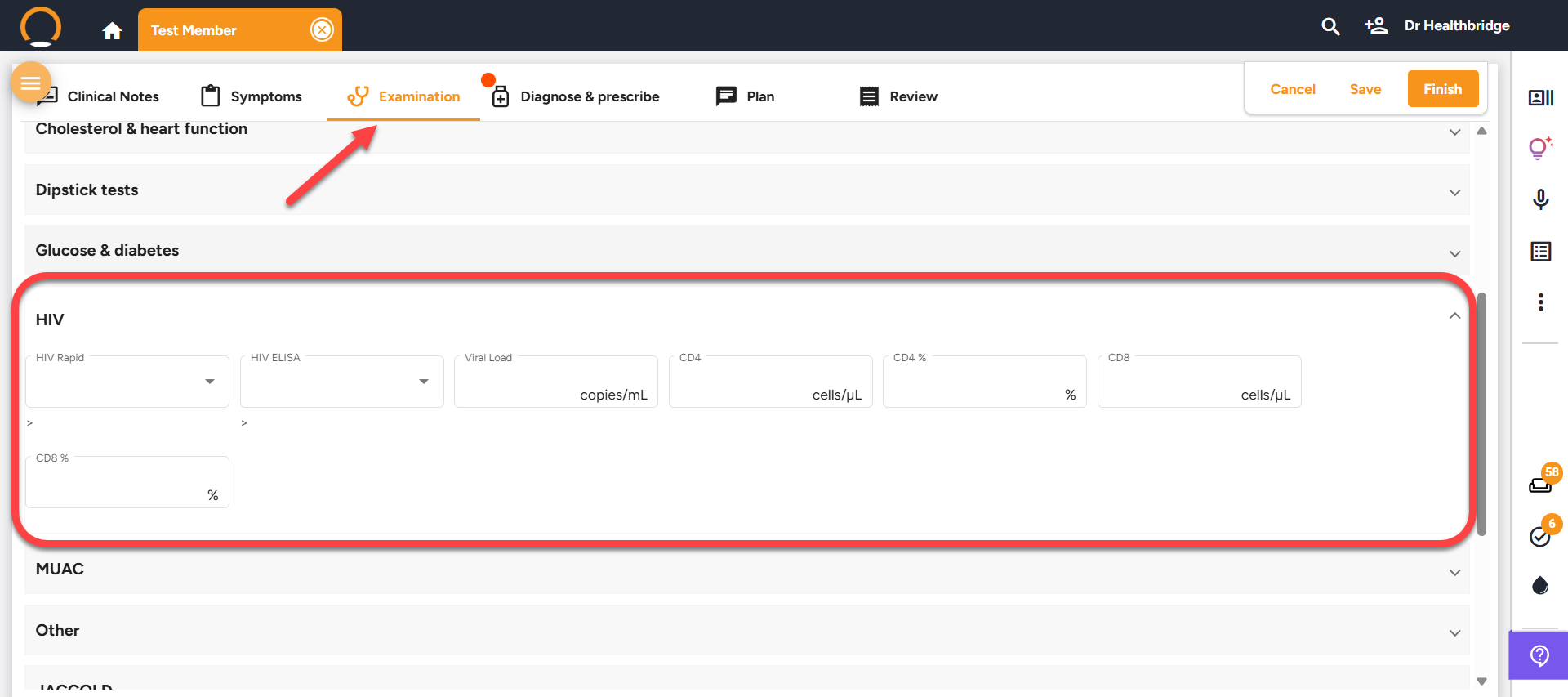
  • HIV Monitoring Addition - The HIV section now accommodates standard continuous monitoring parameters, including Viral Load (copies/mL), CD4 Count (cells/µL), CD4 Percentage (%), CD8 Count (cells/µL), and CD8 Percentage (%).
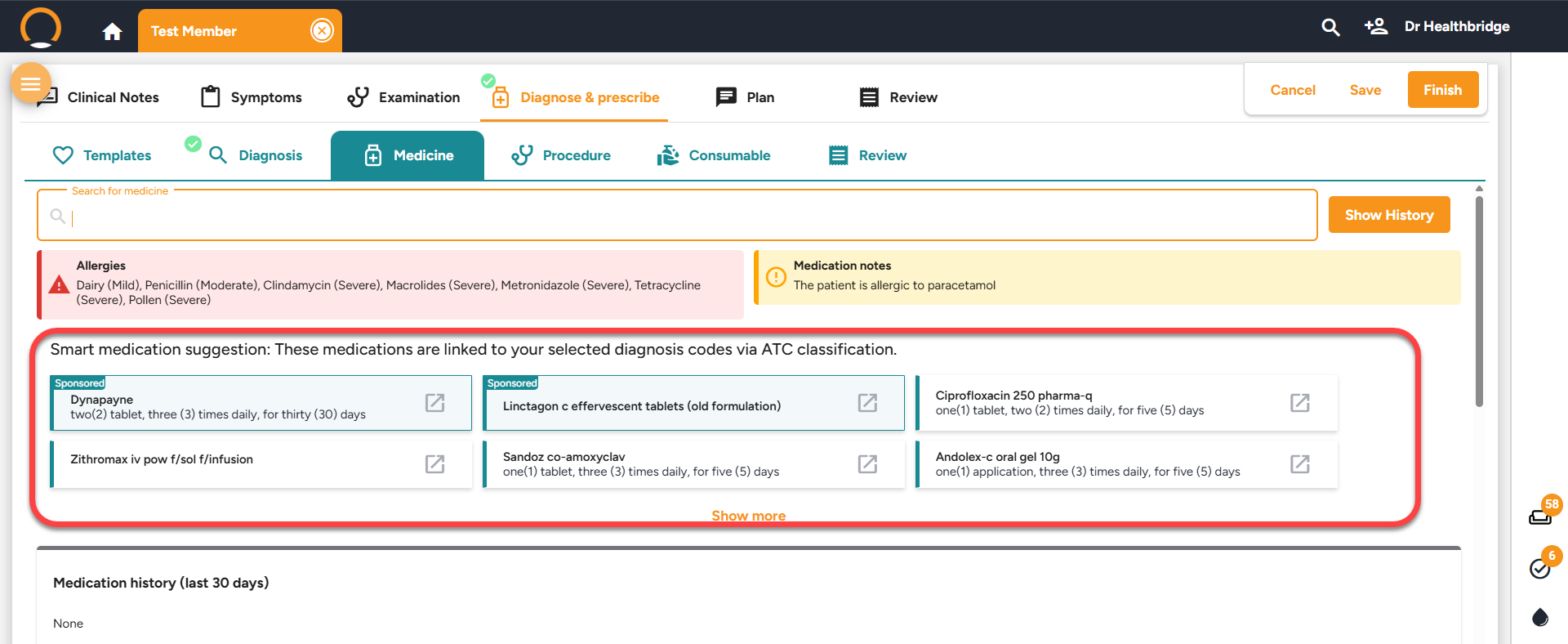
  • Sponsored Medication Indicator - In the Medicine Section of Diagnose & Prescribe, medication recommendations now prominently display a "Sponsored" label on each medication tile.
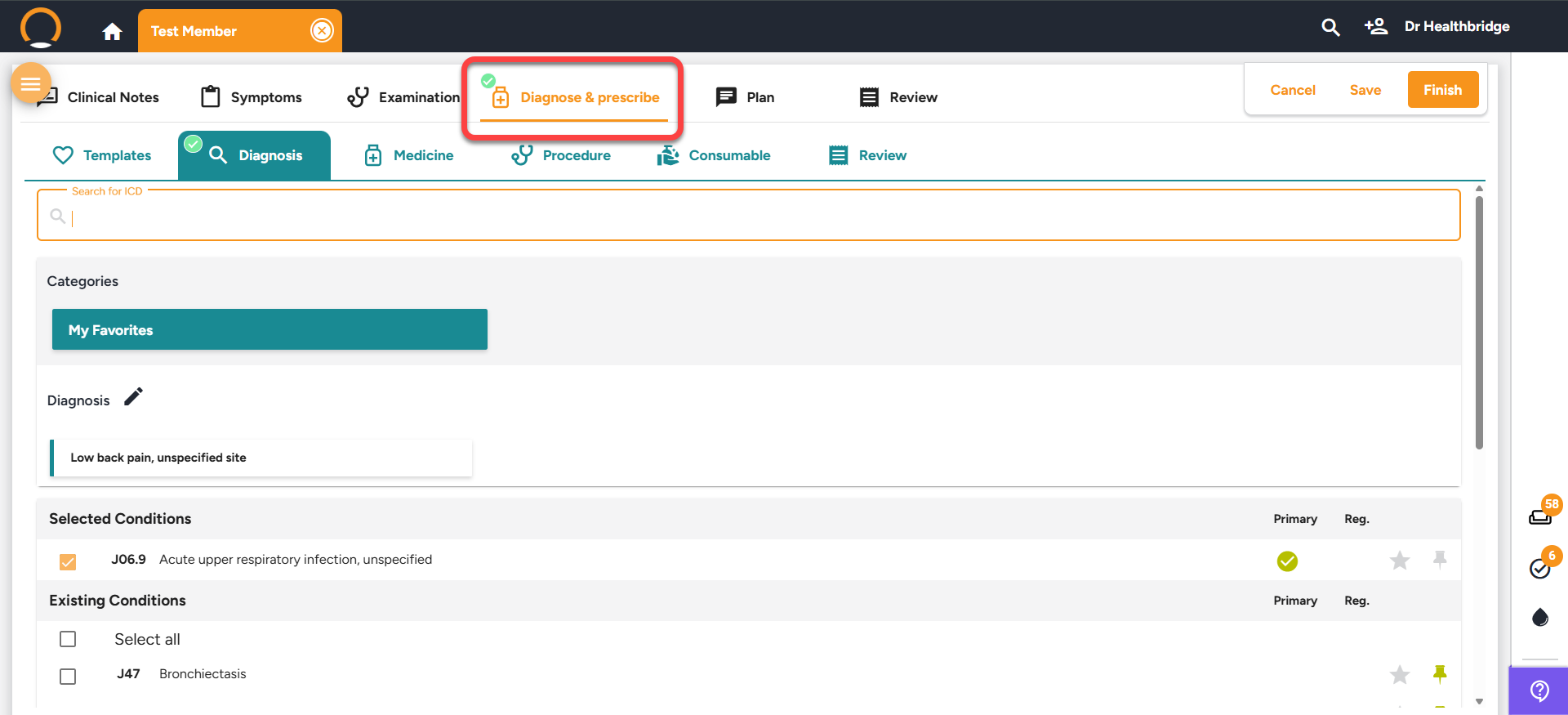
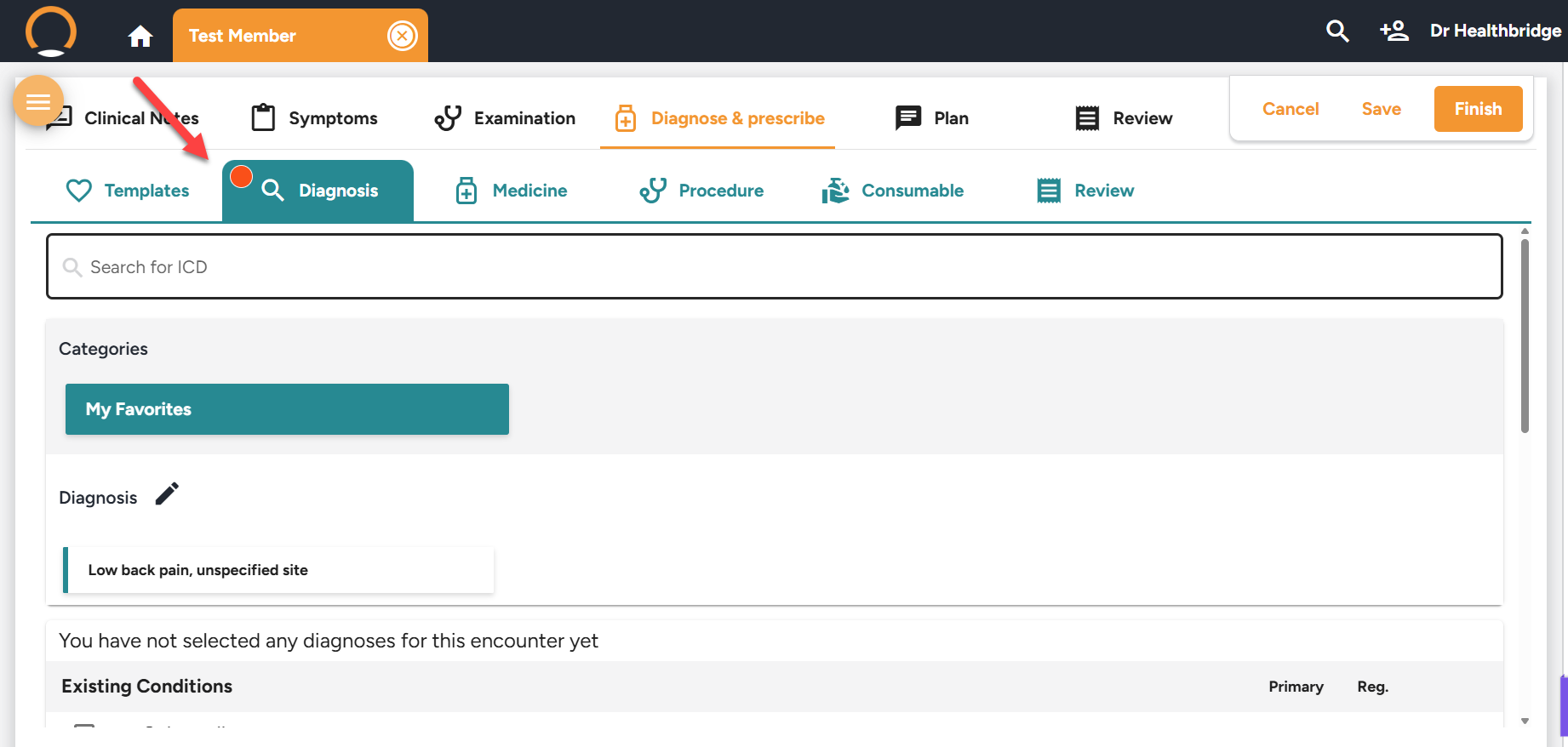
  • ICD10 code Status Indicator within the "Diagnse & Prescribe" Tab - A proactive notification has been implemented on the "Diagnose & Prescribe" tab to indicate the addition of an ICD-10 code within the current encounter.

Indicator states:

🔴 Red dot = No ICD-10 added

Green tick = ICD-10 added

Should you require any further information on these enhancements please do not hestitate to contact our call centre on 0860 200 222 or engage our chat as well.

2 weeks ago
Discover the Paediatric Pack

Welcome to Part 3 of The Mastery Series. This week, we highlight how to manage patient wellness at every life stage, from infant milestones to adult immunisations.


Standardise your preventative care with three integrated tools:

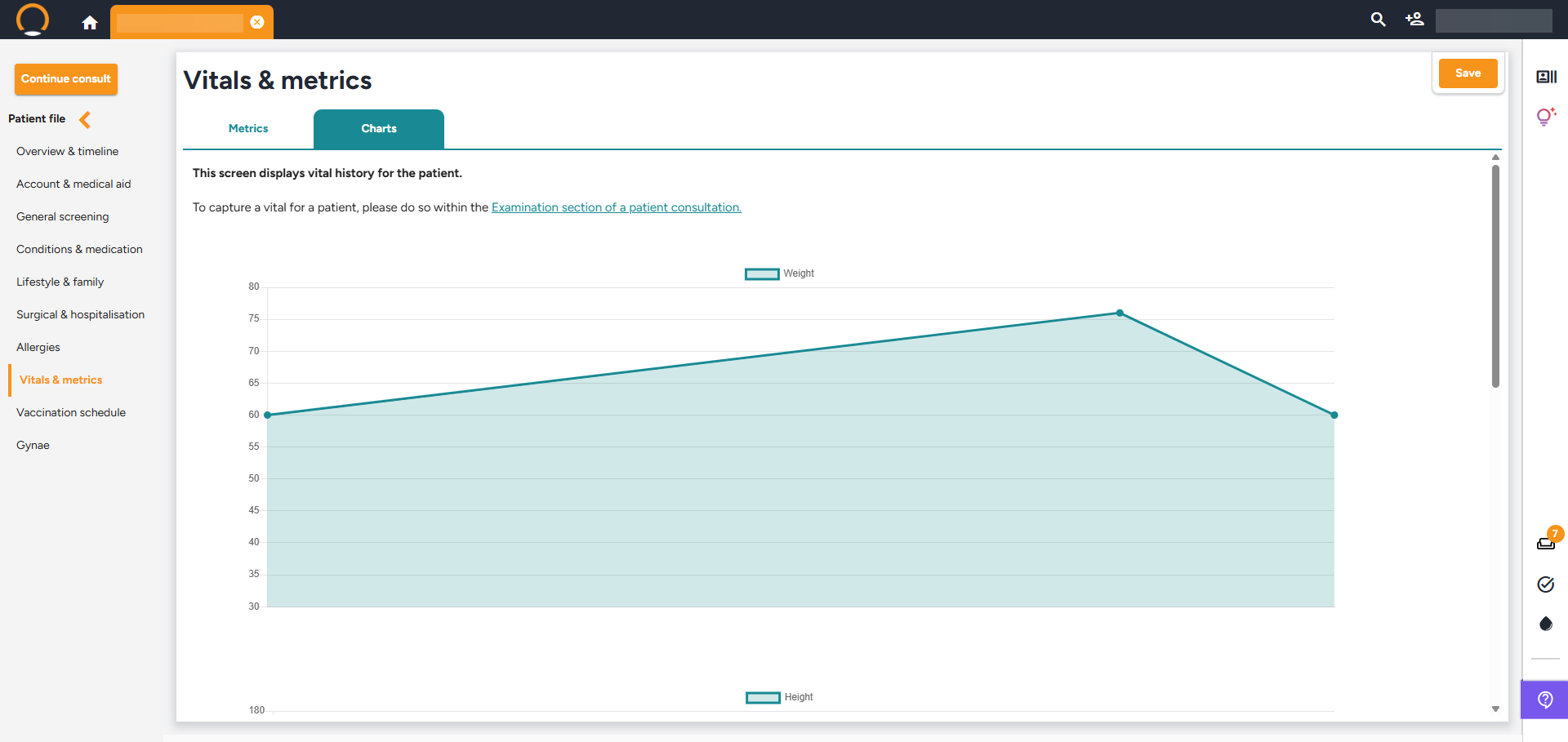
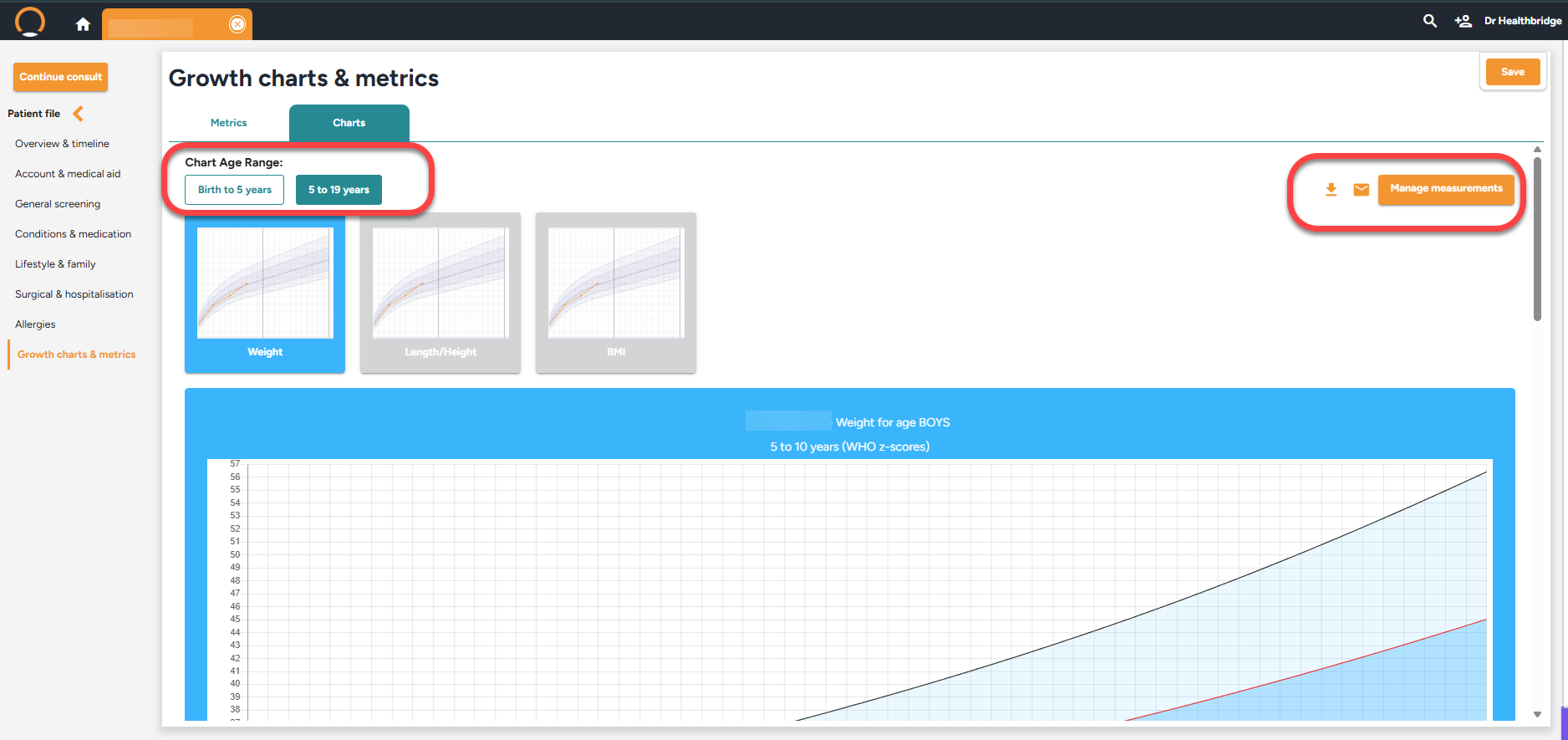
  • WHO-Standard Growth Charts: Automatically plot height, weight, and head circumference (birth to 19 years) using industry-standard WHO Z-scores.
  • Developmental Milestones: Use age-specific prompts within your 'Examination' tab to assess and record cognitive and physical progress.
  • Comprehensive Vaccinations: Digitally track the childhood schedule or record adult ad-hoc vaccines (Flu, travel, or occupational shots) directly on the patient timeline.


Pro Tip: If a growth or milestone gap is identified, use the AI Clinical Assistant to instantly pull that data into a specialist referral letter.

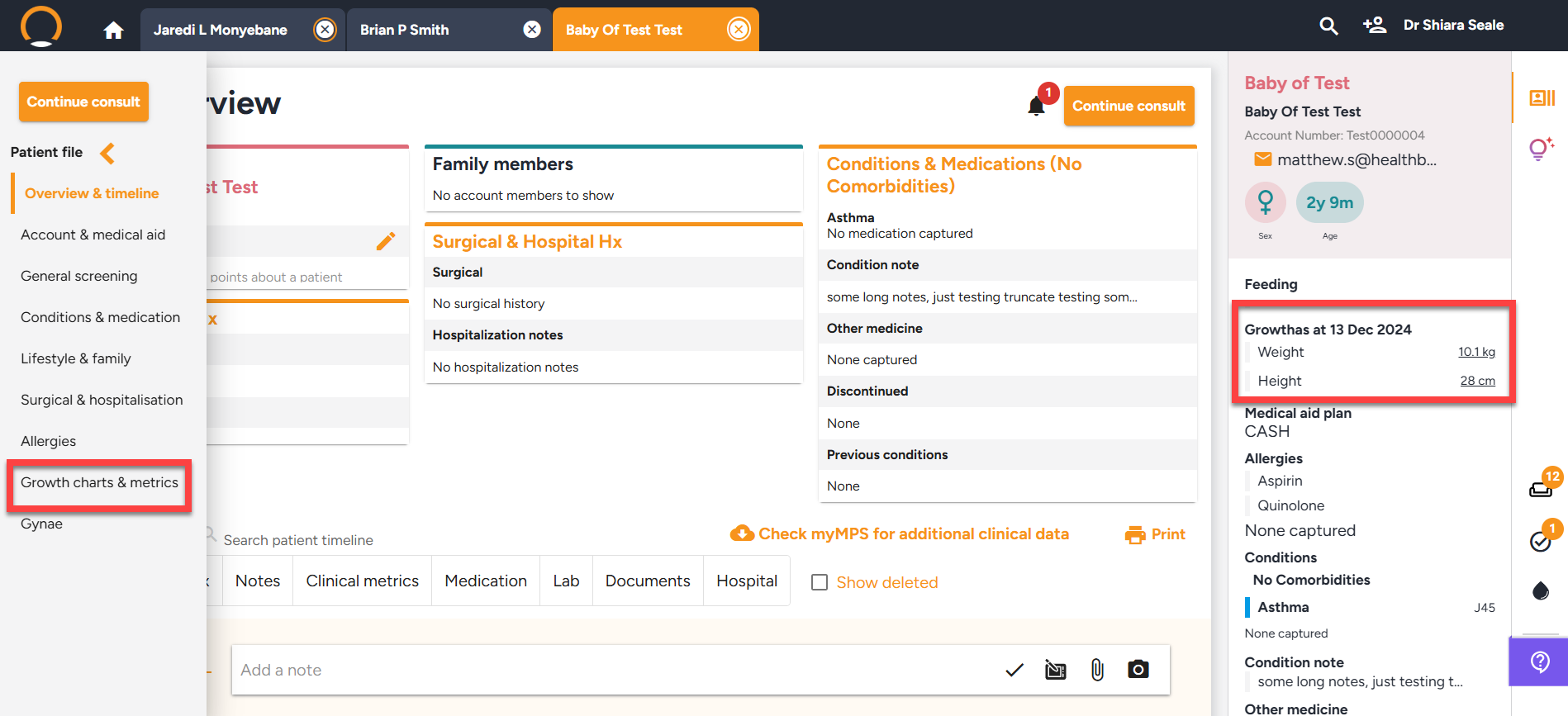
Master the workflow: From the patient file, navigate to the left-hand menu to access the 'Growth charts & metrics', 'Developmental screening', and 'Vaccination schedule' features.

3 weeks ago
Enhancements - 19/02/2026
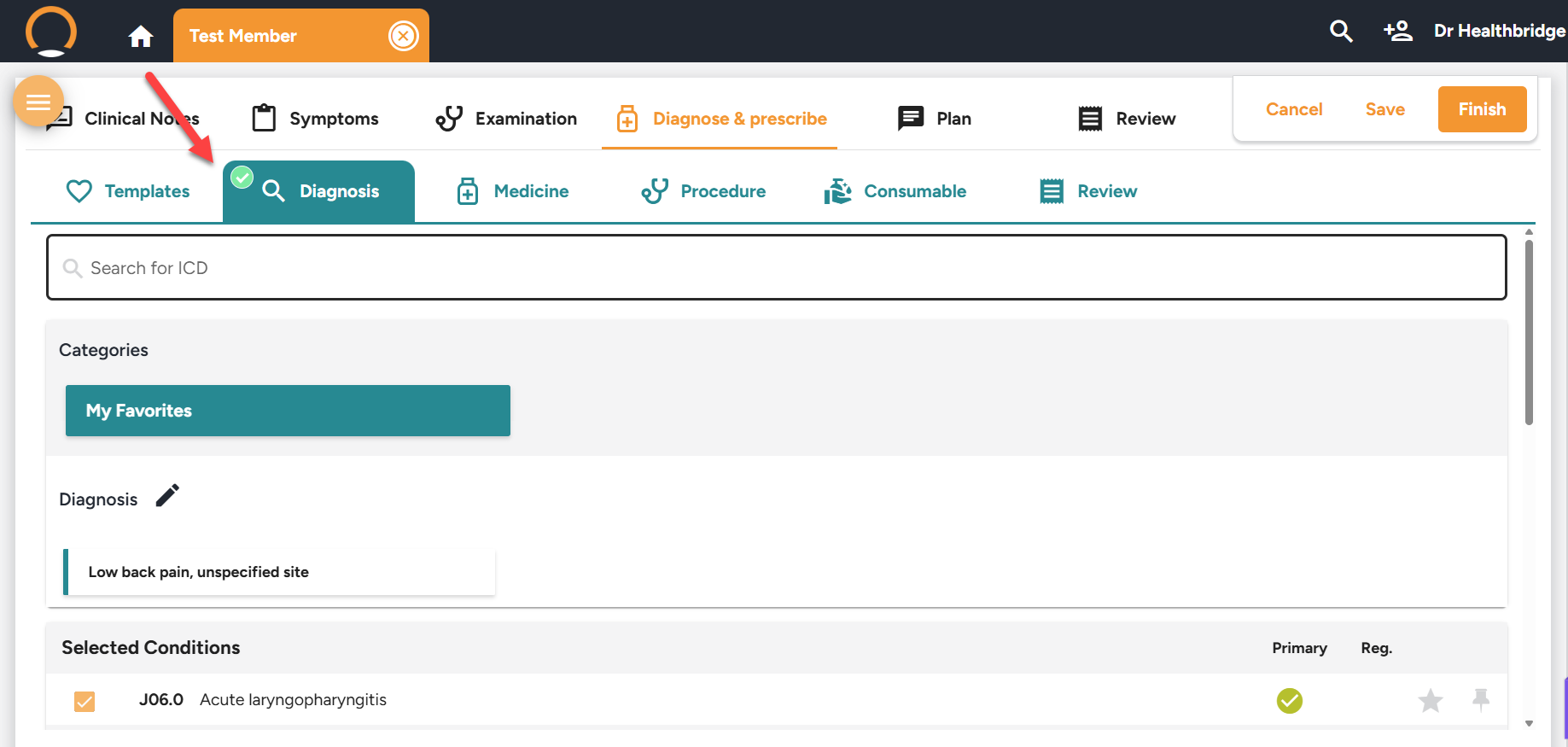
  • Diagnosis Indicator (ICD-10 Status)
    A proactive visual indicator has now been integrated into the Diagnosis tab for consultations. Red dot ICD-10 required / Green tick ICD-10 added.This enables providers to detect missing diagnosis codes early in the workflow, minimizing disruptions at the point of encounter completion.
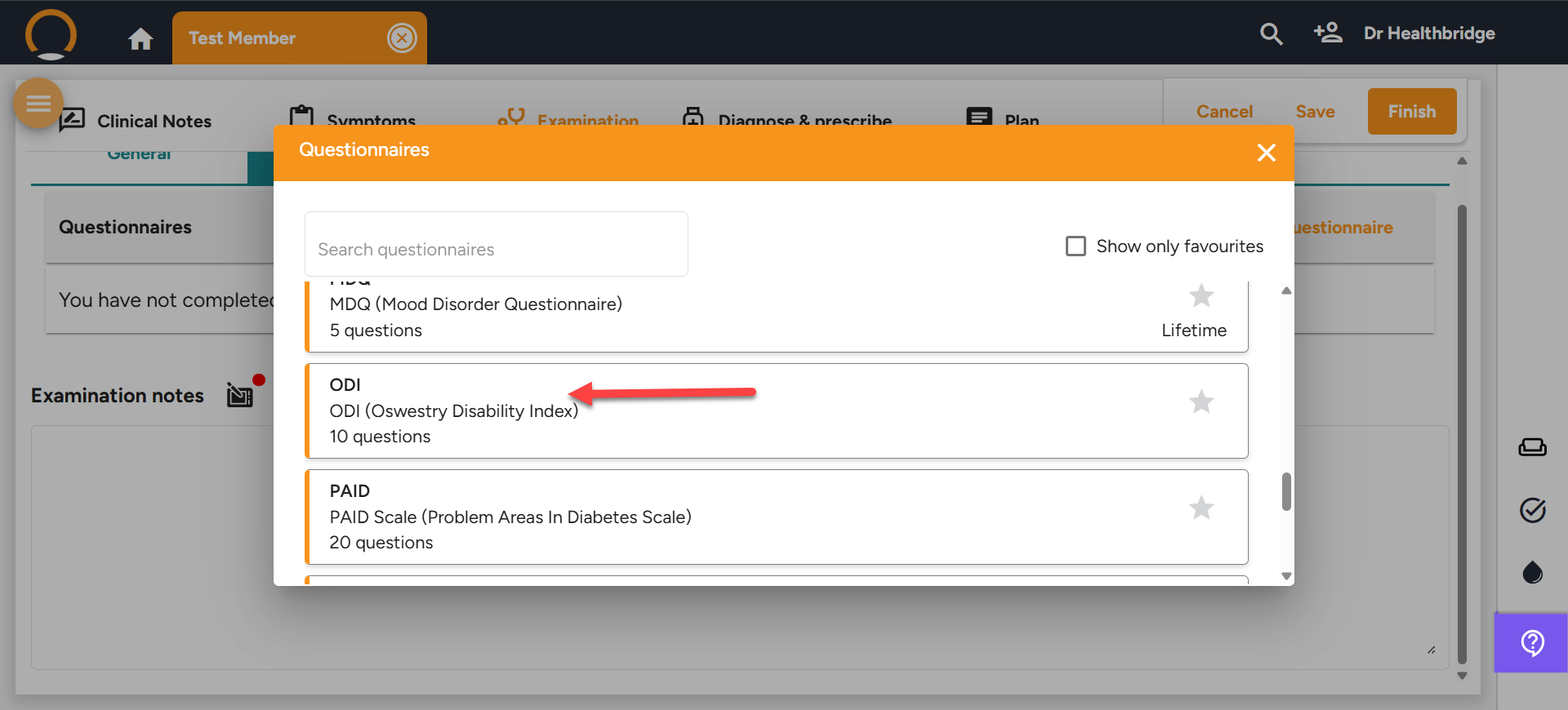
  • New Questionnaire: Oswestry Low Back Disability Index (ODI) - The ODI assessment now incorporates flexible section completion rules, enhancing the structured tracking of functional disability in patients experiencing low back pain.

Timeline Note Formatting Update - Improved formatting of Timeline Notes. Only the label “Note:” remains bold; the heading and body text now render in normal font for improved readability.


Should you require any further information on these enhancements please do not hestitate to contact our call centre on 0860 200 222 or engage our chat as well.

this month
Enhancements - 18/02/2026
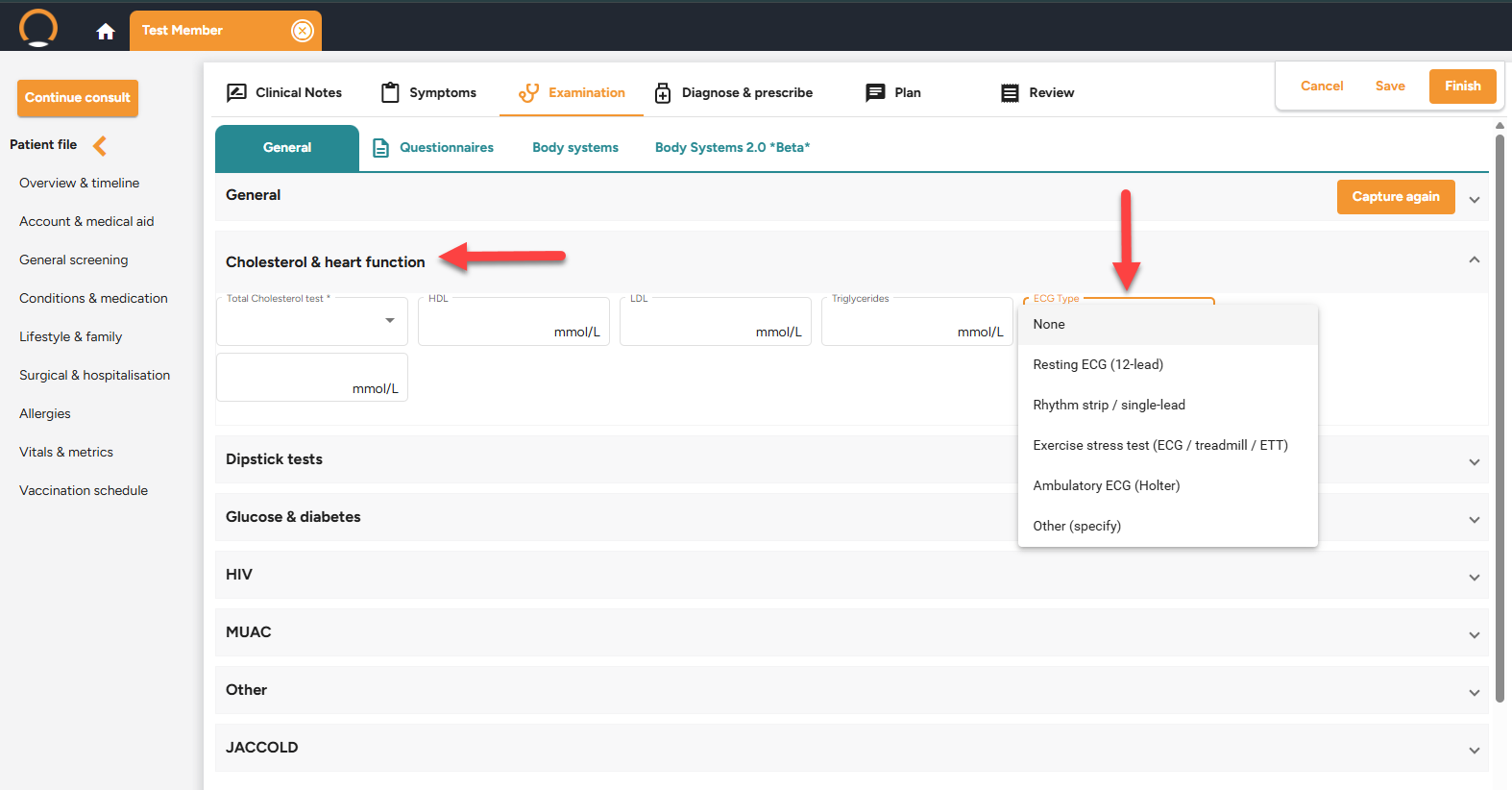
  • ECG Capture Enhancement (Structured Clinical Input) - The ECG section within the Cholesterol & Heart Function category has been enhanced from a single free-text entry to a structured, type-specific data capture system.
  • Pathology WhatsApp Message Wording Update - The pathology WhatsApp message has been revised to conclude with a professional closing, incorporating "Regards" along with the provider's contact information.


Should you require any further information on these enhancements please do not hestitate to contact our call centre on 0860 200 222 or engage our chat as well.

last month
Discover Security Features

Part 2 of The Mastery Series is now live, focusing on Practice Compliance & Privacy. Data protection shouldn’t be a manual burden; Healthbridge Clinical includes three automated pillars to safeguard your practice:


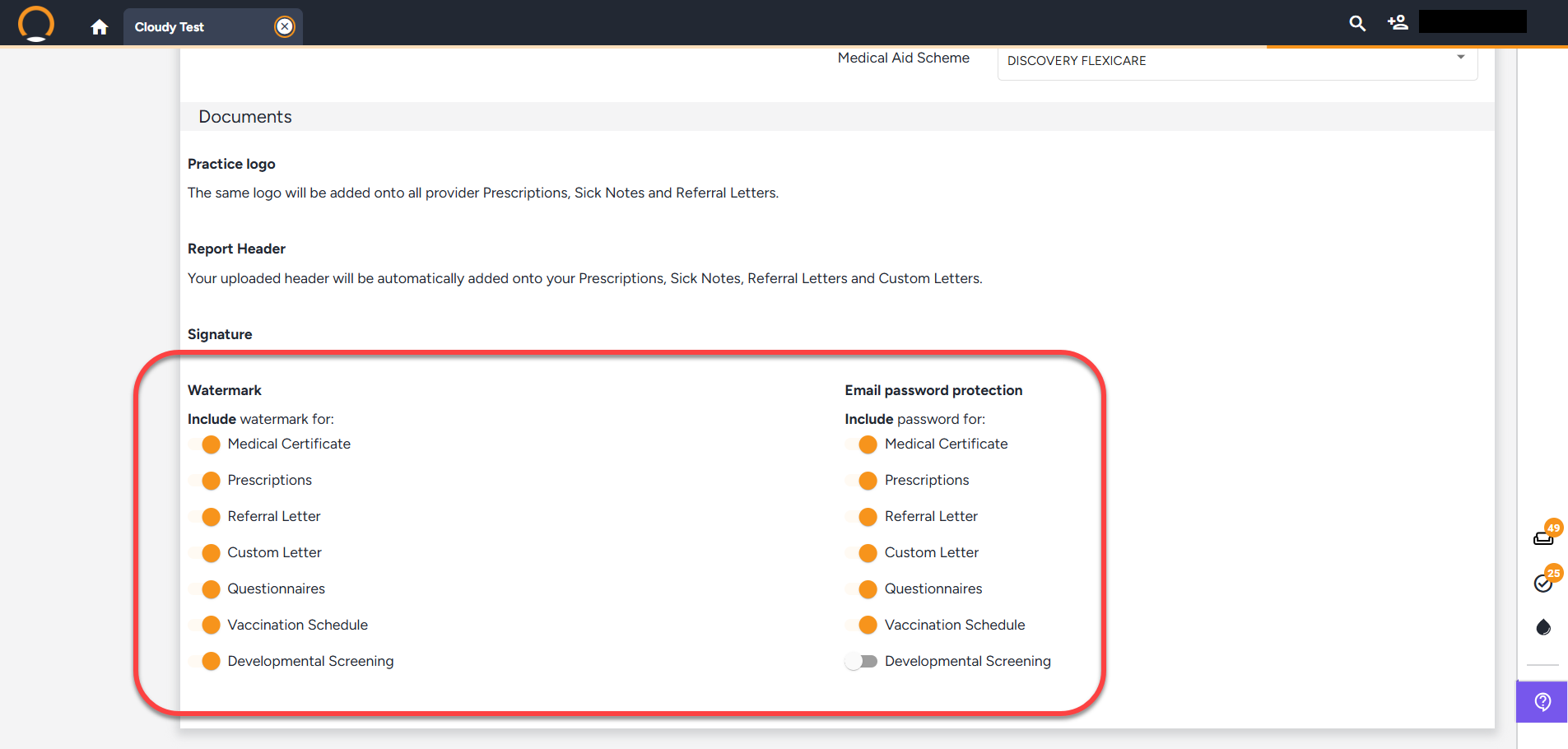
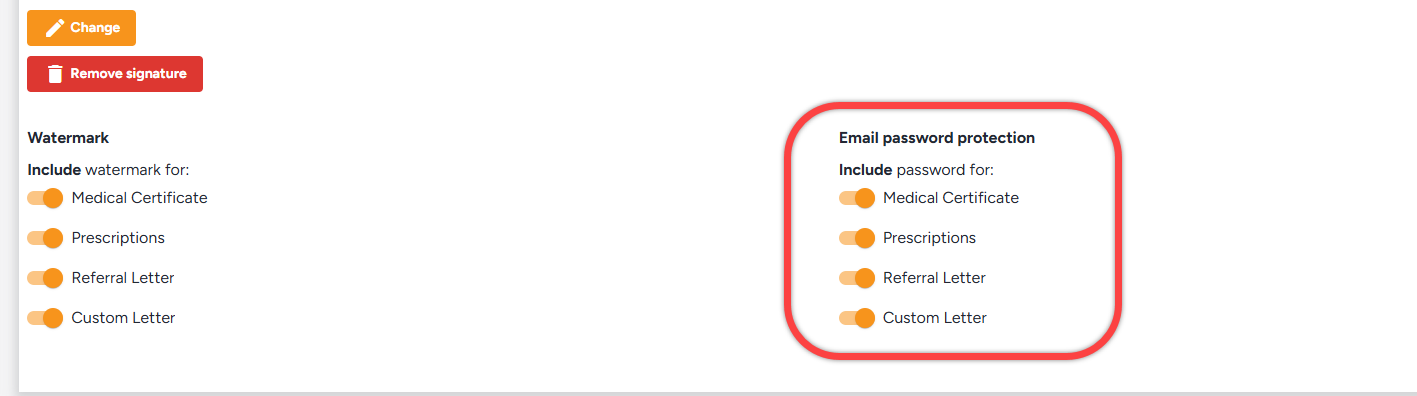
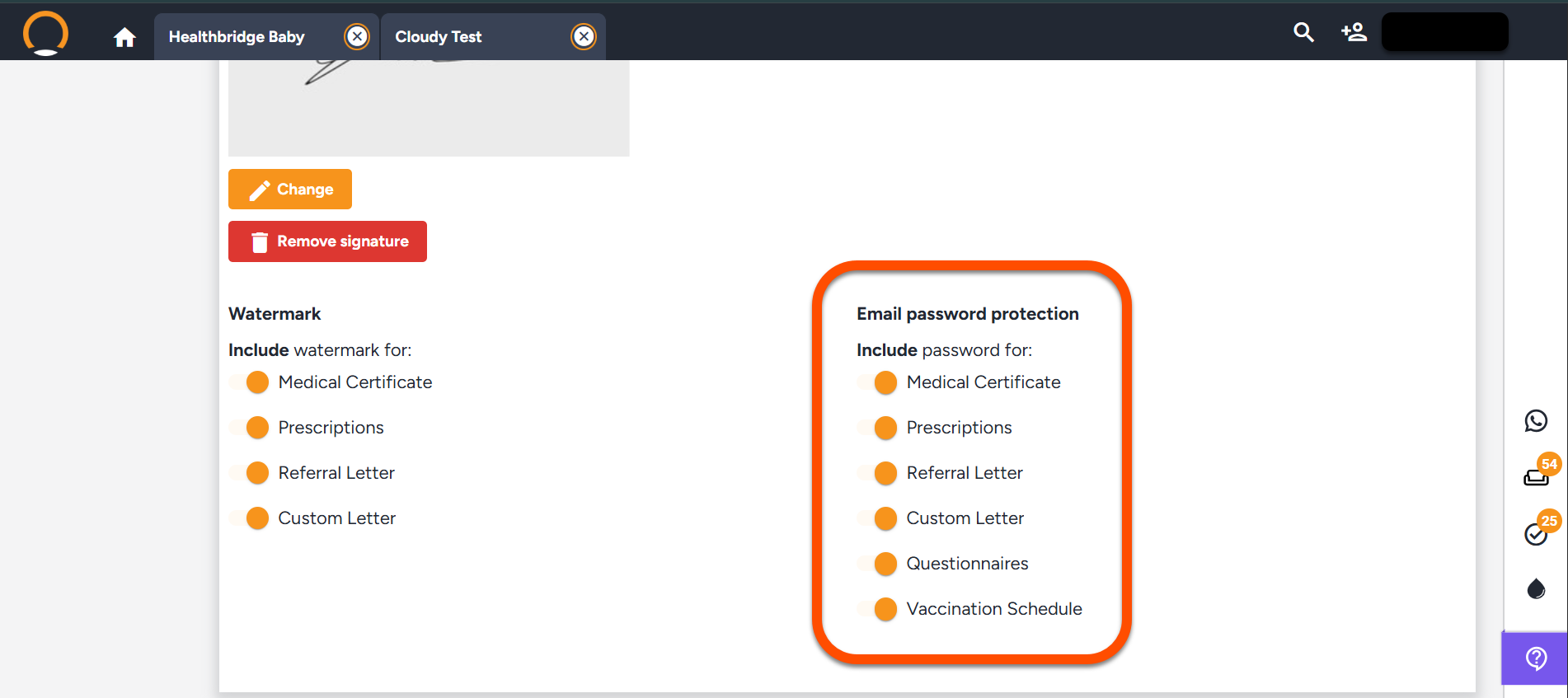
  • Encrypted Documents: Automatically password-protect sensitive PDFs (using the patient’s ID or passport number) for all external emails.
  • Document Watermarking: Apply a "digital seal", such as medical certificates and prescriptions, to your records to prevent fraud and tampering.
  • Anti-Fraud Authentication: Every clinical PDF now includes a unique QR code. This allows recipients (pharmacies, employers, or medical aids) to instantly verify the document’s authenticity and confirm it was issued by your practice.


These professional-grade tools are already included in your suite.

Level-up today: 1. Click your name (top-right). 2. Select Settings (left panel). 3. Scroll down to the Watermark and Email password protection sections to activate.

last month
Enhancements - 04/02/2026
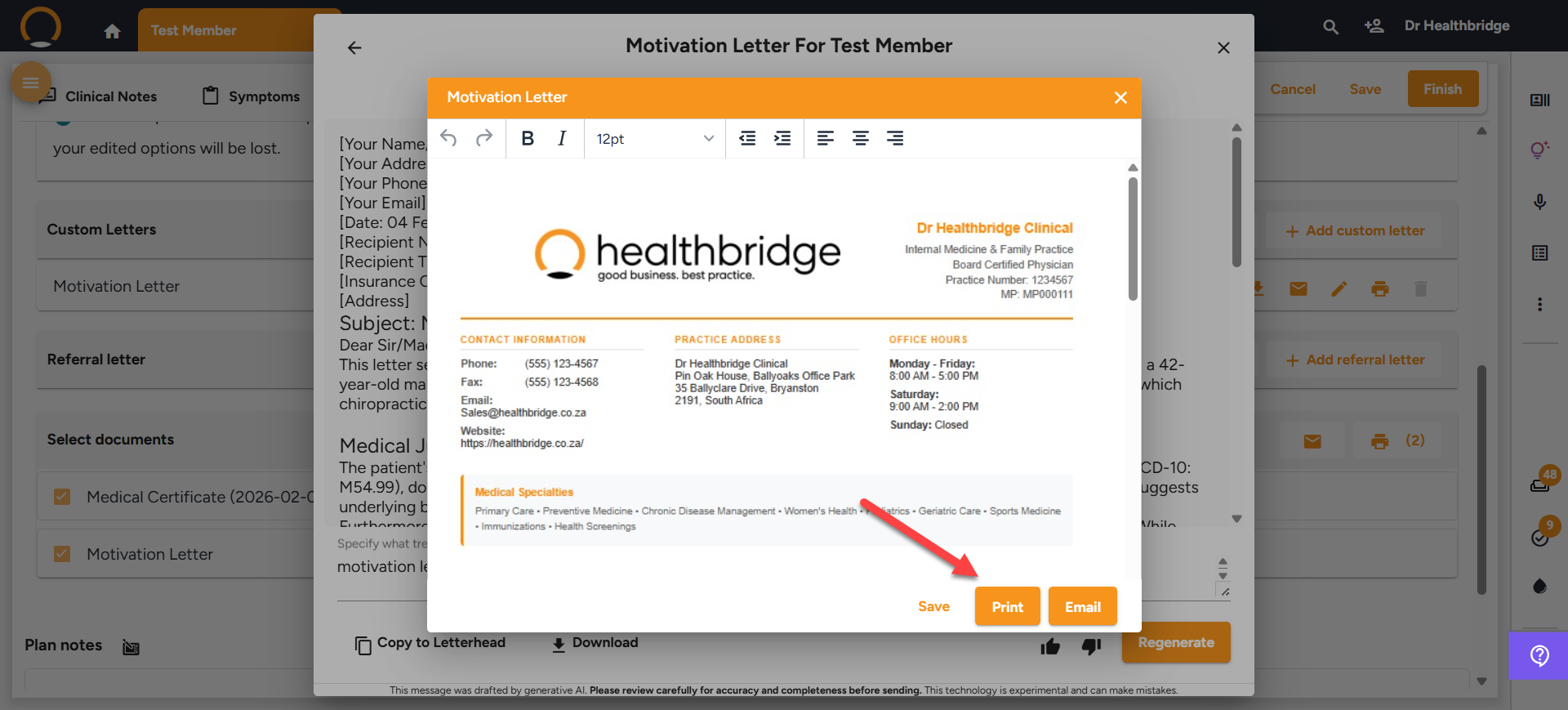
  • Clinical Assistant workflow enhancements - The Clinical Assistant workflow now includes a "Print" option, enabling swift and efficient production of printed documents once a letter has been transferred to letterhead.
  • New User Role Vitals-Only Nurse - A new role, Vitals-Only Nurse, has been created. These nurses can record patient vitals but are unable to access clinical data in the patient's timeline.
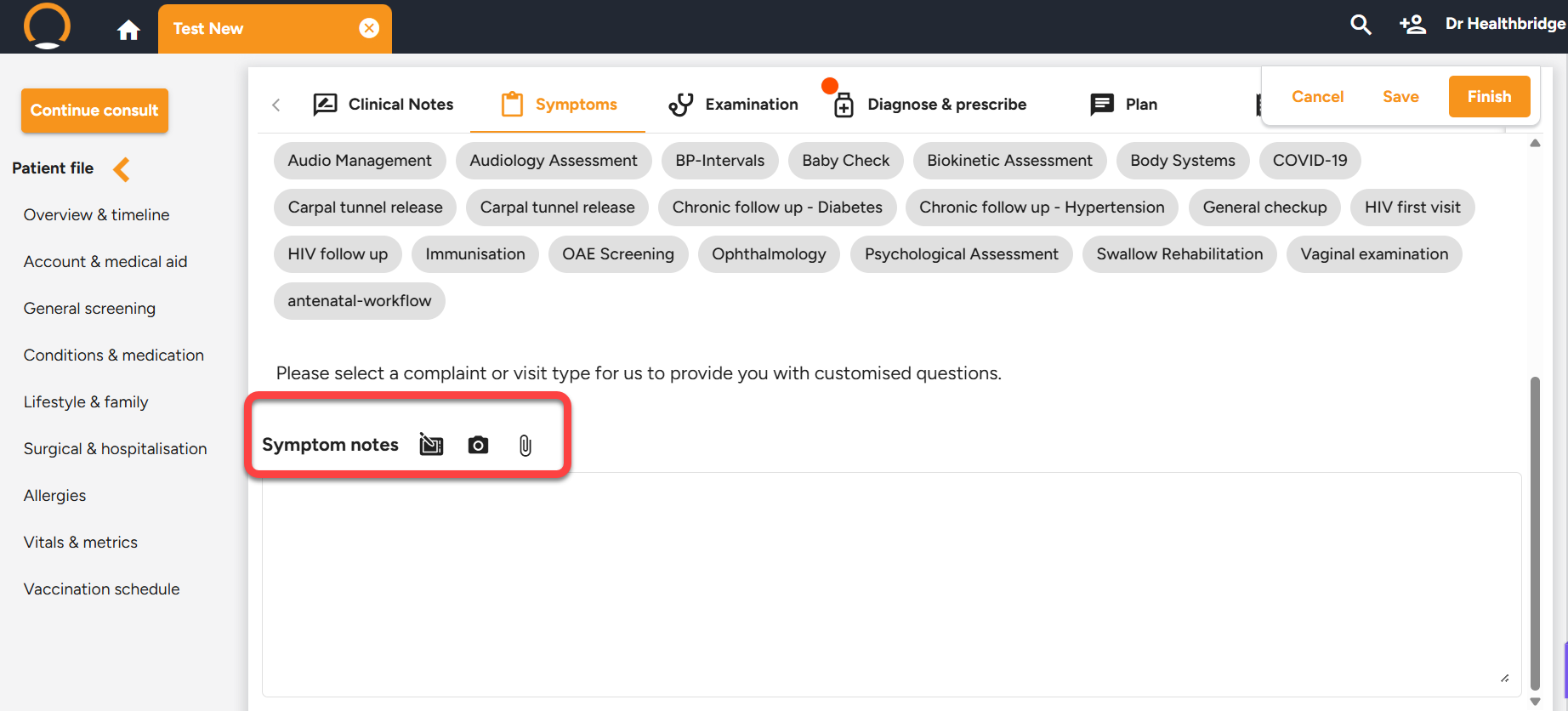
  •  Symptoms Screen updates - The "Symptoms" screen has been restructured to enhance layout, readability, and navigational efficiency during consultations.


Should you require any further information on these enhancements please do not hestitate to contact our call centre on 0860 200 222 or engage our chat as well.

last month
Discover Questionnaires

Welcome to Part 1 of The Mastery Series, our new initiative to help you unlock the full value of the features already included in your clinical suite.


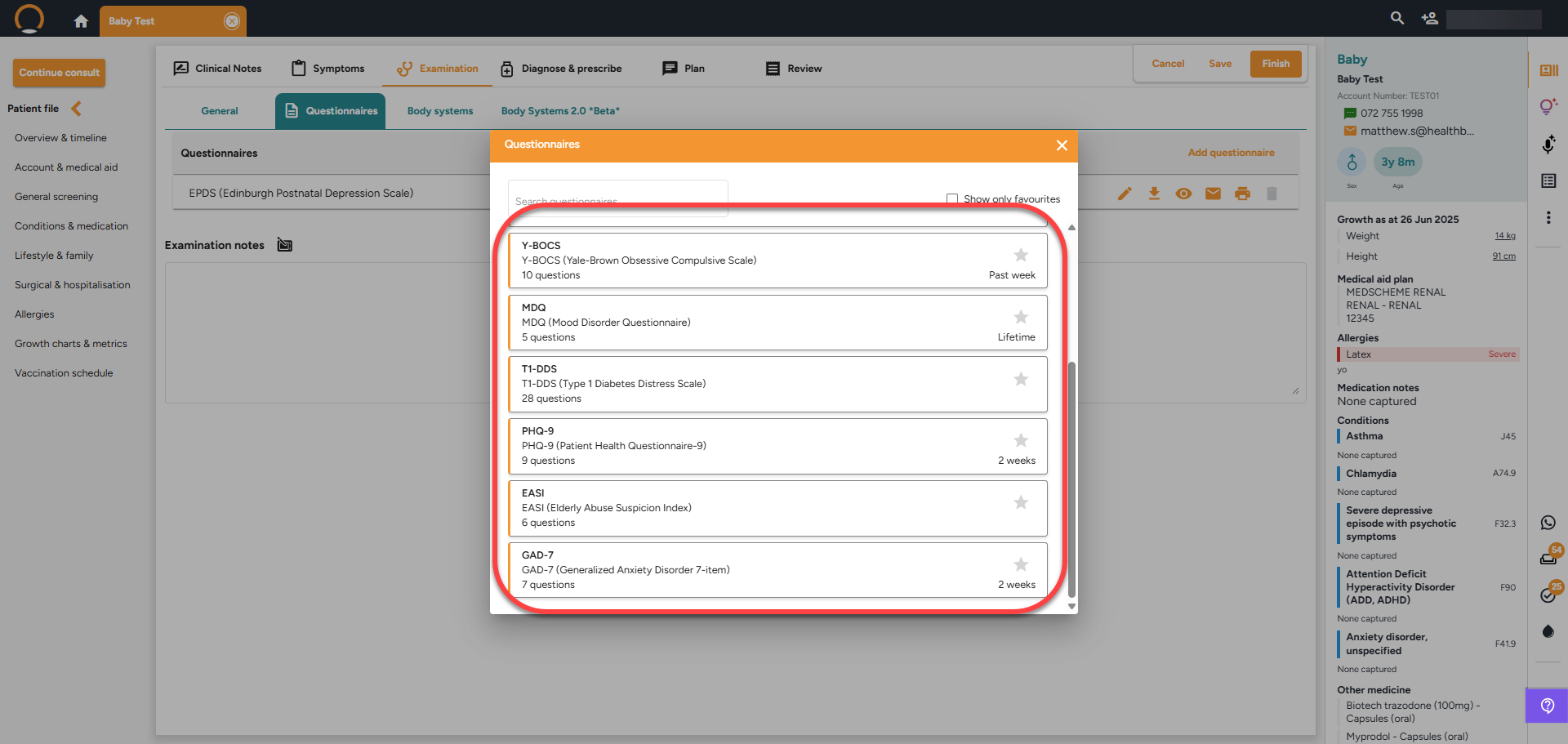
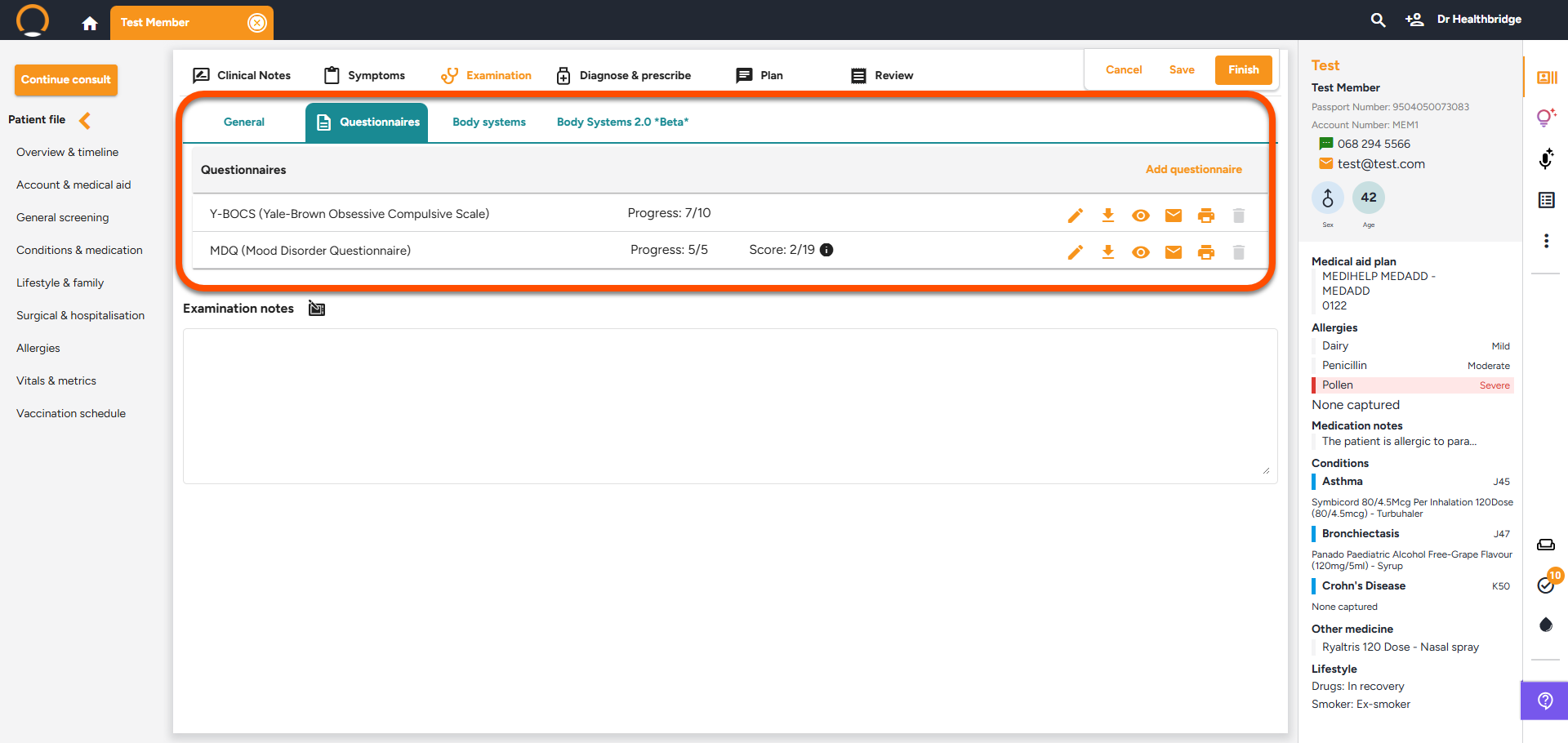
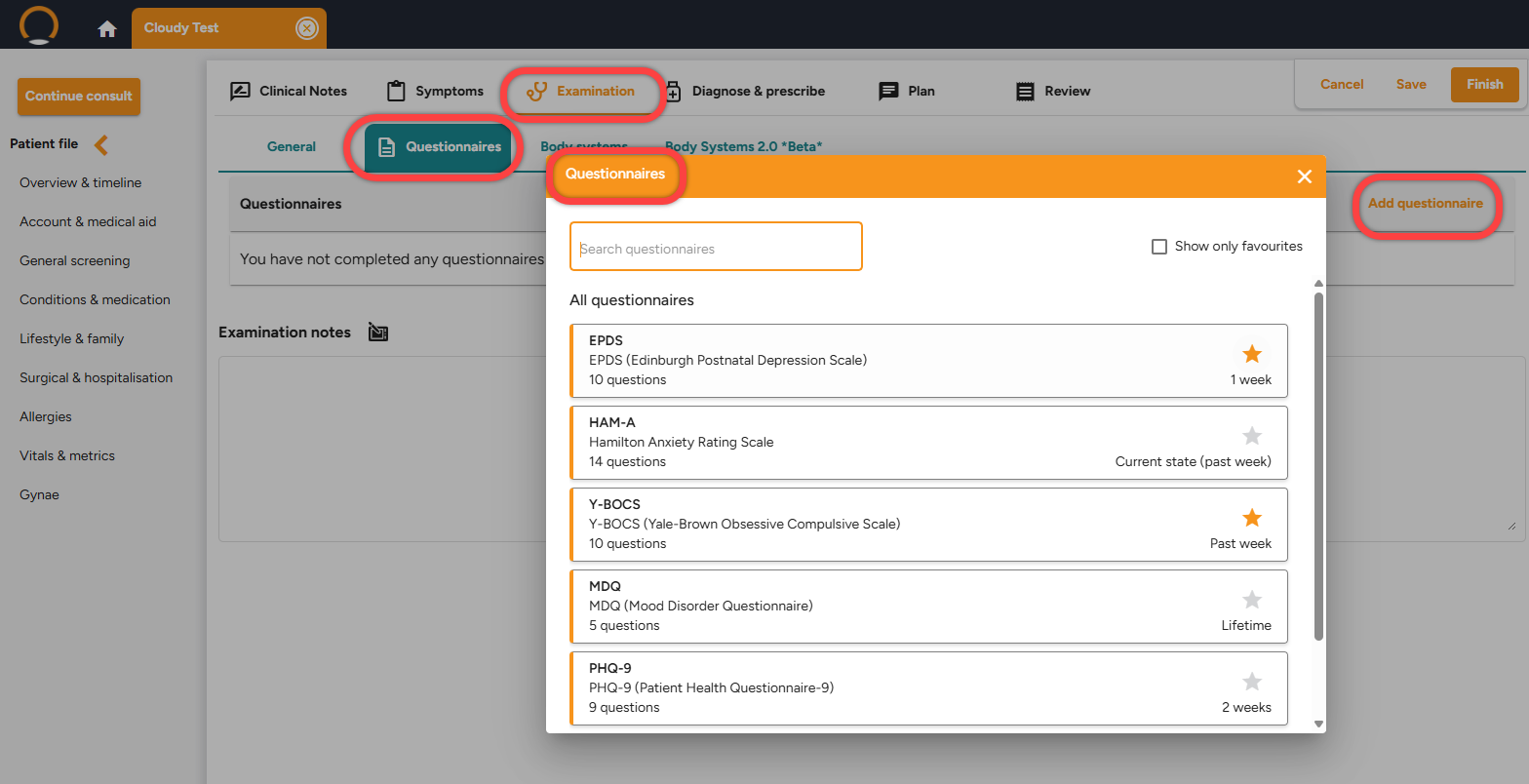
Today, we highlight Integrated Questionnaires. Standardised screening shouldn't mean a desk full of paper. Healthbridge Clinical provides a digital library of 18 specialised tools covering Mental Health, Behavioural Health, Chronic Care, and Specialised Risk Assessment.


By moving away from paper-based forms to integrated tools like the GAD-7, MDQ, or Diabetes Distress Scale, you benefit from:

  • Instant Scoring: The system handles all severity interpretations automatically the moment you finish the screen.
  • Digital Filing: Results are saved directly to the Patient Timeline, ensuring a comprehensive medical history without the administrative effort.
  • Peer-Validated Care: Use the same tools used by specialists worldwide to back your clinical findings with objective data.


Try it now: During a consult, click the 'Examination' tab and then 'Questionnaires'.

last month
Enhancements - 27/01/2026
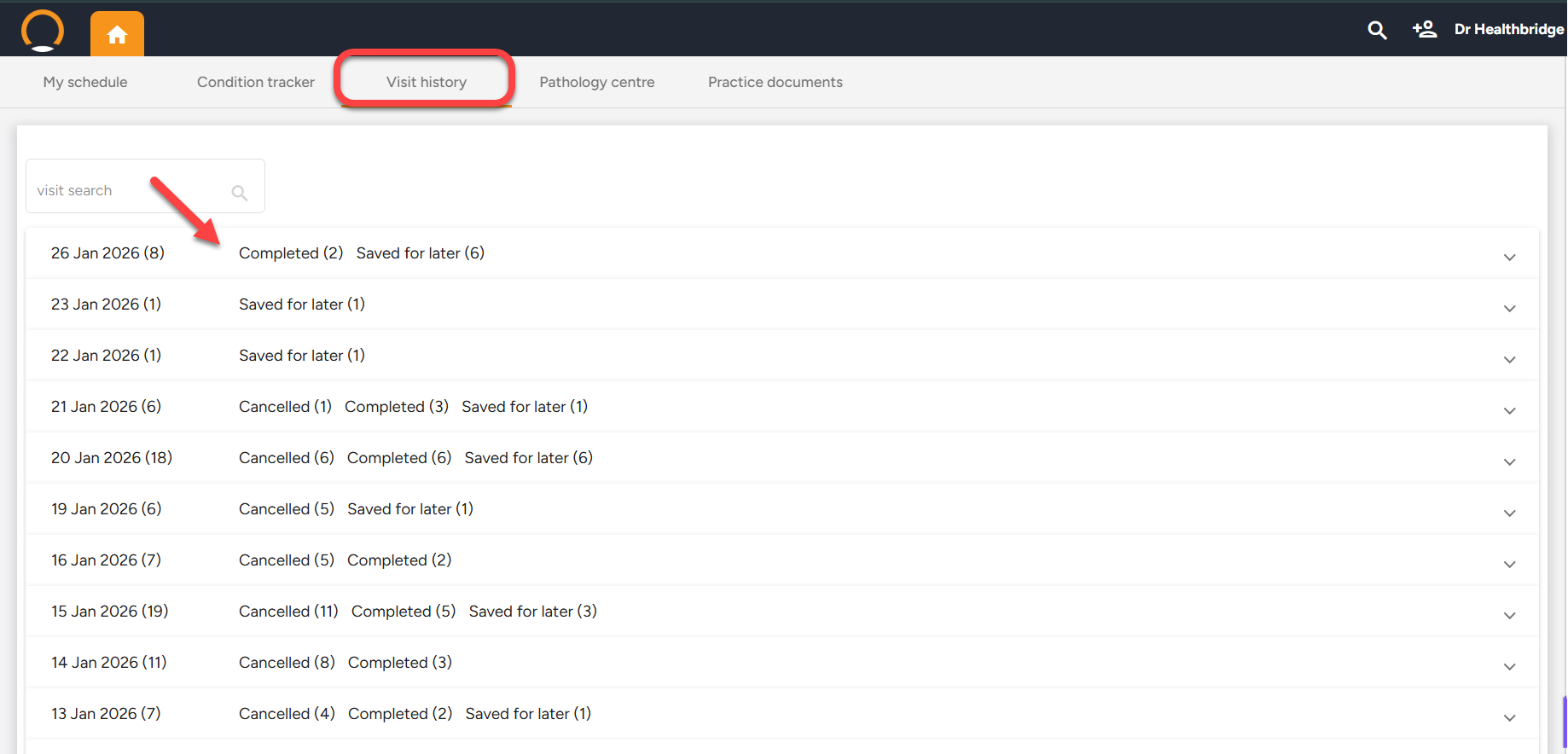
  • Visit History Enhancements -Encounter totals are now displayed alongside each date heading in the Visit History tab, streamlining the process of reviewing daily activity at a glance.
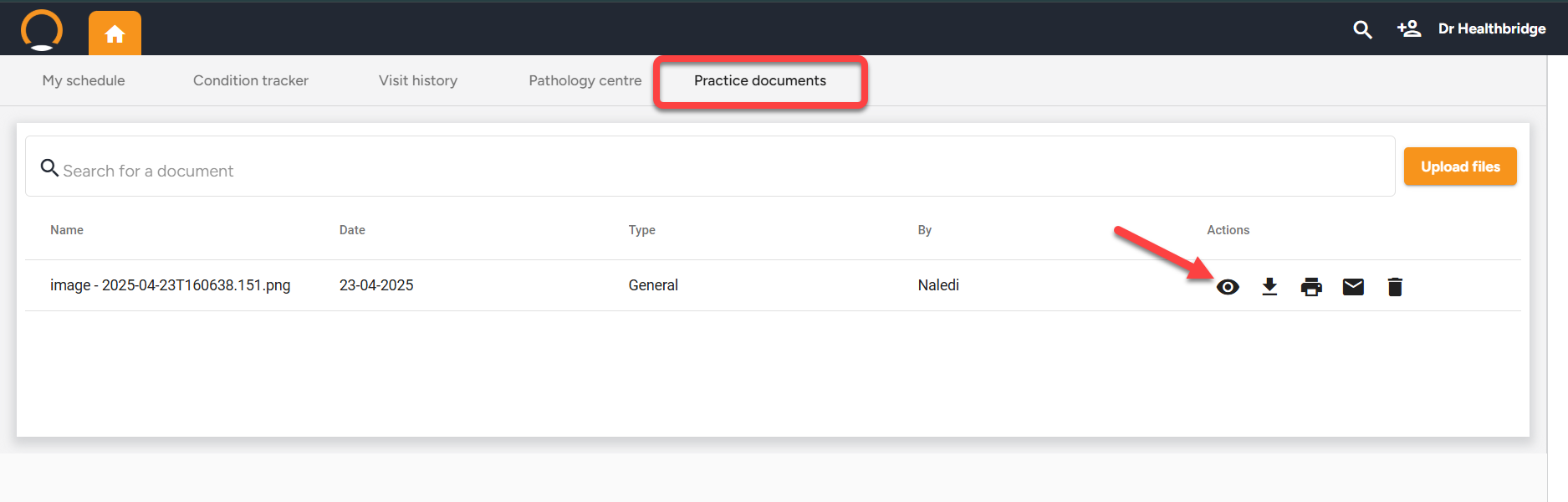
  • Practice Documents Enhancements - A new "View" feature has been integrated into Practice Documents, enabling providers to preview documents directly without the need for downloading or emailing.
  • Medication Instructions Included in Invoice Save - The inclusion of medication instructions is now accurately integrated into the invoice data-saving process.


Should you require any further information on these enhancements please do not hestitate to contact our call centre on 0860 200 222 or engage our chat as well.


last month
Enhancements - 15/01/2026
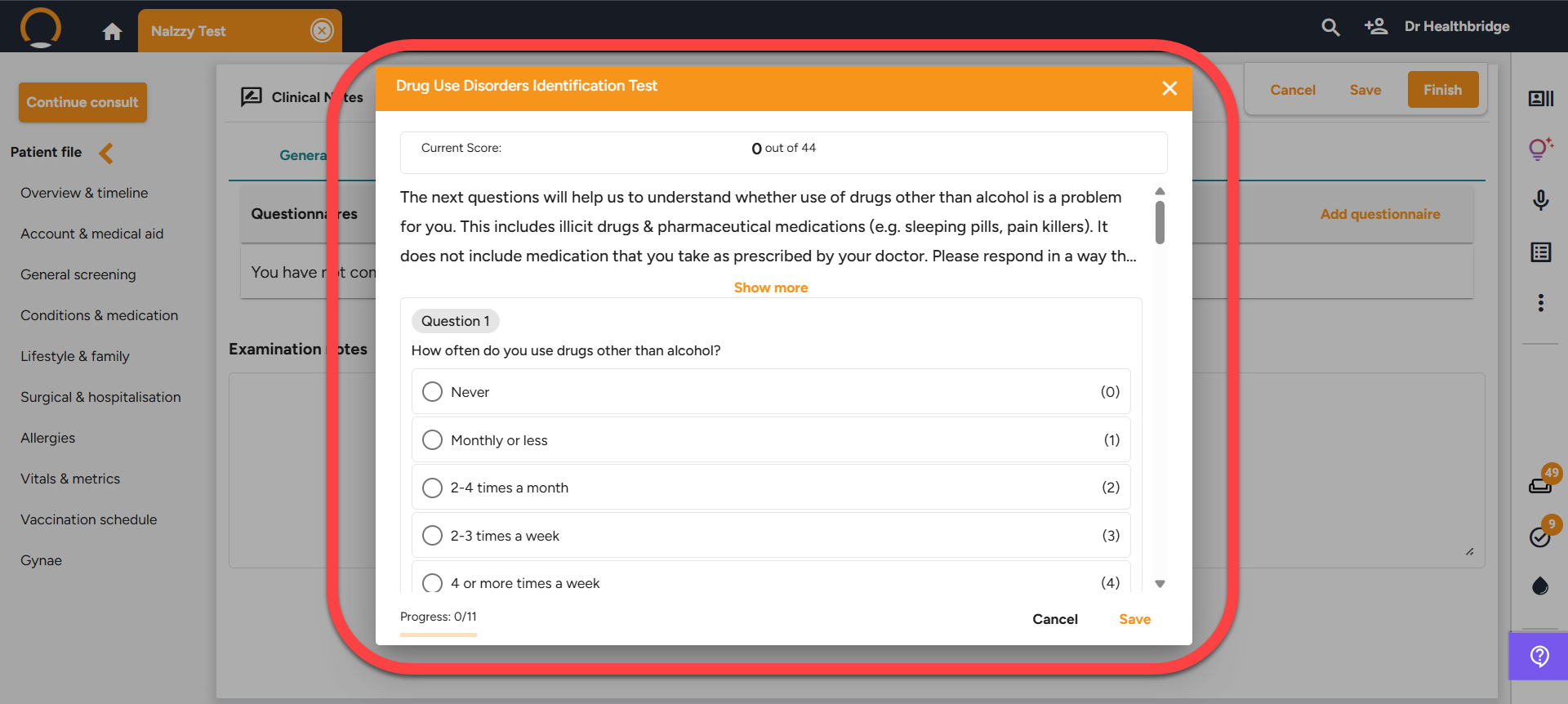
  • New questionnaires added DUDIT & AUDIT - A new questionnaire designed to assess patient drug dependency and identify alcohol use disorders has been added to the list of available evaluation tools.
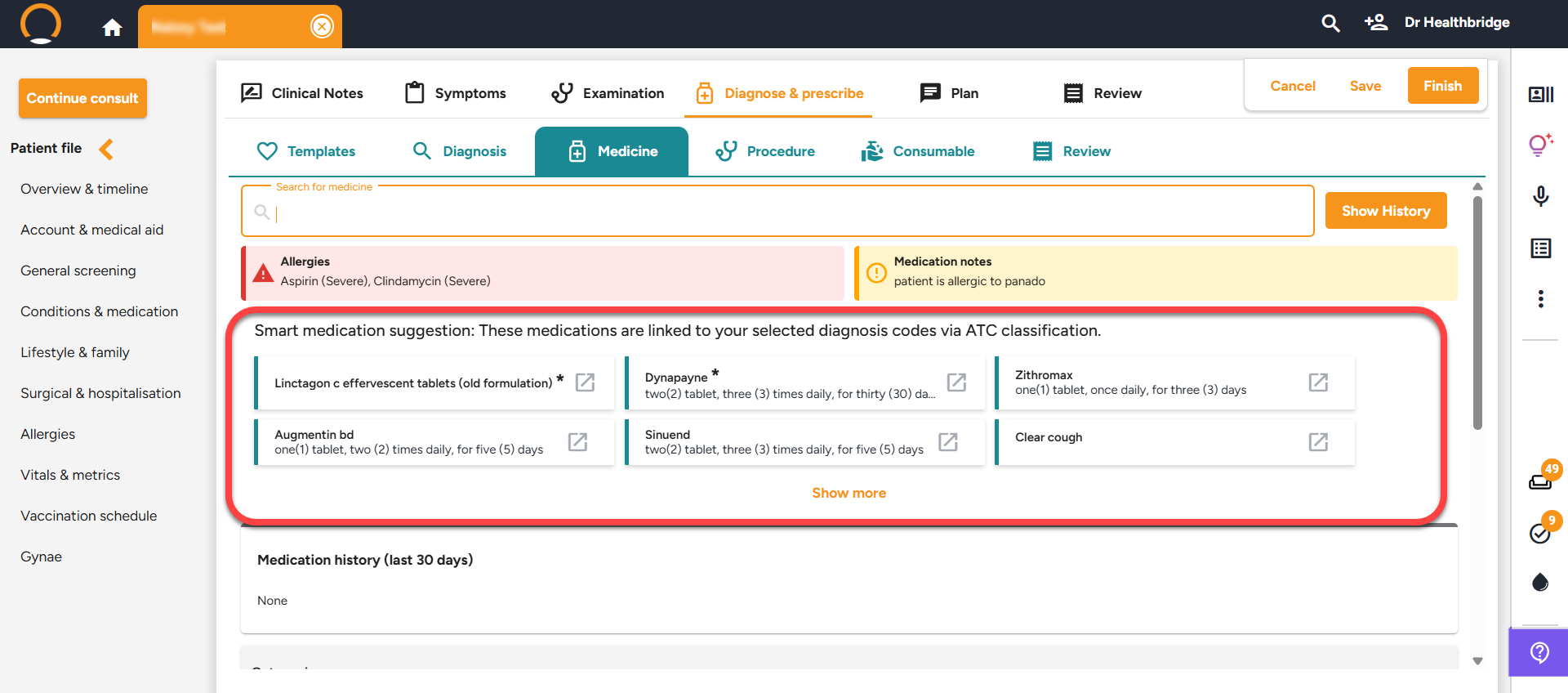
  • Suggested medications - A section heading"Smart Medication Suggestions" has been added These medications are associated with the chosen diagnosis codes through "ATC classification." This section appears only when a diagnosis has been recorded.
  • Empty-State Message for Medicine & Consumables History - If the Medicine & Consumables History section contains no records, a display message of "No history available" populates.


Should you require any further information on these enhancements please do not hestitate to contact our call centre on 0860 200 222 or engage our chat as well.


last month
Enhancements - 05/12/2025
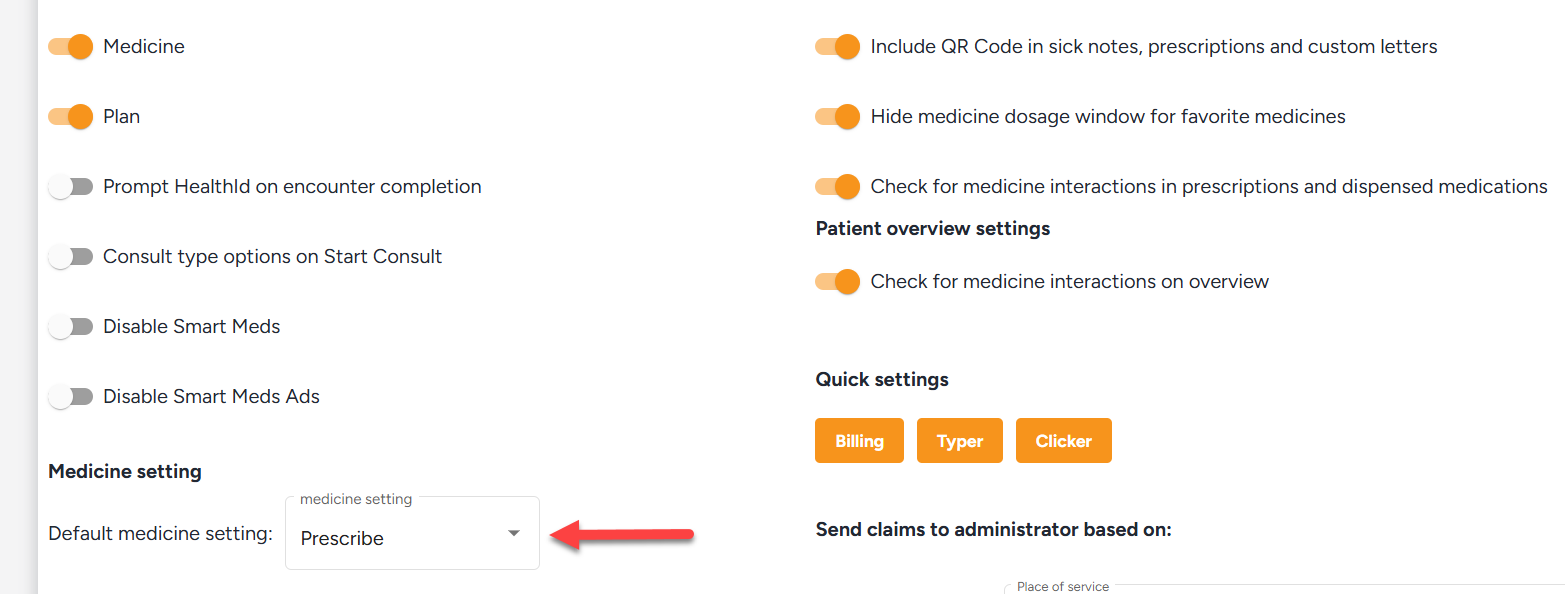
  • Medicine Action Setting (Prescribe vs Dispense) - Providers can enhance their prescribing workflow by selecting a default medication action in Settings/Consultation UI Settings. Choose either "Prescribe" or "Dispense" for increased efficiency and personalization.


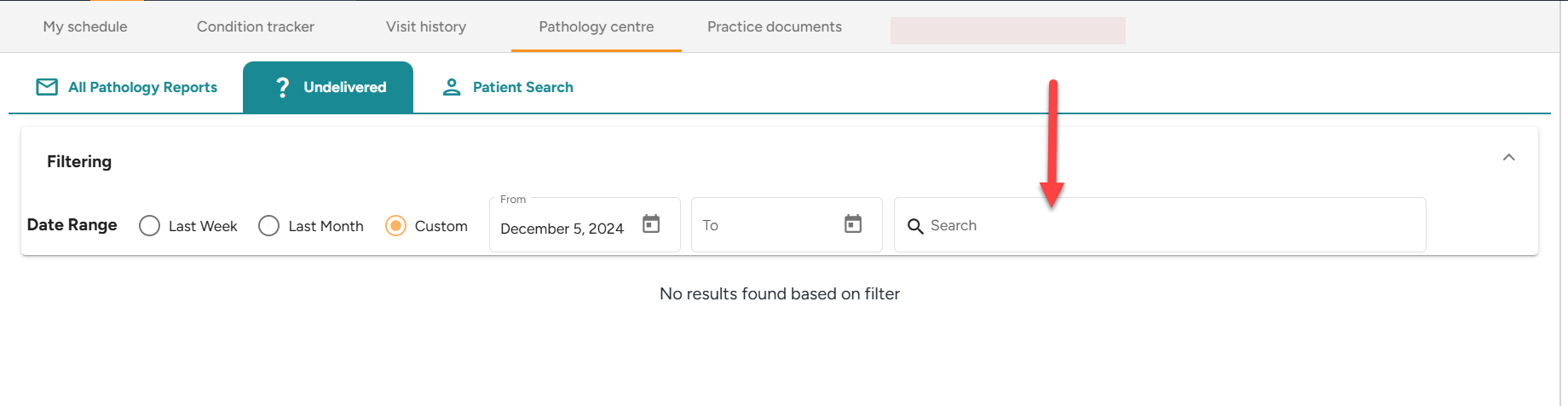
  • Pathology Centre Search Field - A search bar has been integrated into the Undelivered Results tab at the Pathology Centre, enabling healthcare providers to efficiently locate results by patient name, source, or discipline.
  • AI Letter Formatting - AI-generated letter formatting has improved for uniformity and professionalism. Standardized headings, fonts, spacing, and layouts create cleaner, more readable documents, benefiting providers and patients.


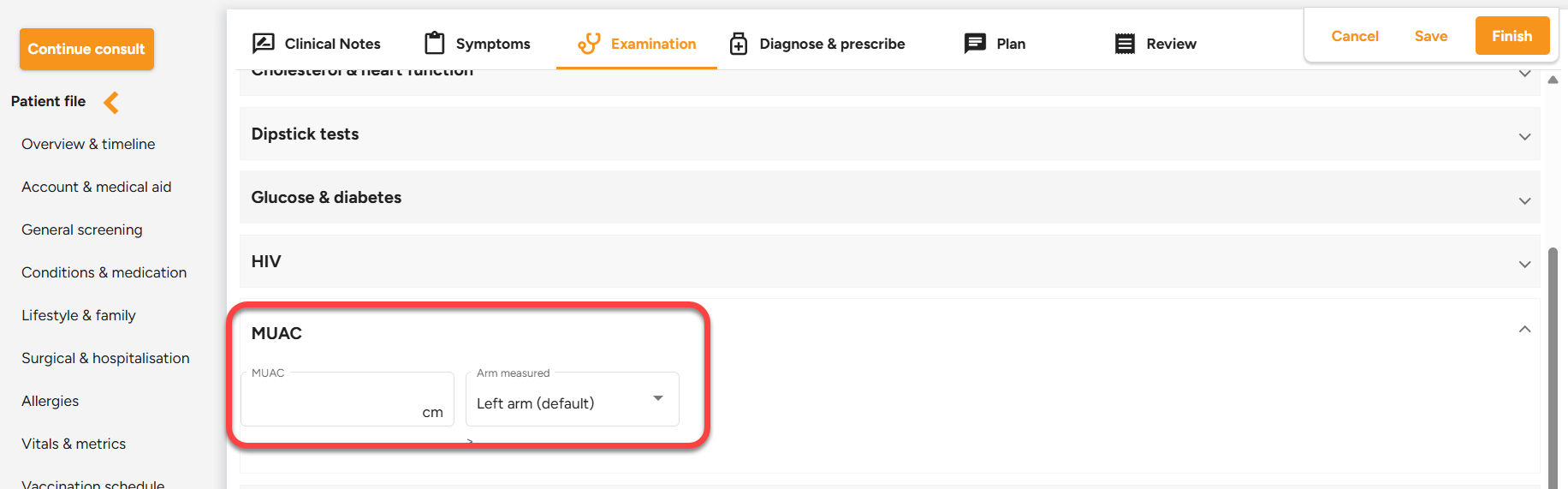
  • MUAC Section in Examination -A new Mid-Upper Arm Circumference (MUAC) section is now available under Examination section. Healthcare providers can now document the MUAC in centimeters and specify the measured arm.


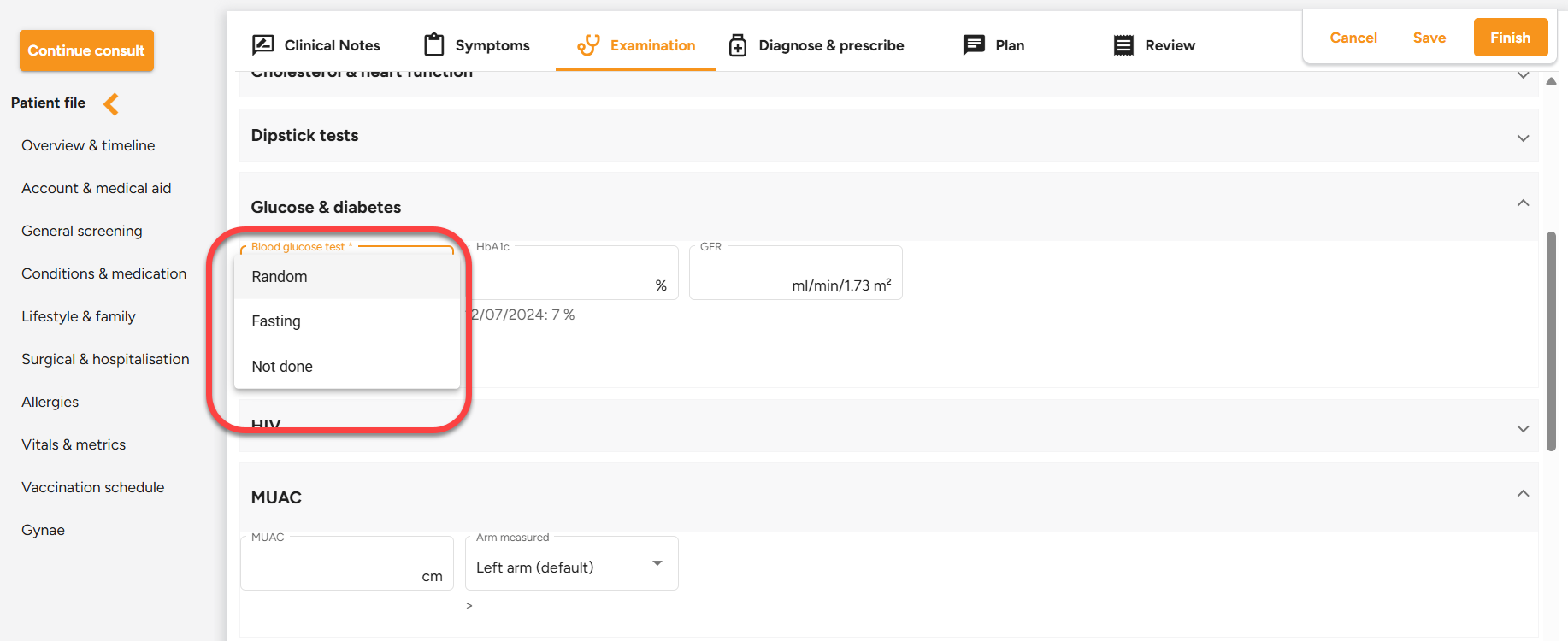
  • Glucose & Diabetes: “Not Done” Option added -A "Not Done" option has been introduced under the Examination/Glucose & Diabetes section, enabling precise documentation when a test has not been conducted.


  • Expanded Allergy List - The updated allergy list now includes Cephalosporins, Clindamycin, Macrolides, Metronidazole, and Tetracycline, each classified as Severe, Moderate, or Mild. Selected allergies will be highlighted in the Executive Summary.


Should you require any further information on these enhancements please do not hestitate to contact our call centre on 0860 200 222 or engage our chat as well.

3 months ago
Enhancements - 21/11/2025
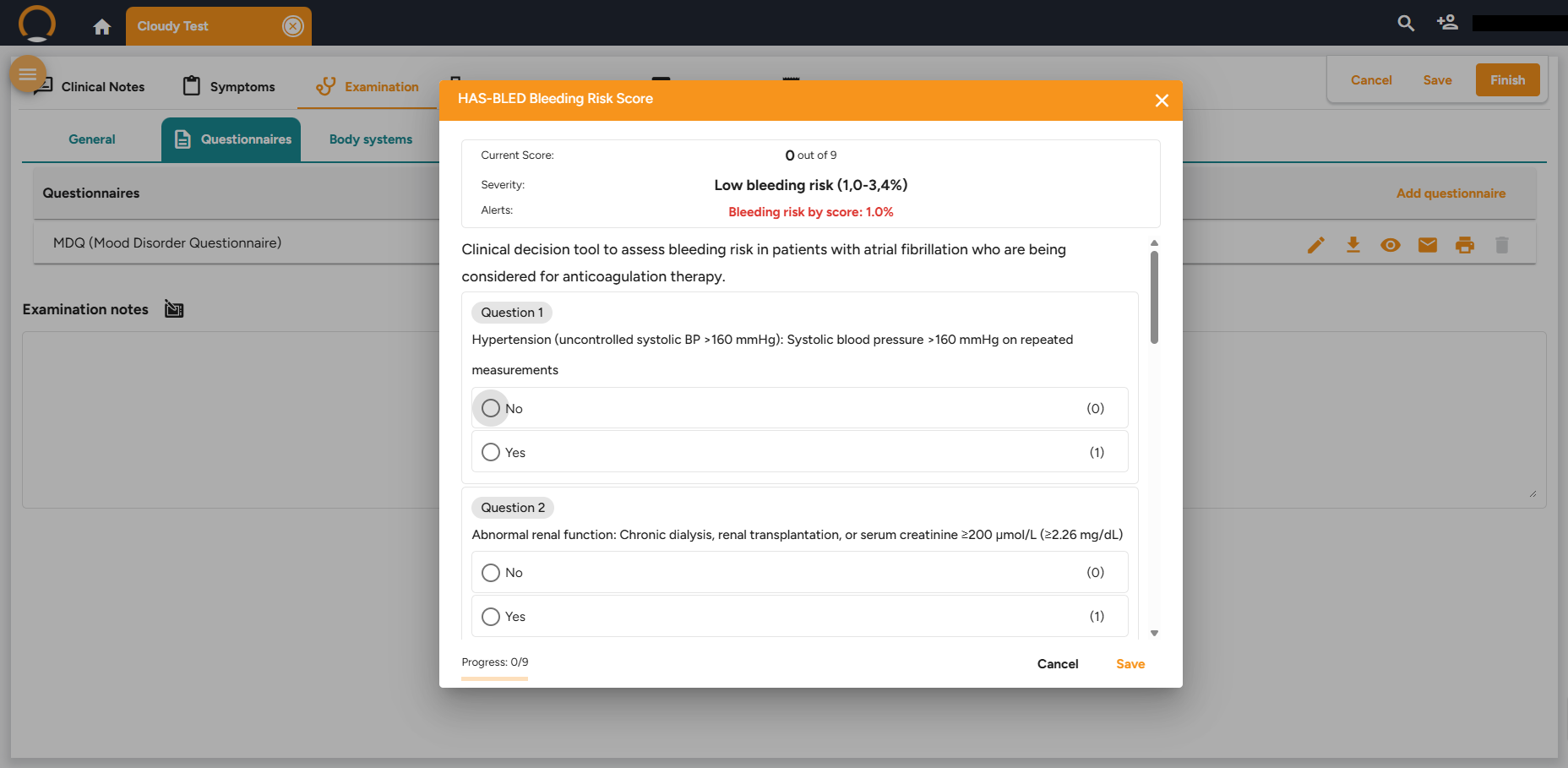
  • New Questionnaire( HAS-BLED Score) - The HAS-BLED clinical scale has been integrated into the Questionnaires section, enabling healthcare professionals to efficiently evaluate a patient's risk of significant bleeding.
  • Custom Letters Additional Placeholders - A wider range of placeholders is now available for creating custom letters, allowing easy addition of patient and practice details without manual input.


  • PDF Password Protection Developmental Screening - Developmental Screening documents have been newly added to the list of files automatically secured with PDF password protection.


  •  Watermark Additions - Watermarks can be applied to Questionnaires, Vaccination Schedules, and Developmental Screenings, enhancing authenticity and preventing tampering.

Should you require any further information on these enhancements please do not hestitate to contact our call centre on 0860 200 222 or engage our chat as well.

3 months ago
Latest Enhancements - 06/11/2025
  • Questionaire Enhancements - The Questionnaires Library has been enhanced with the addition of four newly validated clinical scales, designed to facilitate more thorough patient evaluations.These include DDS-17, ASRS-v1.1,HFS-II W and PAID (Problem Areas In Diabetes Scale).


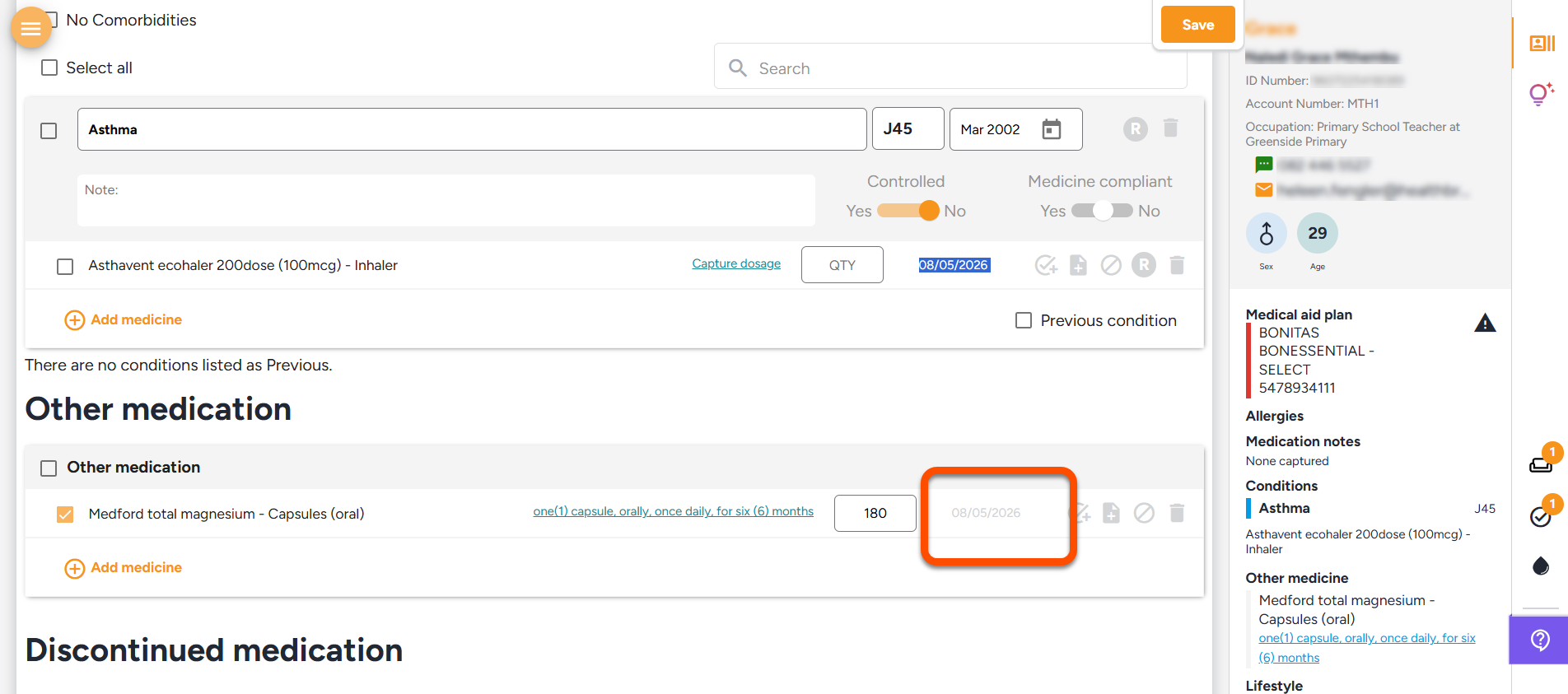
  • Condition Notification - Clinicians are now alerted when a condition being entered is already documented in the conditions and medication records, thereby preventing duplication and ensuring data integrity.


  • Blood Glucose Enhancements - The blood glucose test results are incorporated into the previous results section of the General Examination.


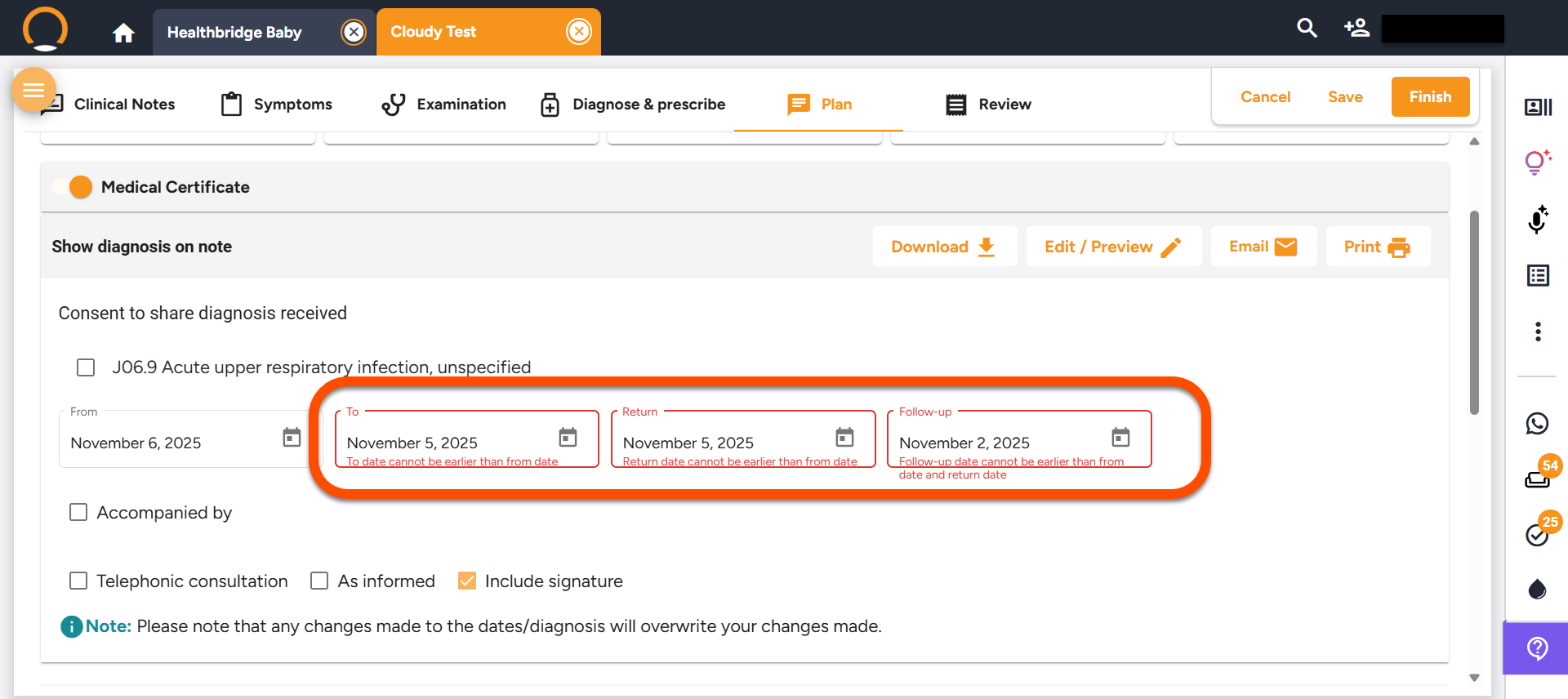
  • Medical Certificate Validation - Additional date validations have been implemented to ensure the accuracy of dates on medical certificates.
  • Email Update Enhancements - To enhance the professionalism of our emails, we have replaced "Hi" with "Dear."


  • PDF Password Protection update - The vaccination schedule is now among the documents automatically safeguarded by PDF password protection.
  • Provider Signature added to all Clinical Assistant Docs - To enhance traceability and professionalism, provider signatures are now included at the bottom of Clinical Assistant documents.


Should you require any further information on these enhancements please do not hestitate to contact our call centre on 0860 200 222 or engage our chat as well.

4 months ago
Latest Enhancements - 23/10/2025
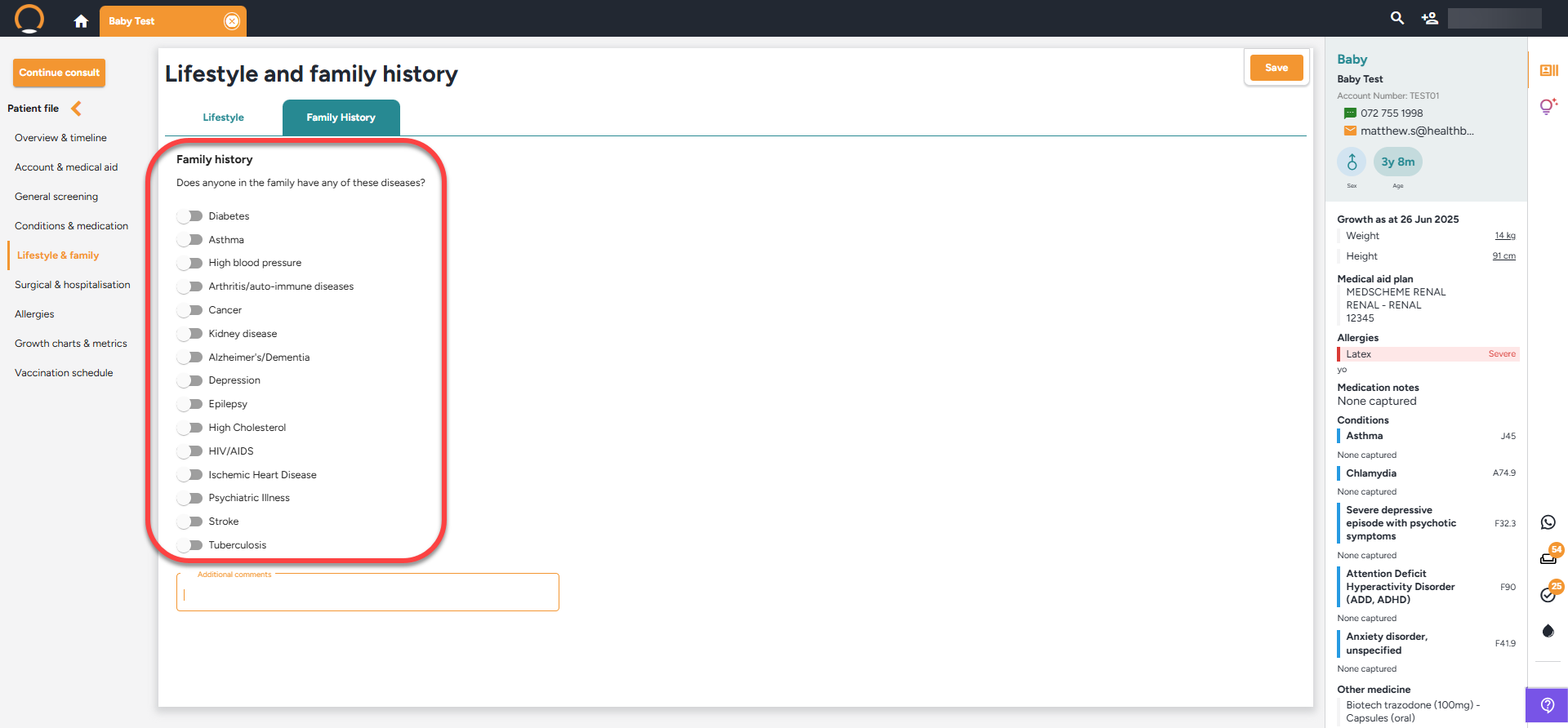
  • Family History - The "Lifestyle & Family" section now incorporates a comprehensive list of conditions that users can select, specifying whether these conditions pertain to the mother or father. This enhancement significantly augments the family history tab.


  • Questionnaire Enhancement -Three new assessment tools have been integrated into the Questionnaires section, accessible during a consultation within the Examination Tab. This enhancement aims to broaden clinical coverage and improve patient evaluation capabilities. These tools comprise:
  • ITAS (Insulin Treatment Appraisal Scale)
  • T1-DDS (Type 1 Diabetes Distress Scale)
  • EASI (Elderly Abuse Suspicious Index)
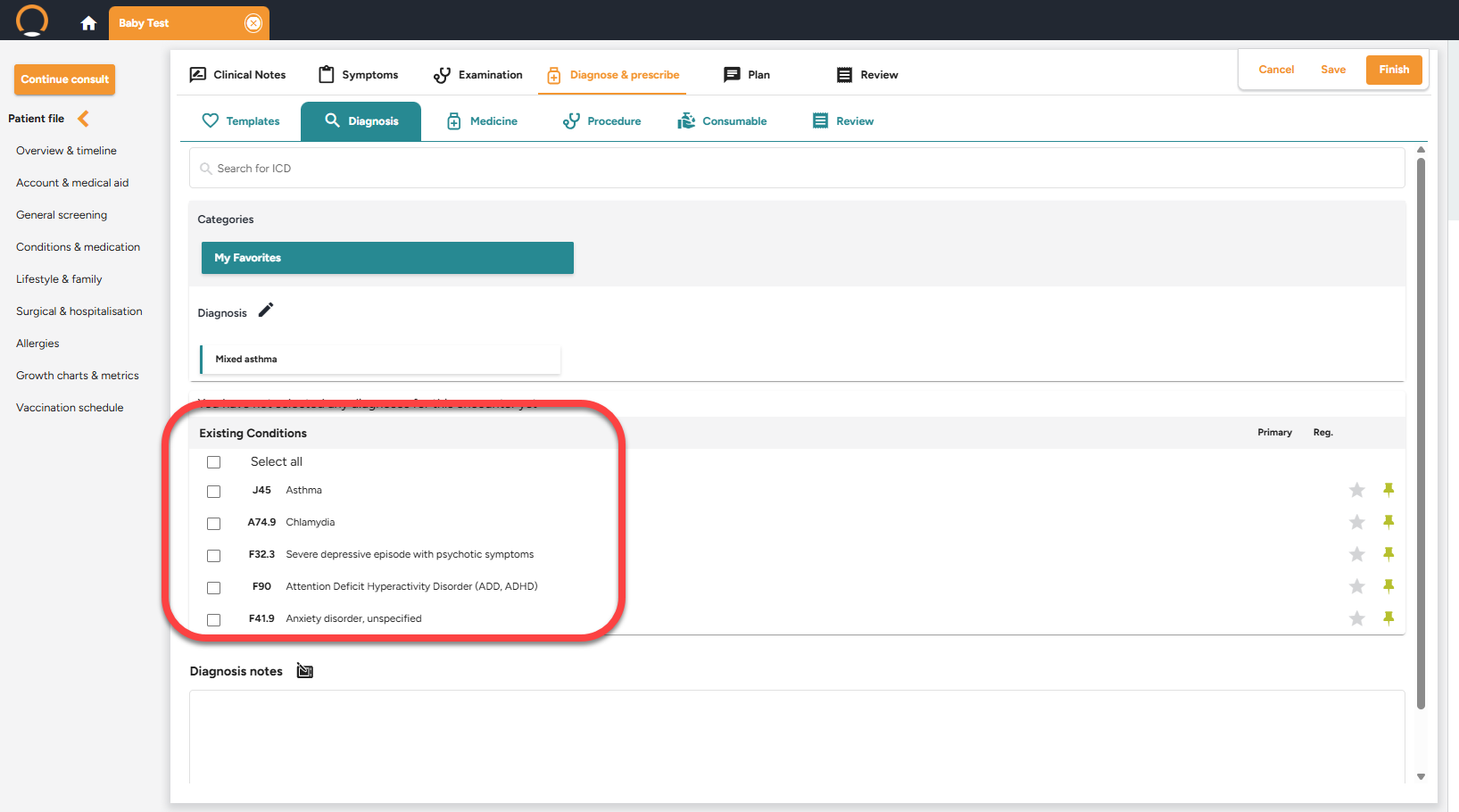
  • Diagnosis Management Enhancement - The "Select All" option now enables users to manage diagnosis entries with greater efficiency. Conditions entered within the "Conditions & Medication" section are automatically displayed on the Diagnosis tab, allowing the selection of all diagnosis codes in a single step and enhancing workflow efficiency.

Should you require any further information on these enhancements please do not hestitate to contact our call centre on 0860 200 222 or engage our chat as well.


4 months ago
Latest Enhancements - 03/10/2025
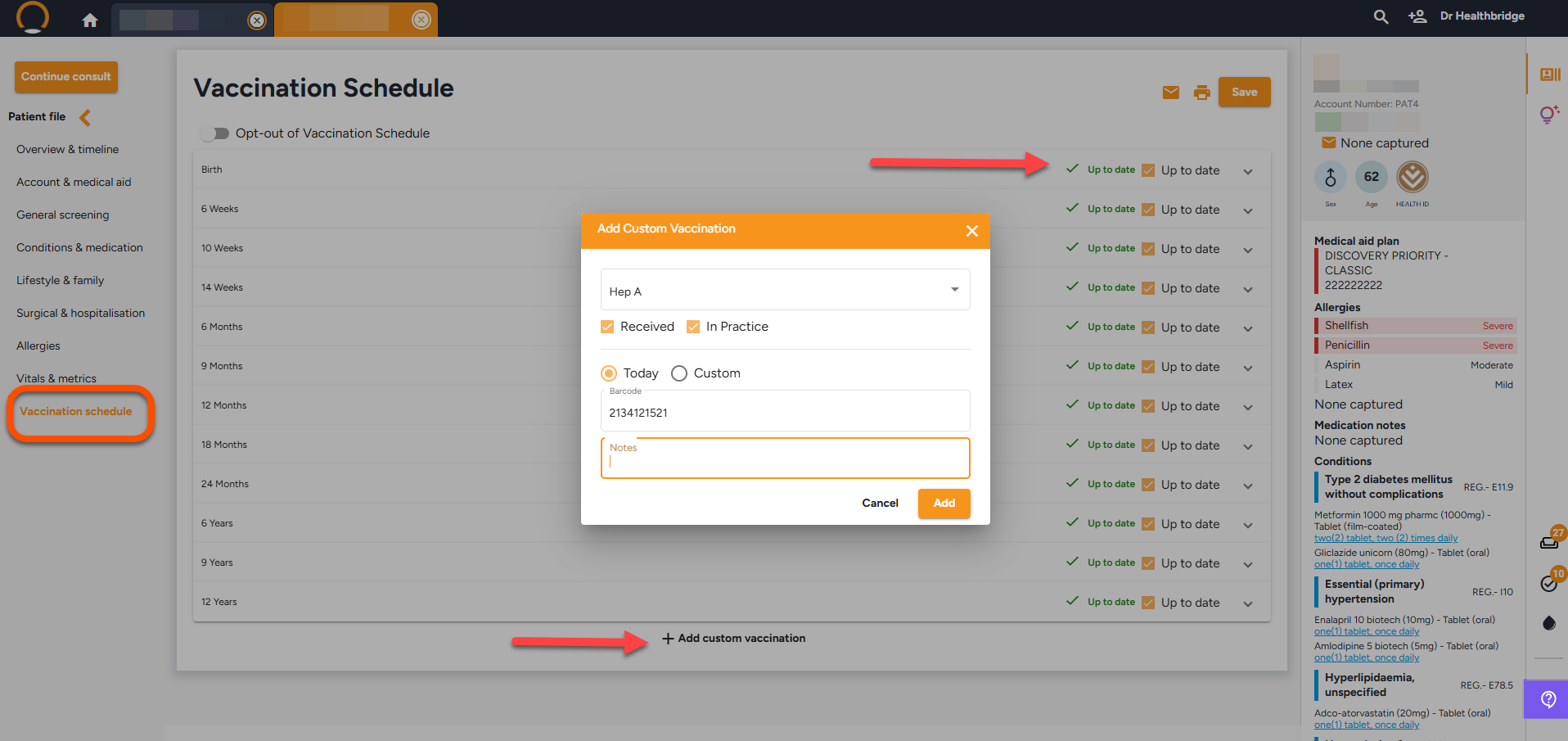
  • Vaccination History Tracking - The system meticulously records and monitors patient vaccination histories, covering standard childhood immunisations outlined in the "Road to Health" booklet and allowing for tailored vaccinations across all age groups.


  • Prescription Renewal Notification - Providers can now set up notifications as tasks for upcoming prescription renewals. A new feature allows adding a renewal task for prescriptions with repeats, appearing in the tasks section.
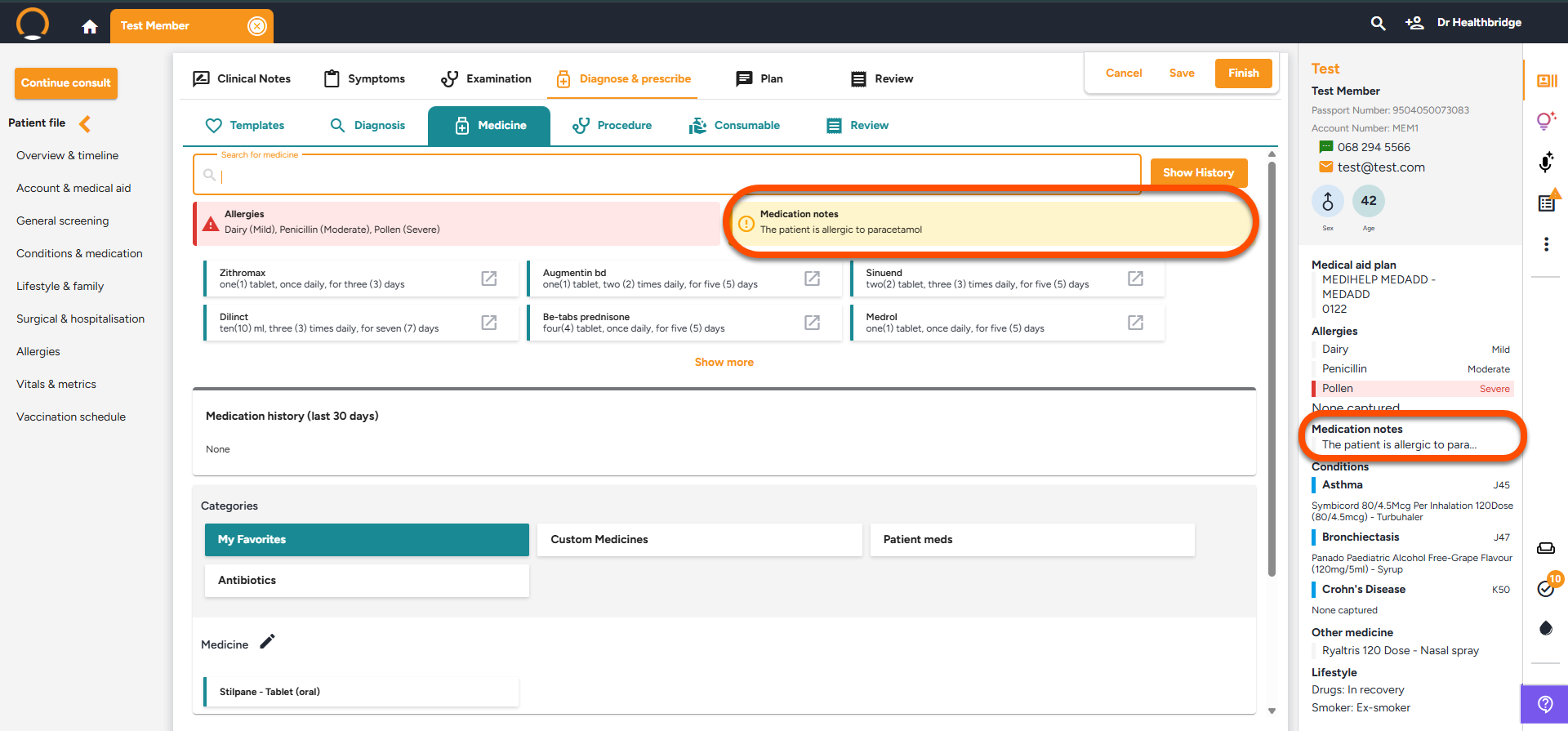
  • Permanent Medicine Notes - Medication notes can now be permanently recorded in the patient's file for future reference. Documented under "Conditions & Medication" section, they will appear in the executive summary, patient overview, Medicine tab, and medication history.
  • Questionnaire Enhancements - The improved questionnaire interface provides immediate access to scores, PDF viewing, and direct display of results on the patient timeline after completion.


Should you require any further information on these enhancements please do not hestitate to contact our call centre on 0860 200 222 or engage our chat as well.

5 months ago
Latest Enhancements - 10/09/2025

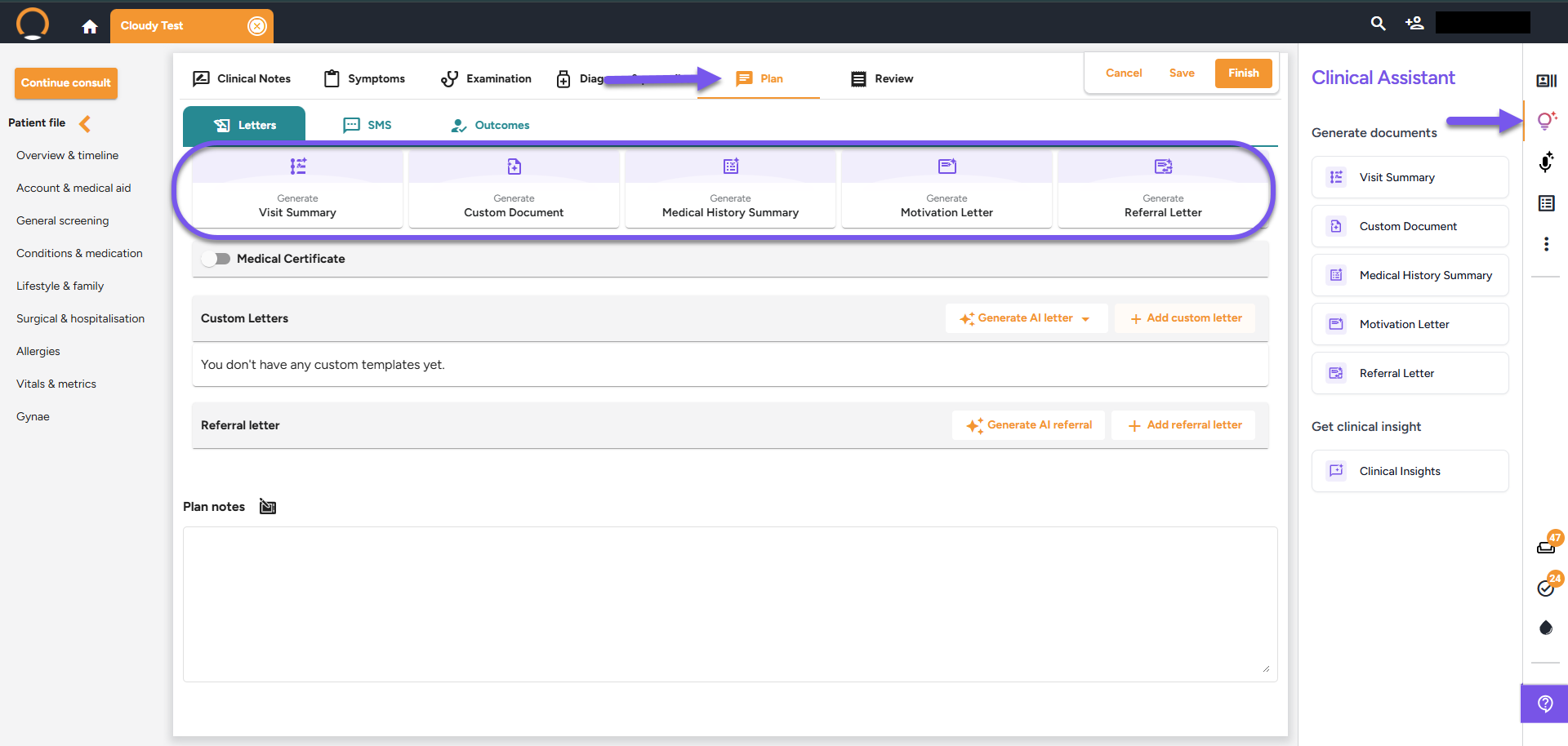
The Clinical Assistant now features a redesigned menu, providing easier access to document generation and clinical insights for active patients, thereby streamlining provider preparation, patient consultations, and communication. This feature can be located under the "Plan" section of the consult and also the right pane menu options.


  • Patient Summary: Quick executive overview of chronic conditions, recent events, and care gaps.
  • AI Clinical Insights: Pose natural language queries and receive contextual, evidence-based responses.
  • Pathology Messenger: Get easy-to-understand lab results sent straight to your patients' WhatsApp with just one click.
  • Document Generation: Visit summaries, referral letters, motivation letters, and medical history summaries now integrate seamlessly with professional letterheads featuring practice branding.

  • WhatsApp Icon - Integrating WhatsApp into the notification panel for new pathology results allows healthcare providers to efficiently share findings, streamline communication, and enhance patient engagement.

  • Patient weight added to prescriptions - Prescriptions for patients over 13 will now include their weight to ensure accurate dosages and improve prescribing safety.
  • Outgoing Emails - The practice's email is now automatically included in all outgoing emails, ensuring recipients have immediate access to accurate contact information.


Should you require any further information on these enhancements please do not hestitate to contact our call centre on 0860 200 222 or engage our chat as well.


6 months ago
Latest Enhancements - 12/08/2025
  • Questionnaires - A new feature has been added that enables the user to complete questionnaires during consultations within the "Examination" section. This will automatically calculate and display a score. These questionnaires can be saved to the patient's timeline or emailed as required.
  • PDF Password Protection - Introducing a new feature that allows providers to apply password protection to PDF documents sent via email. Password settings are customizable based on the type of document and can be easily activated from the "Settings" section.
  • Smartmeds Feature- The medication recommendation list now prioritizes outcomes based on the sequence of ICD-10 codes and additional patient factors, such as gender and date of birth.
  • Scrolling enhancements - Discrepancies in scroll bar functionality has been resolved.
  • Main Branch Default - In the PMA, the designated default branch selected will now accurately appear as the default selection in HbC.


Should you require any further information on these enhancements please do not hestitate to contact our call centre on 0860 200 222 or engage our chat as well.


7 months ago
Latest Enhancements - 29/07/2025
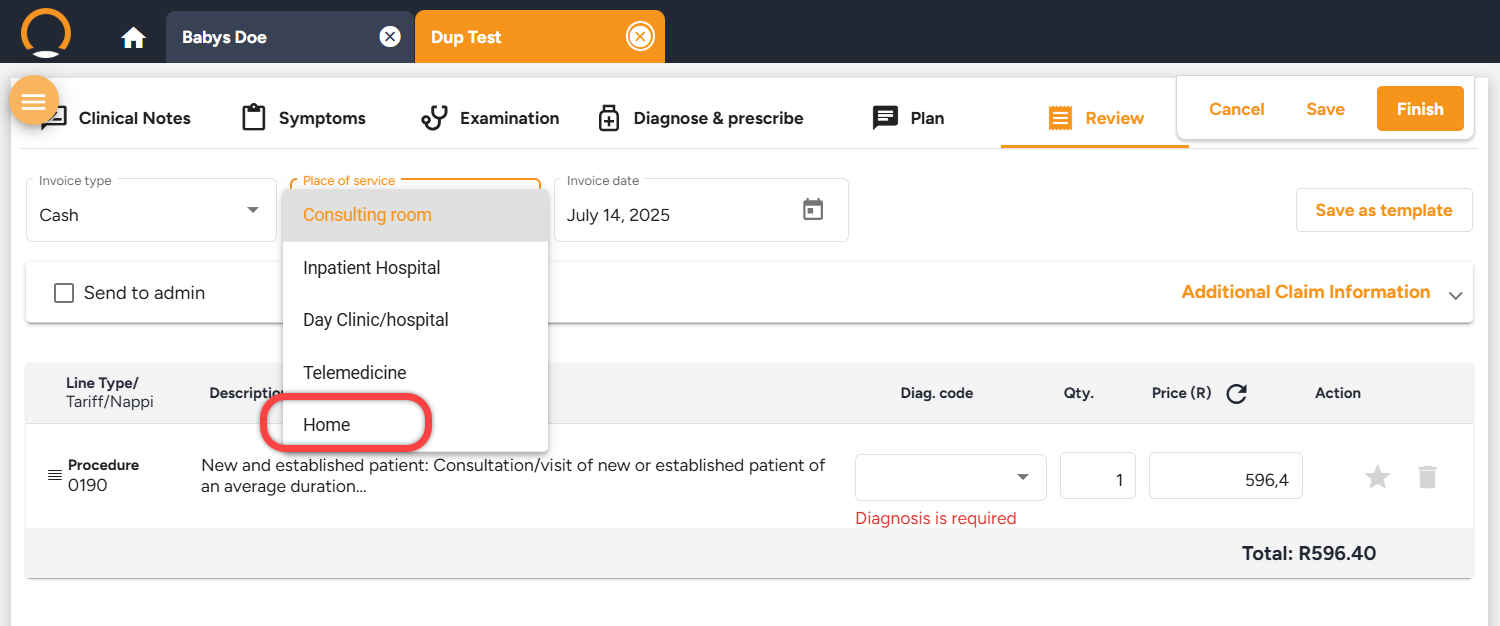
  • New Place of service option- A new "Home" option in the Place of Service category now supports out-of-hospital visits in myMPS, accessible under the "Review" section during consultations.
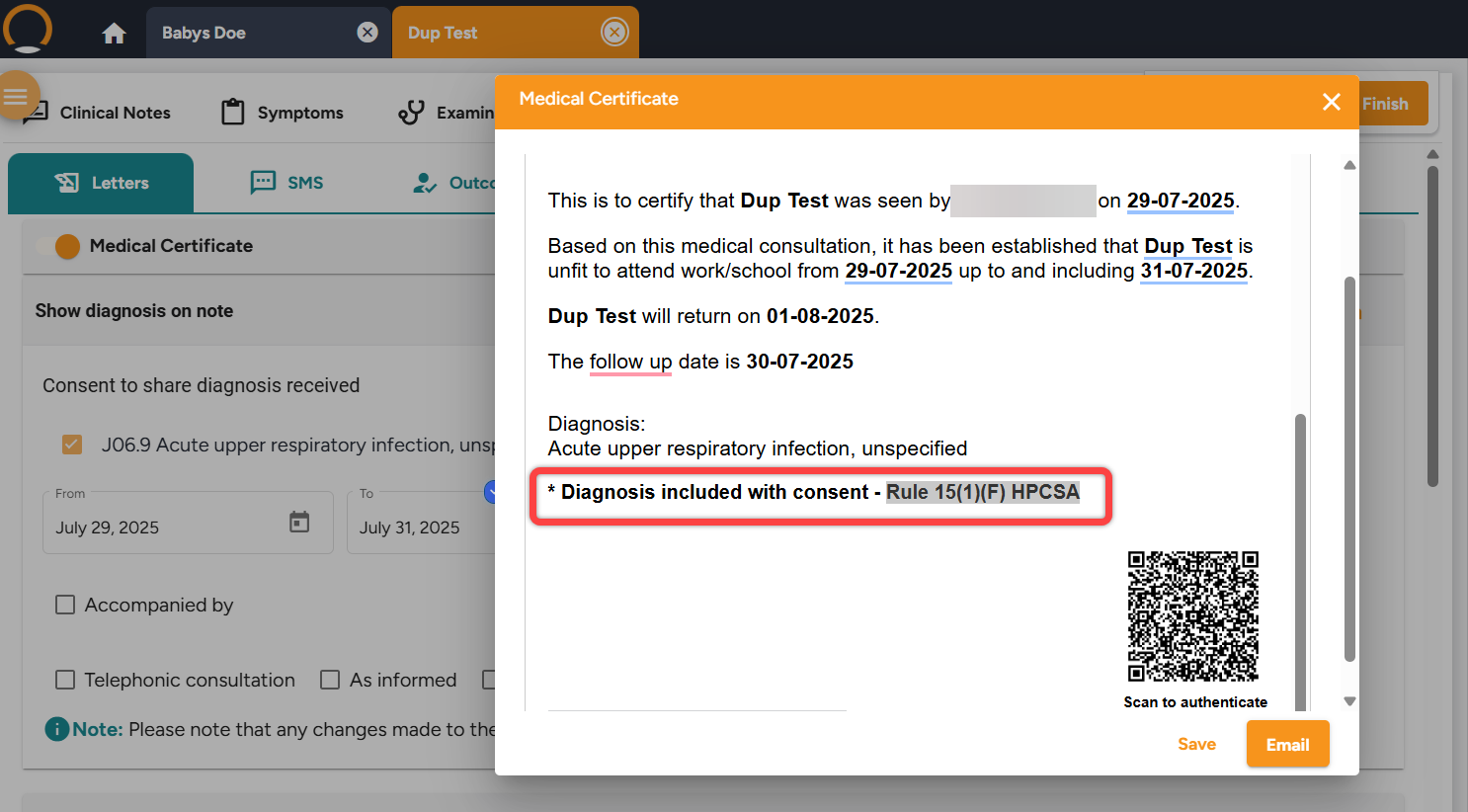
  • Patient Consent Declaration on Sick notes - A new provision has been incorporated into the medical certificate to indicate that when a patient's diagnosis is disclosed, it is done so with the patient's consent "Diagnosis included with consent"
  • Lifestyle & Family History - In the Lifestyle & Family History section, a new option labeled "In Recovery" has been introduced under Recreational Drug Use.
  • Pathcare Report Update - HbC is now equipped to process PDF reports embedded within XML files from Pathcare, ensuring seamless integration of external laboratory results.
  • Encounter completion queries regarding Time Zone Error -The challenges faced by practices in concluding encounters due to inconsistencies in time zone settings have now been resolved.


Should you require any further information on these enhancements please do not hestitate to contact our call centre on 0860 200 222 or engage our chat as well.


7 months ago
Latest Enhancements - 03/07/2025
  • The growth chart offerings have been broadened to cater to ages 5 - 19 years. Users are now able to download or print these charts directly from the platform.
  • The Reports menu has been temporarily removed from the Provider File section pending updates and preparation for clinical use.


Should you require any further information on these enhancements please do not hestitate to contact our call centre on 0860 200 222 or engage our chat as well.

8 months ago
Latest Enhancements - 17/06/2025
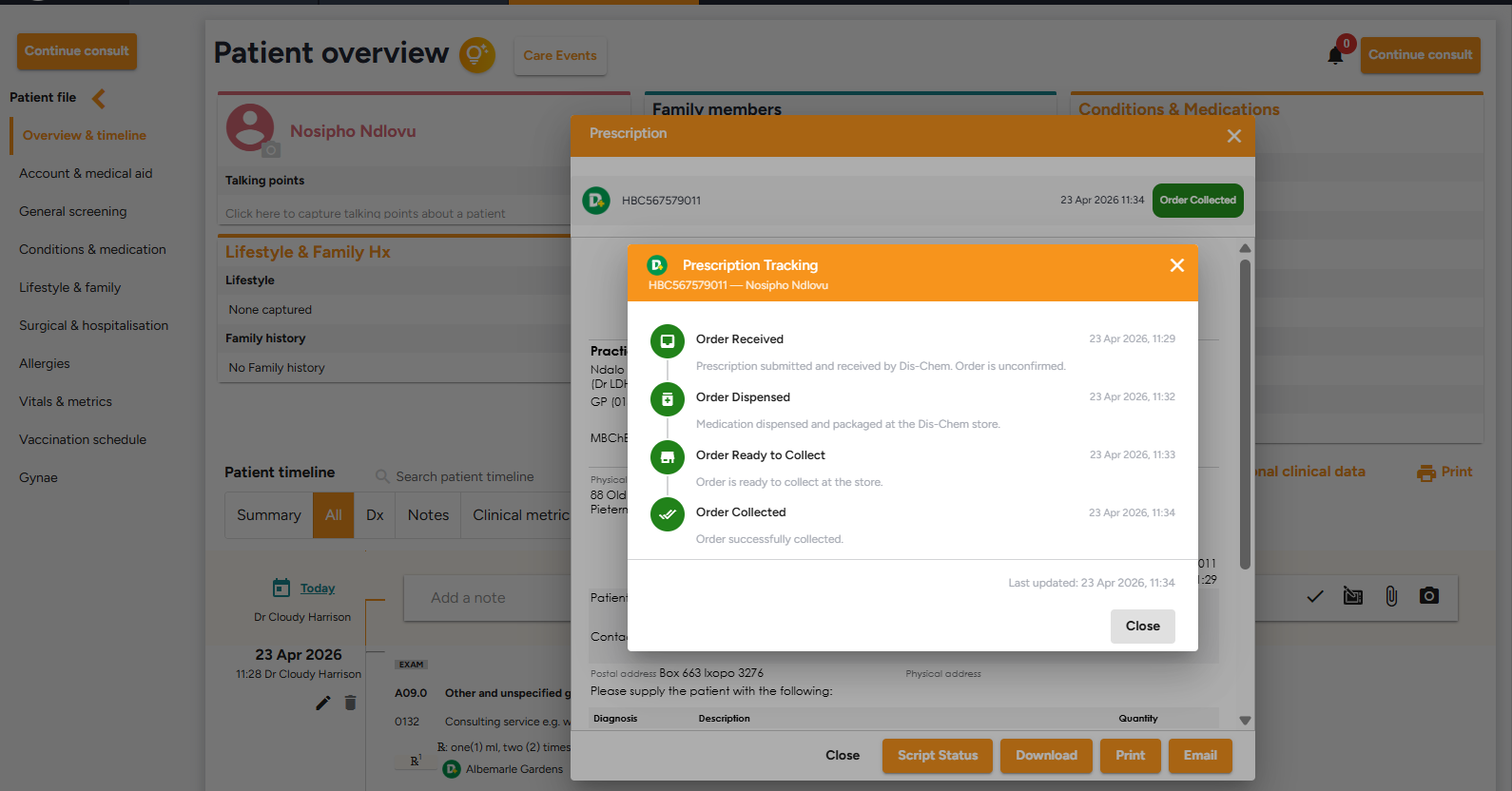
  • Dis- Chem Scripting - Scripts sent to Dis-Chem can now be printed, downloaded, or emailed directly from the patient timeline. To ensure safety and compliance, a watermark indicates these copies are not for reuse.
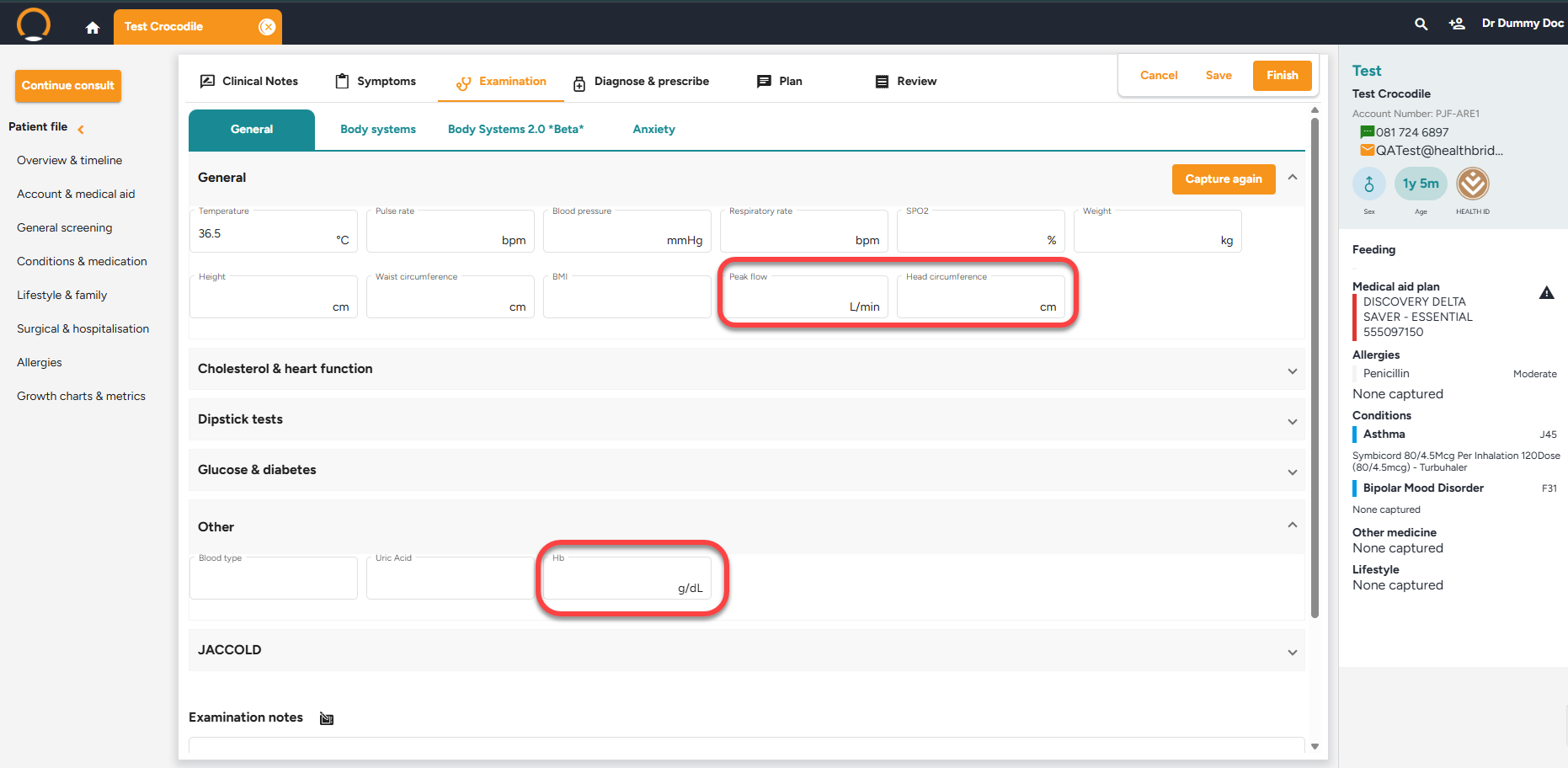
  • Examination Tab Updates - A new field for "peak expiratory flow" has been added for lung function monitoring, and the Hemoglobin readings now can be recorded under the "other" of the general examination.
  • Head circumfrence updates - You can now capture head circumference for children under 5 years of age in the general examination tab.
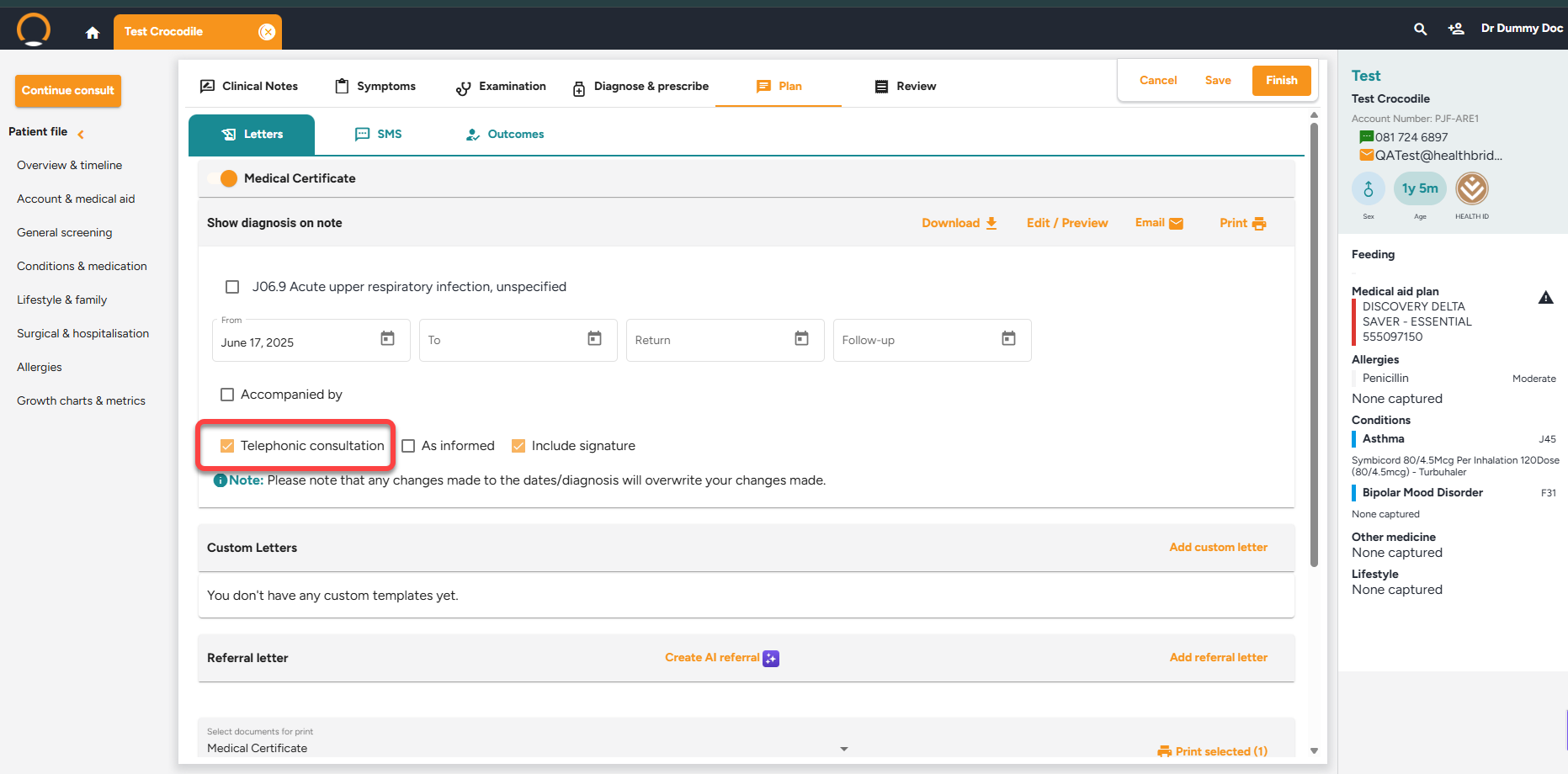
  • Medical Certificates Updates - A checkbox has been added to indicates if a certificate was issued after a Telephonic consultation and is auto-selected when starting a teleconsult. These certificates will now also use the patient names instead of gender-specific pronouns for inclusivity.
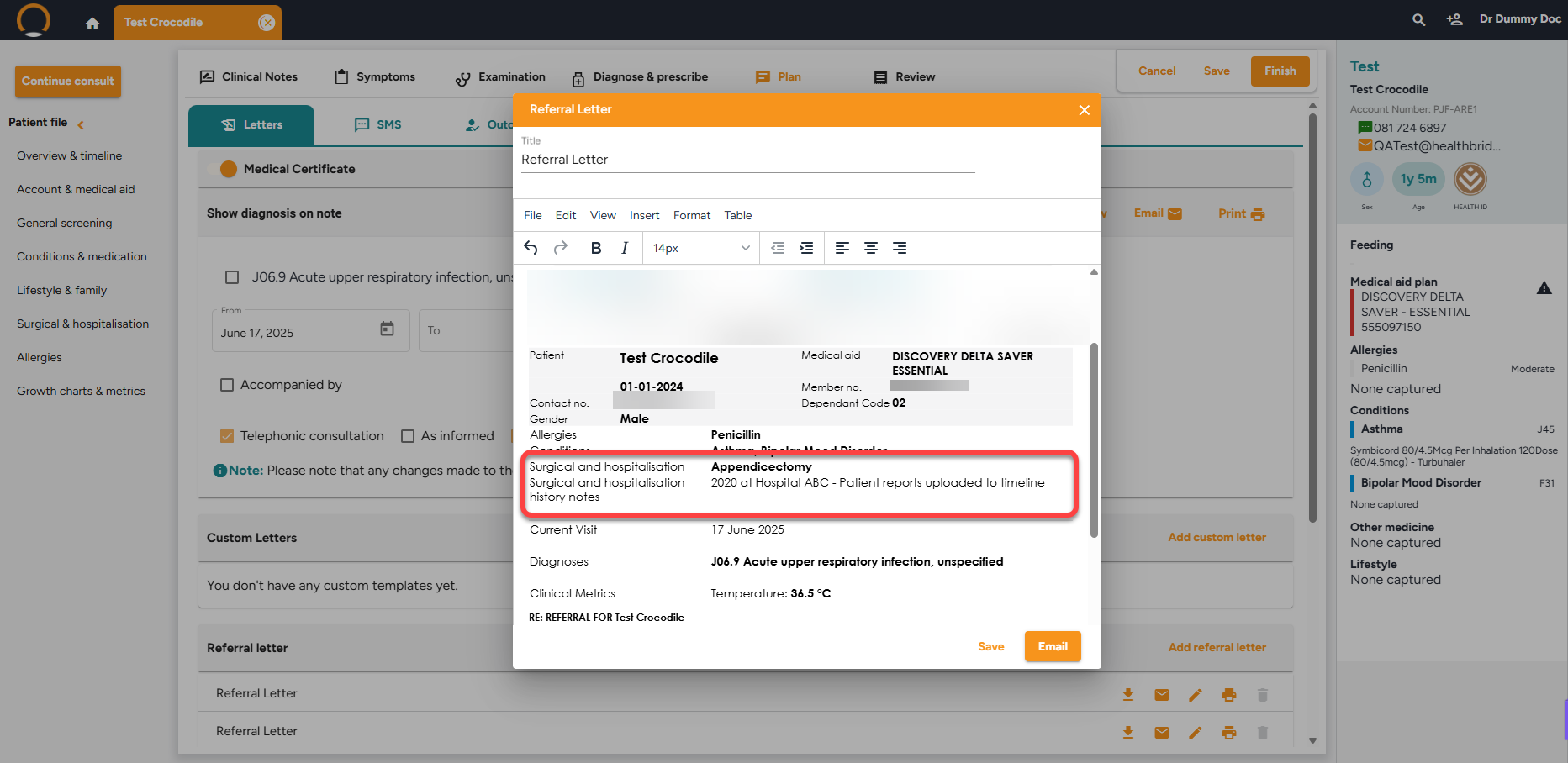
  • Referral Letter Updates - Referral letters now automatically include notes from the Surgical and Hospitalization sections for more comprehensive communication.


Should you require any further information on these enhancements please do not hestitate to contact our call centre on 0860 200 222 or engage our chat as well.

9 months ago
Latest Enhancements - 6/06/2025
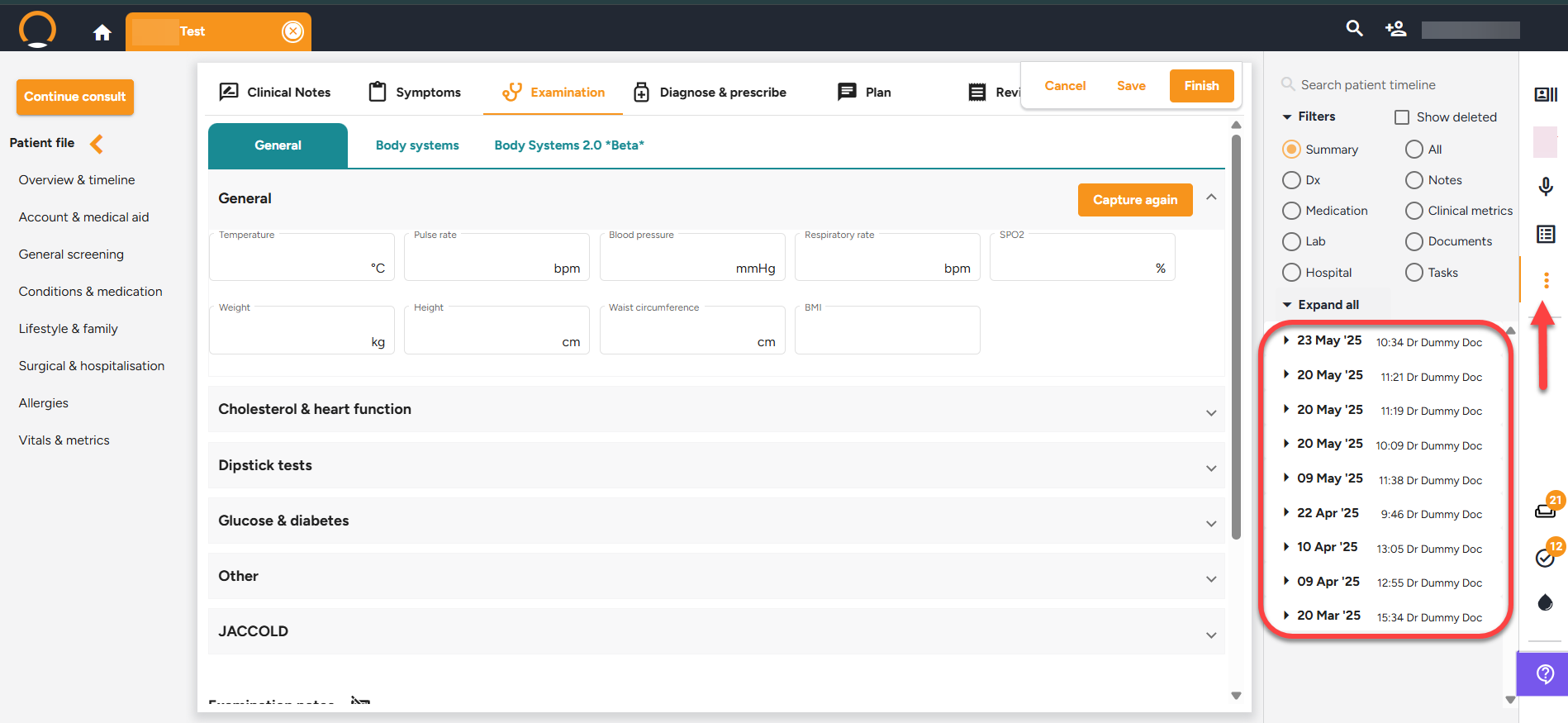
  • Patient Timeline Enhancement - For enhanced convenience and swift access, the Patient Timeline is now viewable during consultations. This upgraded feature can be accessed by clicking on the three dots located on the right-hand panel. Additionally, users can filter the timeline data to display only the necessary information, providing further benefits.


Should you require any further information on these enhancements please do not hestitate to contact our call centre on 0860 200 222 or engage our chat as well.

9 months ago
Latest Enhancements - 15/05/2025


  • Health ID - A new HealthID integration is now operational and accessible to healthcare providers.
  • Tasks Feature - The task functionality now includes a "Task type" category, allowing users to specify task details. Users can filter tasks by "Type" or "Due Date," but "Filter by Type" is available only if tasks are categorized. Once created and saved, tasks are added to the patient timeline, where users can conveniently mark them as "Completed."
  • Updates to the Provider File - A hyperlink to the "Help Centre" has been added to the Support page. On the provider screen, the PMA text now dynamically shows "myMPS" or "HB Nova" as needed.
  • Custome Charge Codes - Custom charge codes are now supported in Healthbridge Clinical. These codes must first be created in Healthbridge Nova to be available in Clinical. To use "Admin" custom codes, they need to be added to an Invoice template in Nova, enabling access through the Clinical "Templates" option. Custom Medicine, Procedures, and Consumables codes are found in their respective sections during a Healthbridge Clinical consultation.


Should you require any further information on these enhancements please do not hestitate to contact our call centre on 0860 200 222 or engage our chat as well.

10 months ago
Latest Enhancements - 23/05/2025

Healthbridge Clinical has had a few enhancements added in this week. Here is a full overview of whats changed.


  • Prescription sent - A new feature, "Prescription Sent" has been introduced under the Outcomes section within the Plan category of a consultation.Once a consultation is completed the patient timeline will also reflect "Prescription Sent".
  • Dipstick Test Enhancements -The "Negative" option has been added to the LEU and Urobilinogen fields.
  • Tasks now added to Patient Timeline - Tasks generated in the task panel are now integrated into the patient timeline. The timeline will reflect the task's status upon creation and completion.


Should you require any further information on these enhancements please do not hestitate to contact our call centre on 0860 200 222 or engage our chat as well.

10 months ago
Latest Enhancements - 04/04/2025

Healthbridge Clinical has had a few enhancements added in this week. Here is a full overview of whats changed.


  • Increased SmS characters - The Short Message Service (SMS) character limit has been increased to 306 characters to facilitate more comprehensive messaging to patients.
  • Attach documents to all emails - The capability to attach files has been expanded. File attachments are now supported for Prescriptions,Medical Certificates,Refferal letters,Custom Letters.
  • General Screening Enhancements - The system now permits the selection of either ug/ml or ng/ml as the unit of measurement for PSA, providing enhanced flexibility to accommodate the differing standards used by various laboratories.
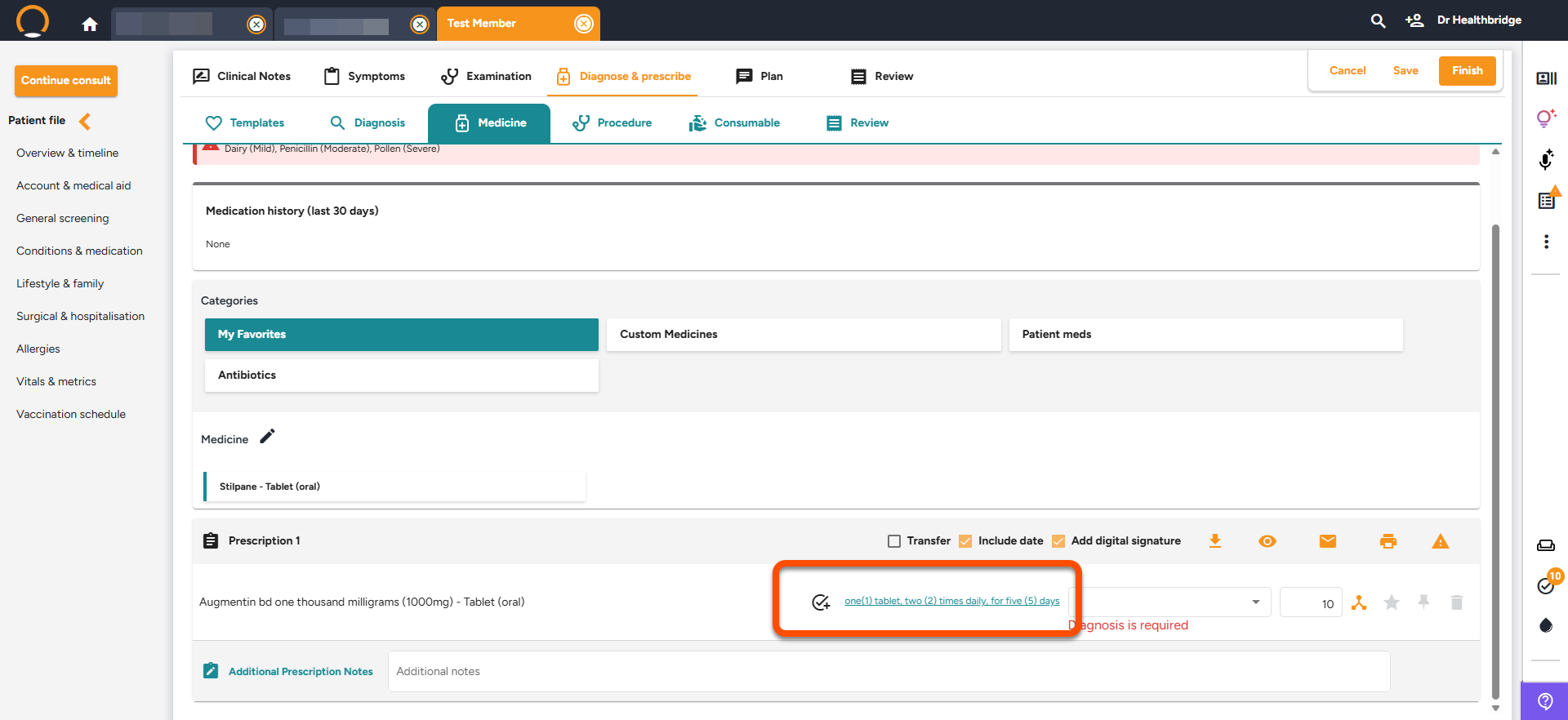
  • Script quantities Displayed on the Timeline - The timeline now features the quantity of prescribed/dispensed medication. Previously, only dosage instructions, excluding quantity, were included.
  • Glucose & Diabetes results now include decimal points - The system has been enhanced to permit the entry of GFR values with decimal points, an option not previously implemented. This functionality is accessible within the examination section of consultations.
  • Specify eye usage routes - New dosage routes added specifically for eyes as follows OD - Right Eye,OS - Left Eye,OU - Both Eye.The description box below conveniently advises the user on which route is been used.
  • Watermark on documents - A default watermark has been implemented on all documents to prevent an unauthorised generation of documents using the Doctor's credentials. This feature can be deactivated/activated via the “Settings” menu, under the Watermark section.
  • Medicine suggestions  based on diagnosis - When adding a diagnosis, the Medicine tab automatically displays related medications. Initially, up to six medications are visible. The complete list can be accessed by selecting "Show more."Clicking the medication adds it to the prescription. Clicking the arrow icon opens a dialogue to select an alternative or confirm the suggestion.


Should you require any further information on these enhancements please do not hestitate to contact our call centre on 0860 200 222 or engage our chat as well.

11 months ago
Latest Enhancements - 12/03/2025

Healthbridge Clinical has had a few enhancements added in this week. Here is a full overview of whats changed.


  • The Panel menu navigation update - Users will now return to the specific consultation tab they were working on, instead of being redirected to the beginning of the consultation flow, when selecting any menu options from the left panel.


  • Interim & final pathology reports on the patient Timeline - .Pathology reports, both interim and final, are now tagged on the timeline. From there, you can view the report in the Pathology Centre, with the option to choose between older and newer versions if available.


Should you require any further information on these enhancements please do not hestitate to contact our call centre on 0860 200 222 or engage our chat as well.

last year
Latest Enhancements - 13/12/2024

Healthbridge Clinical has had a few enhancements added in this week. Here is a full overview of whats changed.


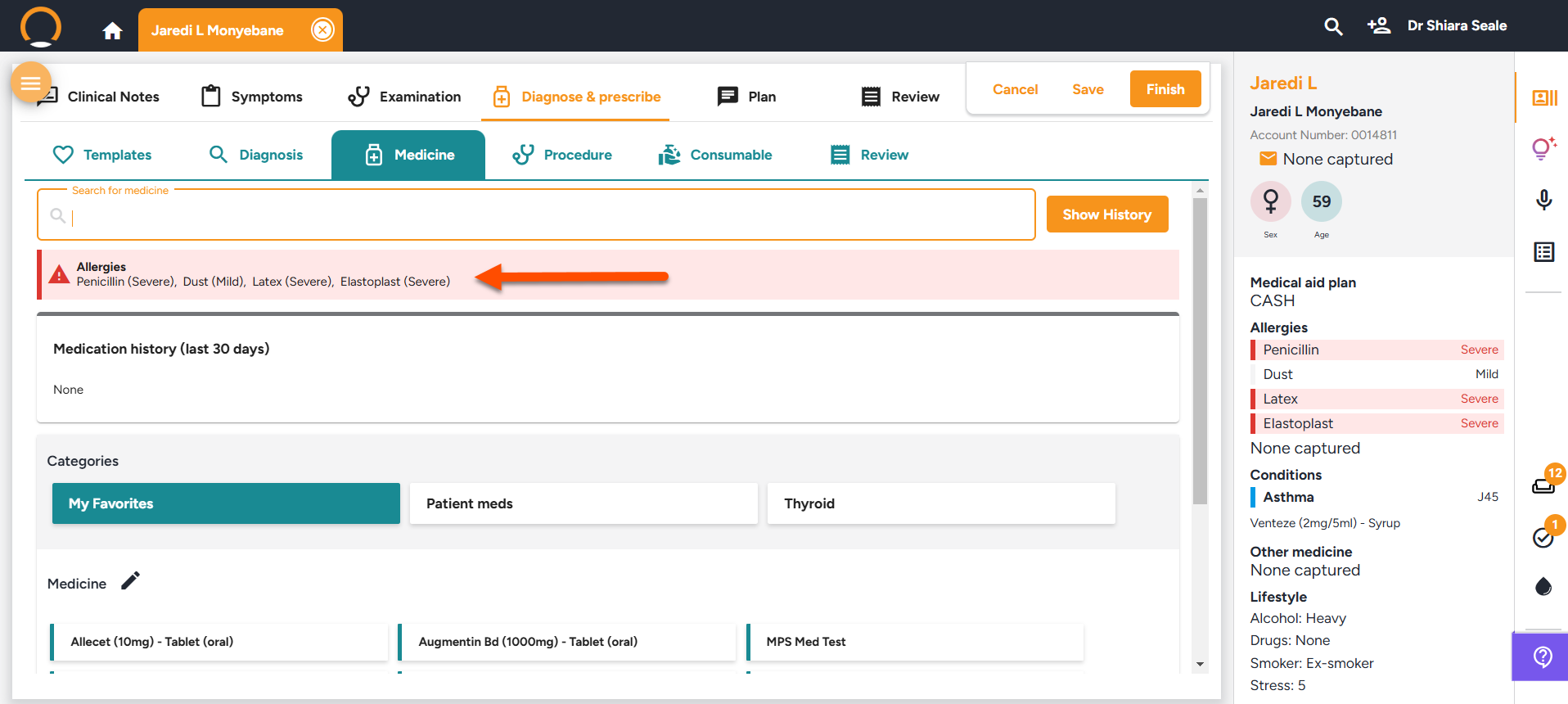
Display allergies on all medicine screens - Any documented allergies on Healthbridge Clinical will be easily displayed wherever medication is prescribed to enhance visibility to the user.

Suspended patients warning alert - A warning is now displayed advising the Dr that the patient’s account has been suspended. The user can choose to still continue with the consultation or not.


Growth charts available during consultations - The users are now able to view baby charts/growth metrics during a consultation, which was previously locked as well as easily update the metrics from the patient summary.

Examination section new option added to Dipstick test - "None" has been added as an available option in the drop-down menus under the Dipstick Test section.


Should you require any further information on these enhancements please do not hestitate to contact our call centre on 0860 200 222 or engage our chat as well.

last year
Latest Enhancements - 25/09/2024

Healthbridge Clinical has had a few enhancements added in this week. Here is a full overview of whats changed.


  • Warning/Alert has been added if any R0.00 lines are billed.
  • Passport number now avalible as well and also allows user to record the country of the patient.
  • Error of consultation codes been removed when selecting templates is now resolved.
  • Error with description on prescribed repeated medication has been resolved.
  • Issue with appoitment colour co-ordination on a shared calendar has been resolved.
  • Issue regarding hospitilastions notes been cut-off has been resolved.


Should you require any further information on these enhancements please do not hestitate to contact our call centre on 0860 200 222 or engage our chat as well.

last year