
Patient Summary - Day 1 Value
To solve the "Blank Screen Challenge", the Day 1 Patient Summary automatically aggregates claims and pathology records into a clinical overview. This reduces cognitive load by providing immediate patient insights at the first point of contact.
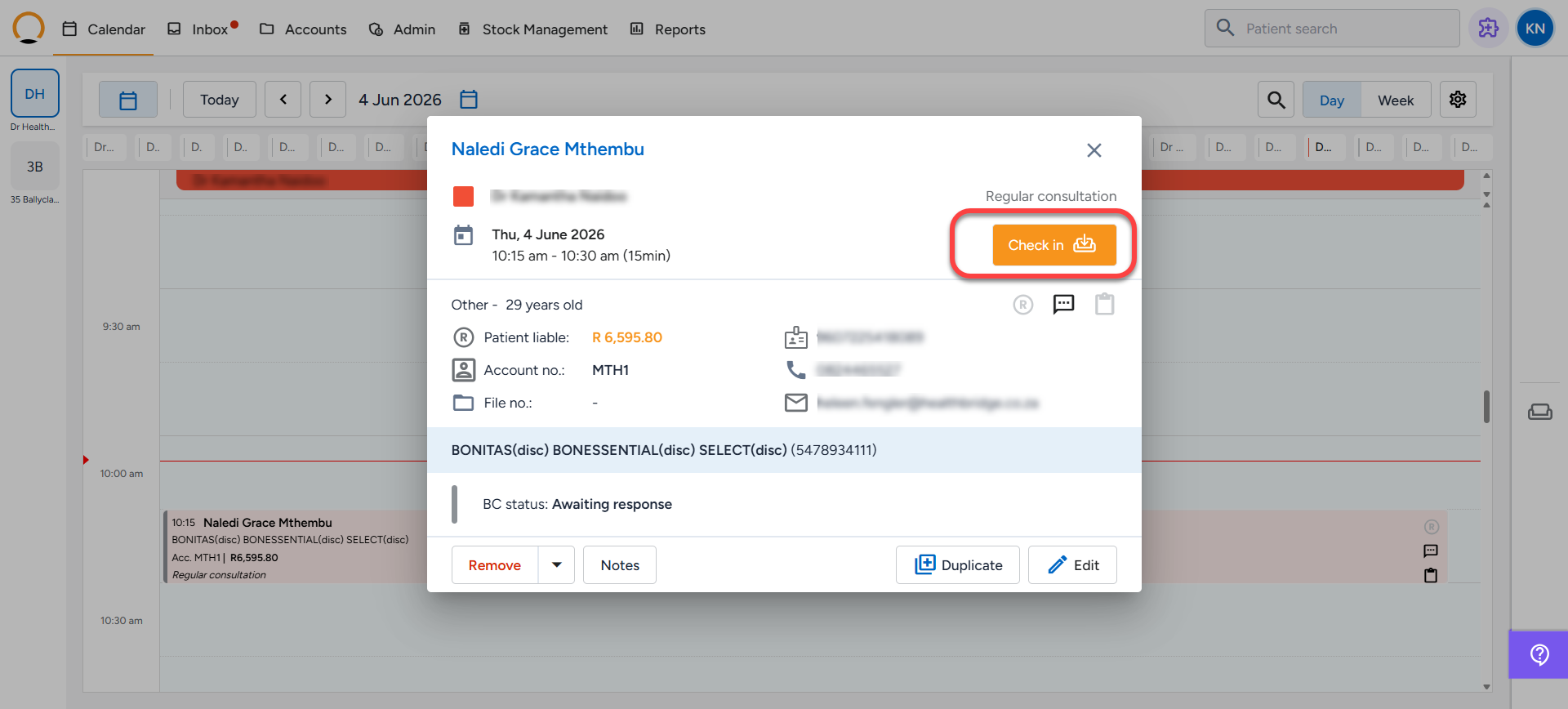
Step 1: Patient Check-in - The system automatically triggers and builds the summary as soon as a patient is "checked -in" for their appointment via the calendar(myMPS/Healthbridge NOVA) .
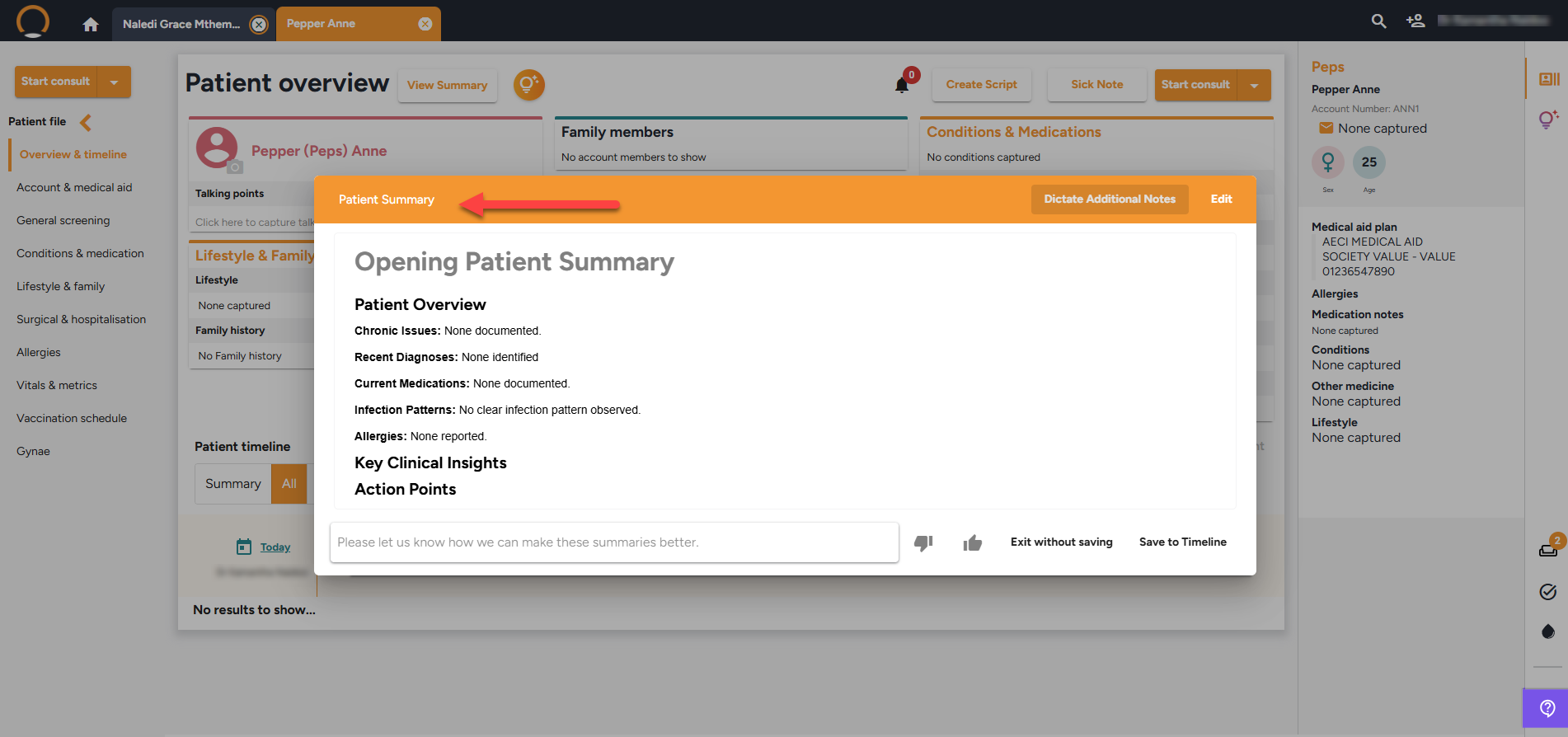
Step 2: You are not locked into the initial AI-generated content. To refine the summary, click the "Edit" or “Dictate Additional Notes” button in the top right corner, which unlocks two methods for adding context:
- Dictation: Click the microphone icon to speak your observations naturally. The system will process your audio and automatically insert a structured text version of your dictation into the field.
- Manual Editing: You can directly type into the text field to correct errors, add manual edits, or supplement your dictation.
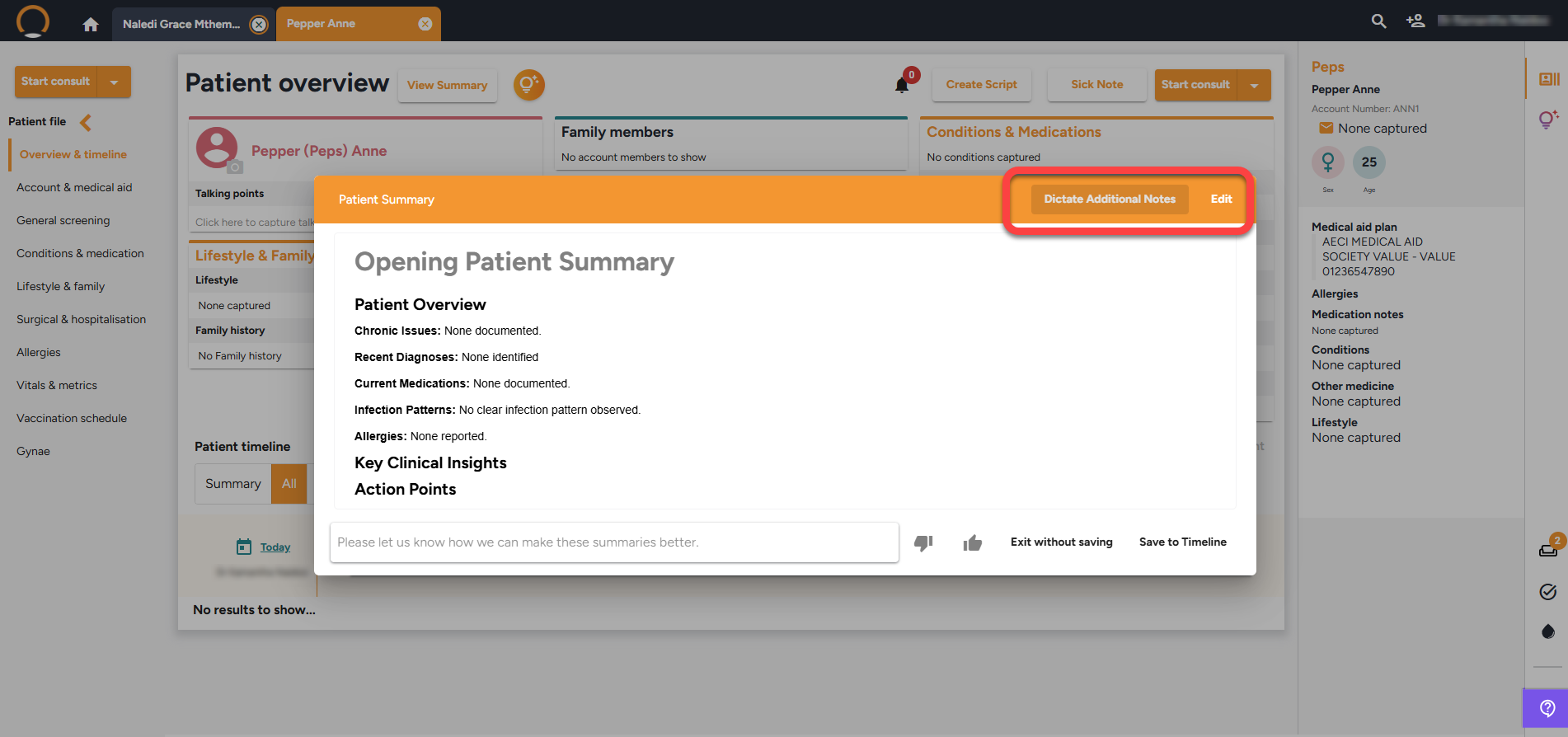
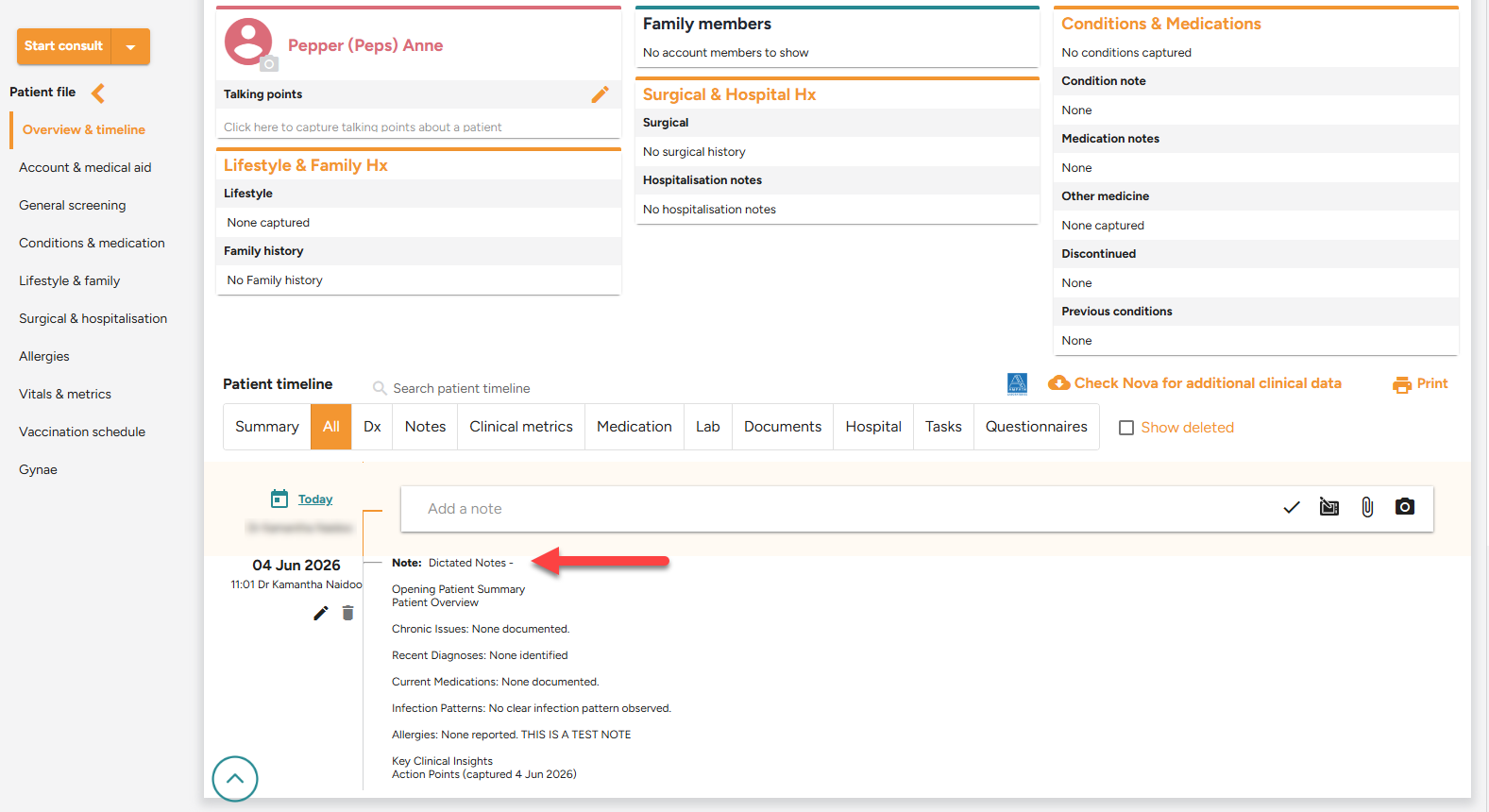
Step 3: Saving to the Patient's Record ,once you are satisfied with the summary, click "Save to Timeline".This will permanently save the refined AI summary and any of your added or dictated notes to the patient's medical record.
- Note will also be saved to the Patient timeline.
Watch a quick video here: