How to Upload Practice Documents
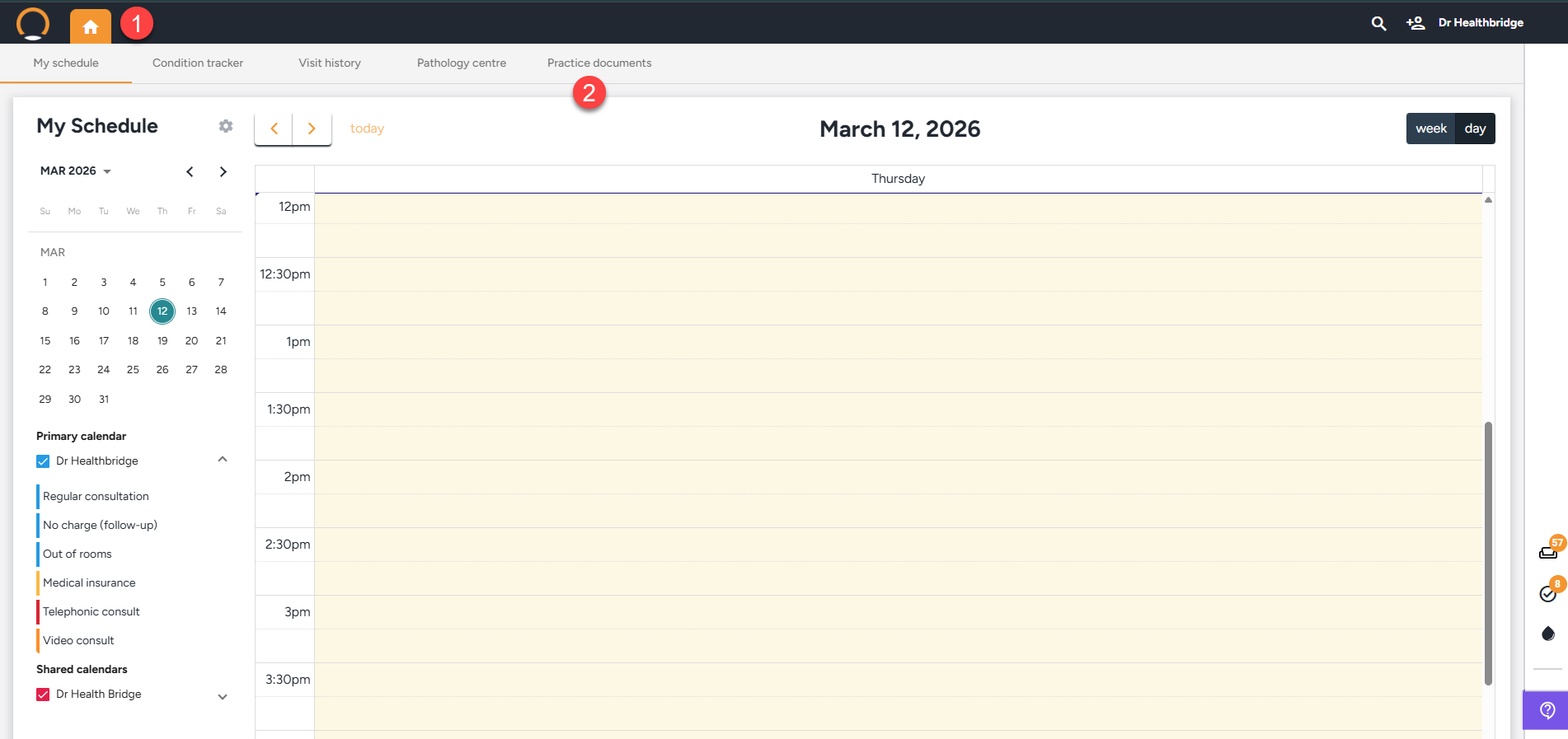
1. Launch the Healthbridge Clinical application and navigate to the home page.
2. Select the "Practice Documents" option.
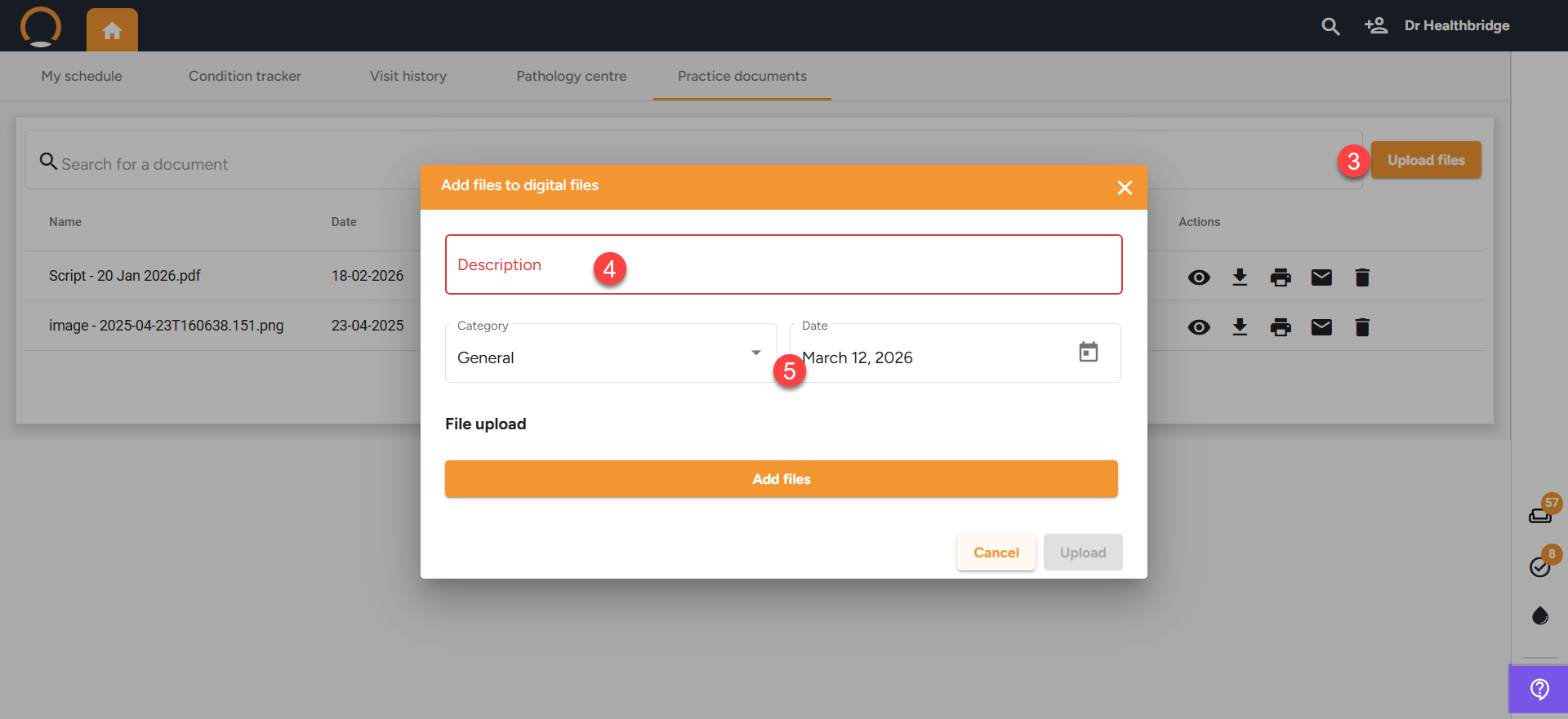
3. Click on "upload documents"
4. Add a description related to the document.
5. Select the relevant "Category" and "Date".
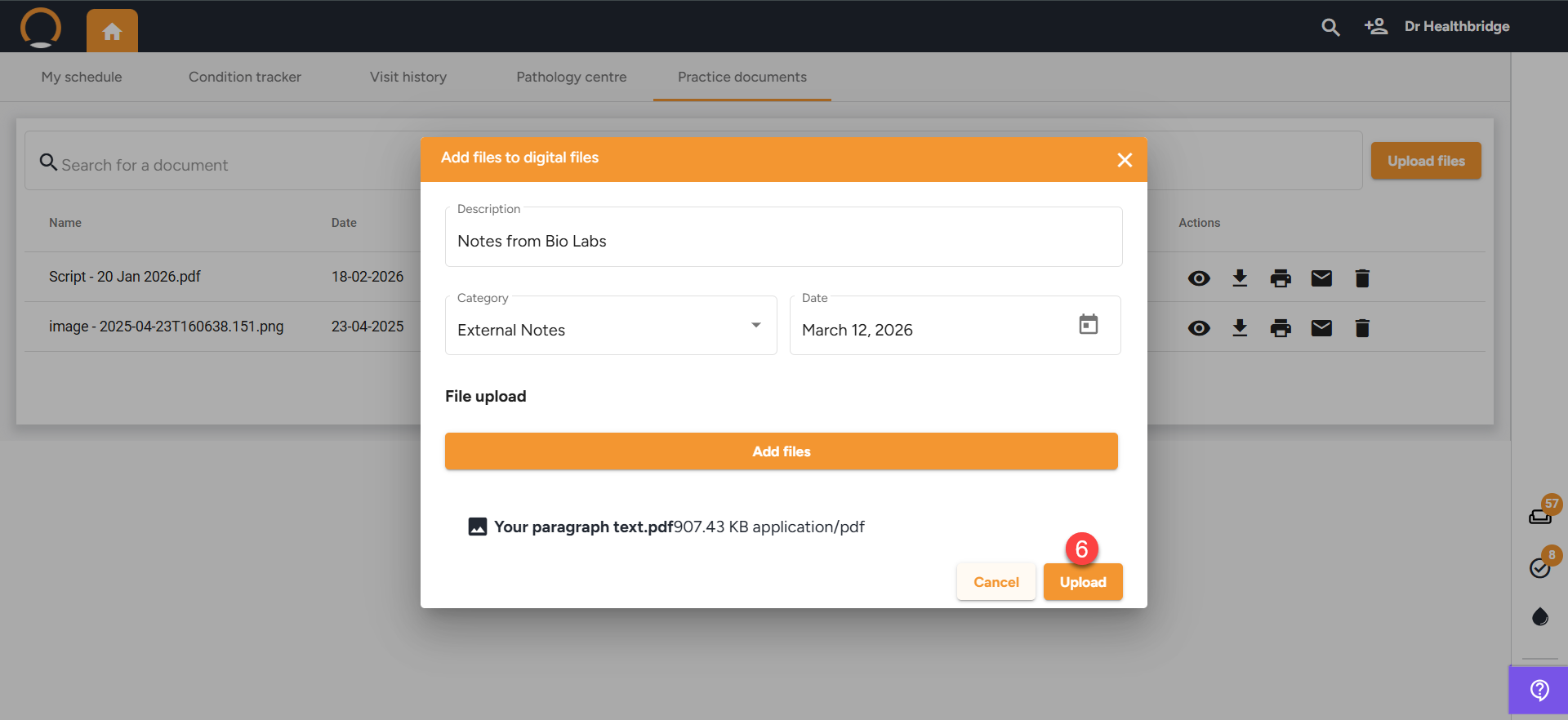
6. Finalize the upload once all required details are entered, click "Upload" to save the document.
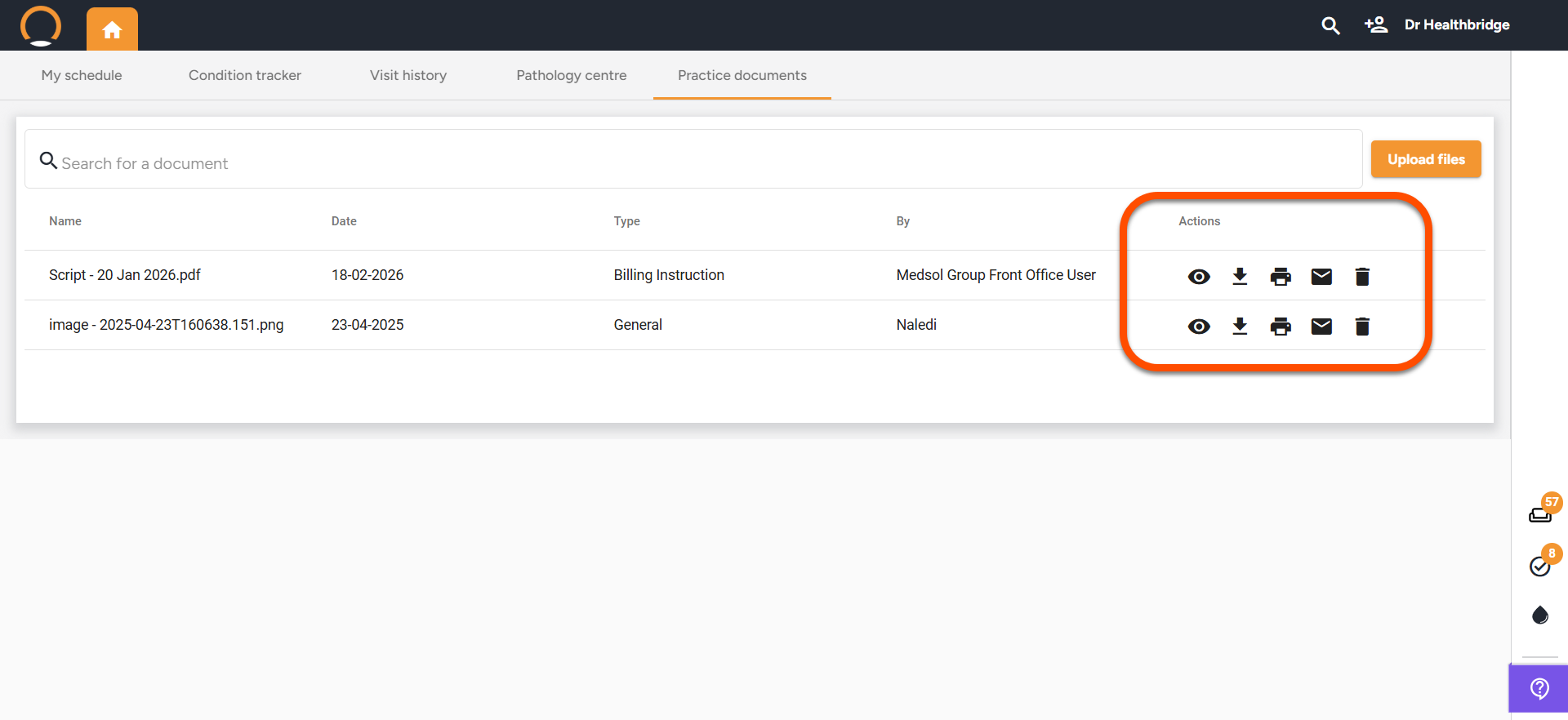
7. The user has the ability to also manage uploaded documents with the "Actions" options avalible.